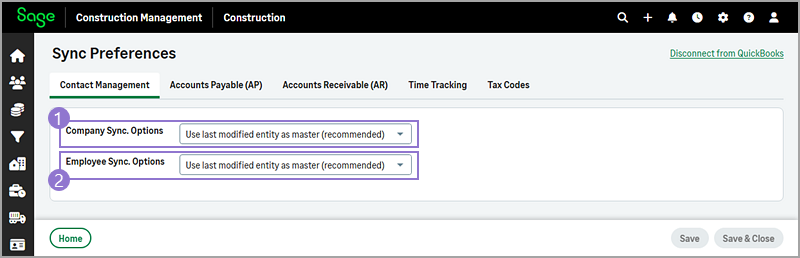
Contact Management sync preferences
-
This setting applies to companies, such as customers and vendors, that are linked in Sage Construction Management and QuickBooks Online.
Options Description Use last modified entity as master (recommended) The company modified last in Sage Construction Management or QuickBooks Online will be the master record. Always use Sage CM to update QuickBooks Customer or vendor's address and phone information will be copied from Sage Construction Management to QuickBooks Online. Always use QuickBooks to update Sage CM Customer or vendor's address and phone information will be copied from QuickBooks Online to Sage Construction Management. -
This setting applies to employees that are linked in Sage Construction Management and QuickBooks Online.
Options Description Use last modified entity as master (recommended) The employee modified last in Sage Construction Management or QuickBooks Online will be the master record. Always use Sage CM data to update QuickBooks Employee's address, phone, and email information will be copied from Sage Construction Management to QuickBooks Online. Always use QuickBooks data to update Sage CM Employee's address, phone, and email information will be copied from QuickBooks Online to Sage Construction Management.