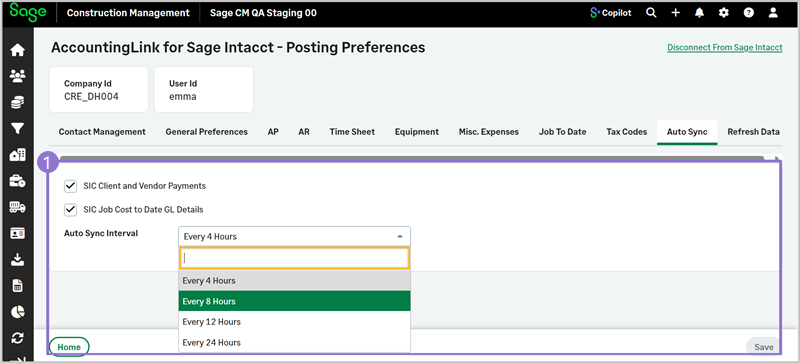
Auto Sync
Automatically synchronize Sage Intacct client and vendor payments, as well as job cost–to-date general ledger (GL) details for a specified time period.
-
-
Select AccountingLink > Posting preferences > Auto Sync.
-
Select the details that should be synchronized. Options include:
-
Client Address and Phone Number Changes
-
Vendor Address and Phone Number Changes
-
Employee Address and Phone Number Changes
-
SIC Client and Vendor Payments
-
SIC Job Cost to Date GL Details
-
Import SIC Project Timesheets - Enabled for selection when Retrieve SIC Project Timesheets is selected in Time Sheet.
-
-
Select the Auto Sync Interval from the dropdown.
- Every 4 Hours
-
Every 8 Hours
-
Every 12 Hours
-
Every 24 Hours
-
Select Save.
-