Approve commitment invoice in third-party AP automation solution
Related information
 Related topics
The vendor completes the following steps:
-
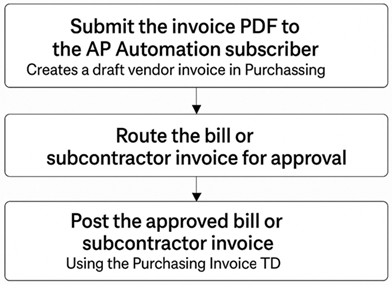
Submit the invoice PDF to the AP Automation subscriber.
This initiates processing and automatically creates a draft vendor invoice in Purchasing.
-
Route the bill or subcontractor invoice for approval through the designated approval workflow.
-
Post the approved bill or subcontractor invoice to the system using the Purchasing Invoice transaction definition (TD).