Import projects and estimates from Sage 100 Contractor
Related information
 Related topics
You can now import projects and estimates from Sage 100 Contractor into Sage Construction Management through the AccountingLink.
Details
When you import projects and estimates from Sage 100 Contractor, the following steps are now handled automatically to reduce manual effort and ensure consistency:
-
If the customer does not exist in Sage Construction Management, it's added.
-
A project is created using the imported project number and title.
The Sage 100 Contractor project number must not exist in Sage Construction Management before importing the project and estimate. -
Your firm and the customer are added to the project directory.
-
Job cost codes (JCCs) are created based on those referenced in the estimate imported from Sage 100 Contractor.
-
The prime contract is created using the project number. The prime contract status is set to Pending.
-
The prime contract cost budgets are set based on the Sage 100 Contractor estimate budgets.
How it works
-
Log in to Sage Construction Management as an Administrator.
-
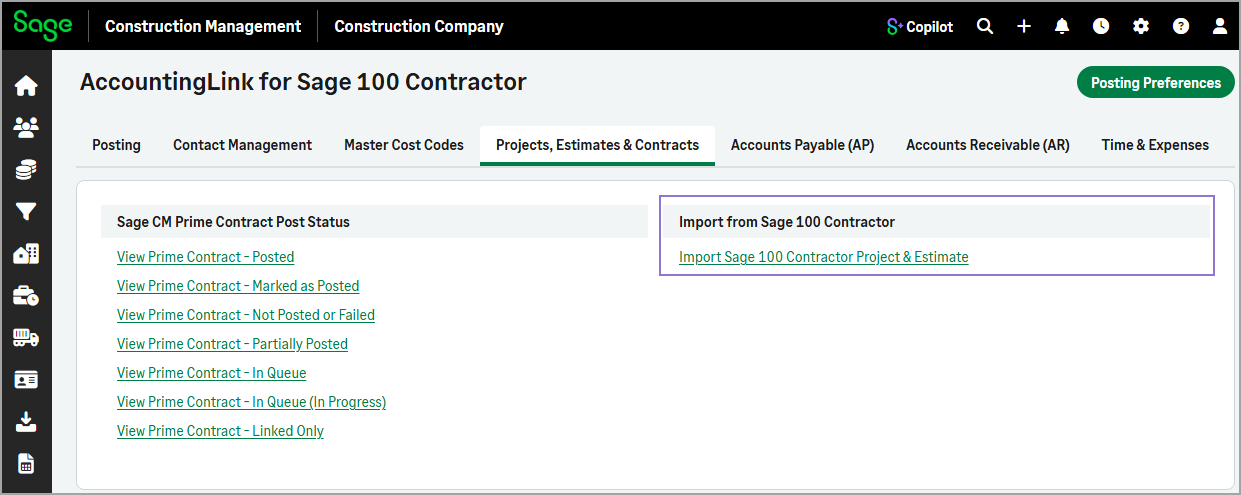
Go to Accounting Link and select the Projects, Estimates & Contracts tab.
-
Select Import Sage 100 Contractor Project & Estimate in the Import from Sage 100 Contractor section.
-
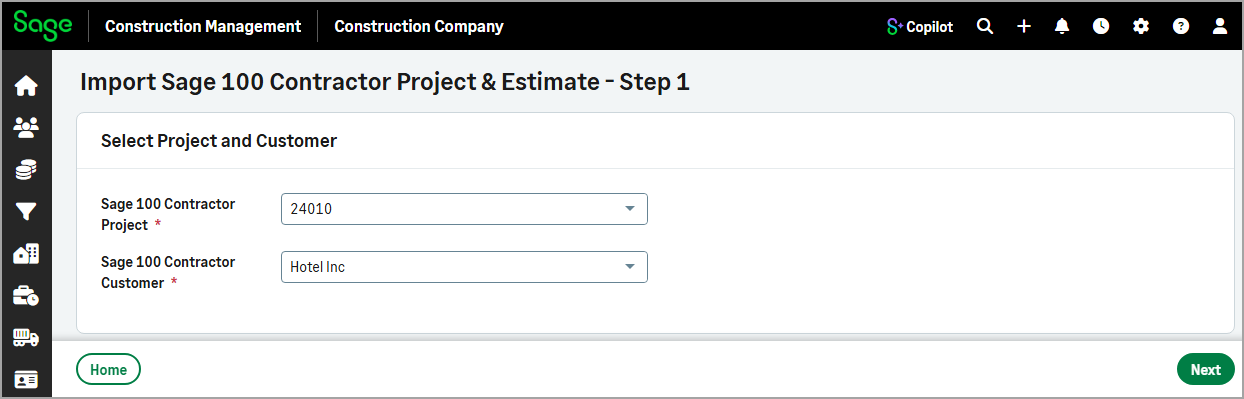
In step 1, select the Sage 100 Contractor Project and the Sage 100 Contractor Customer, then select Next.
-
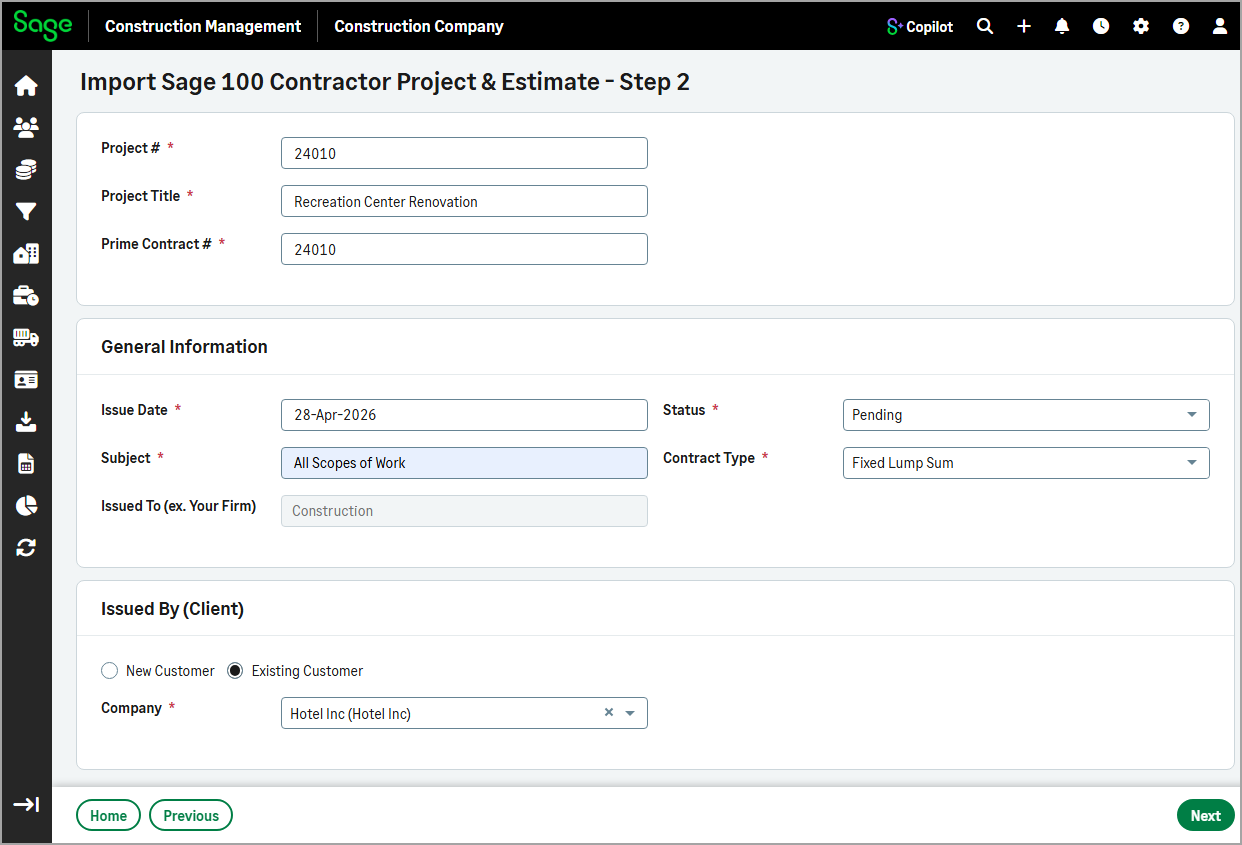
In step 2, enter or update the required information as needed, then select Next.
-
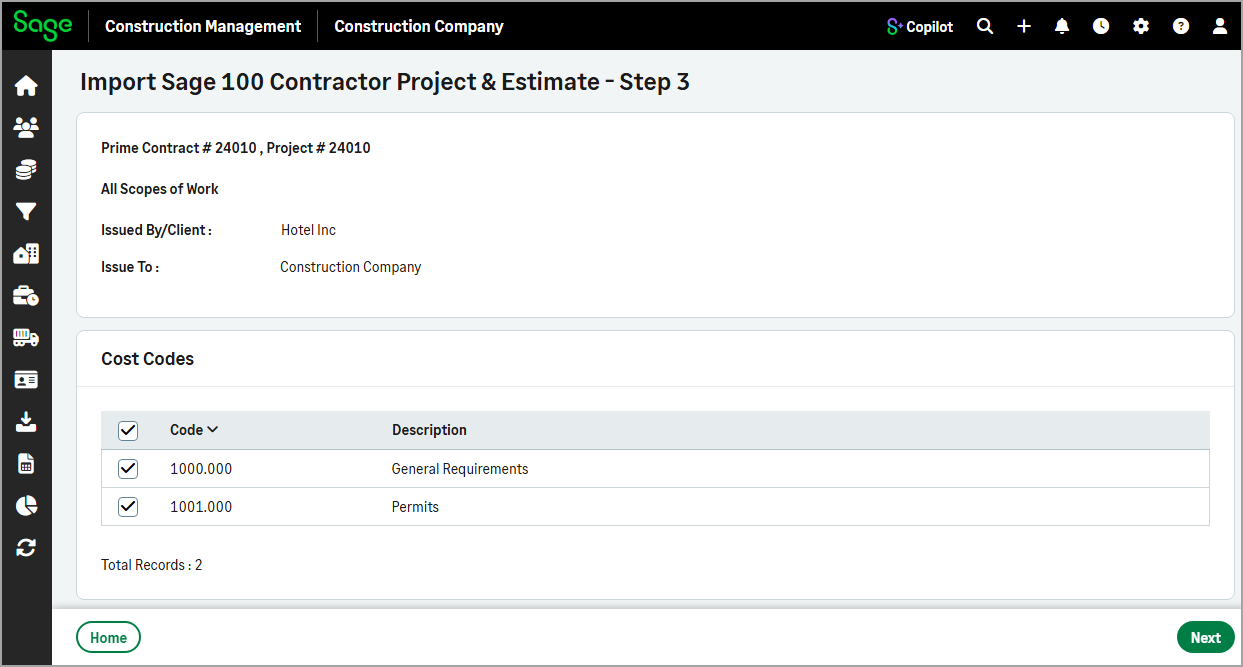
In step 3, select the cost codes for the prime contract from the list, then select Next.
-
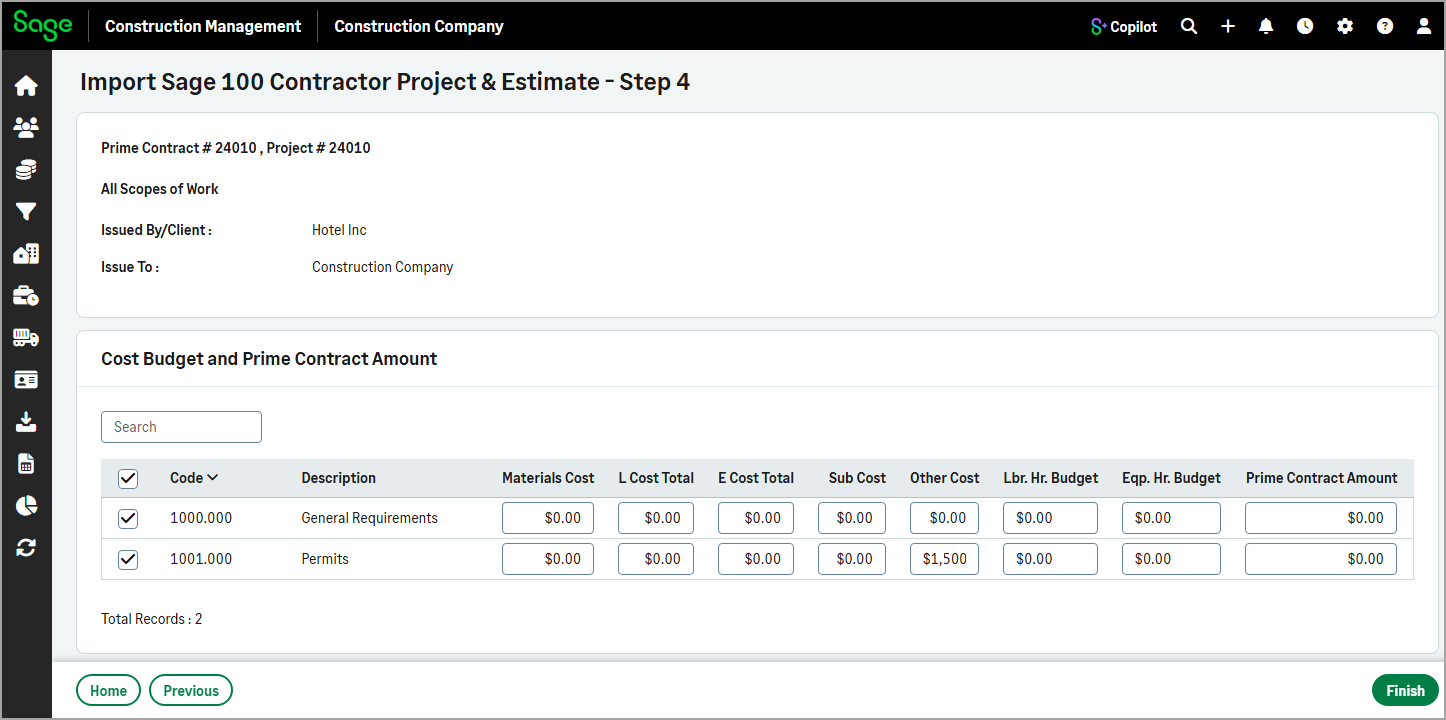
In step 4, enter or update the cost budget and prime contract amount.
-
Select Finish.