View Sage Intacct prime contract status
Related information
 Related topics
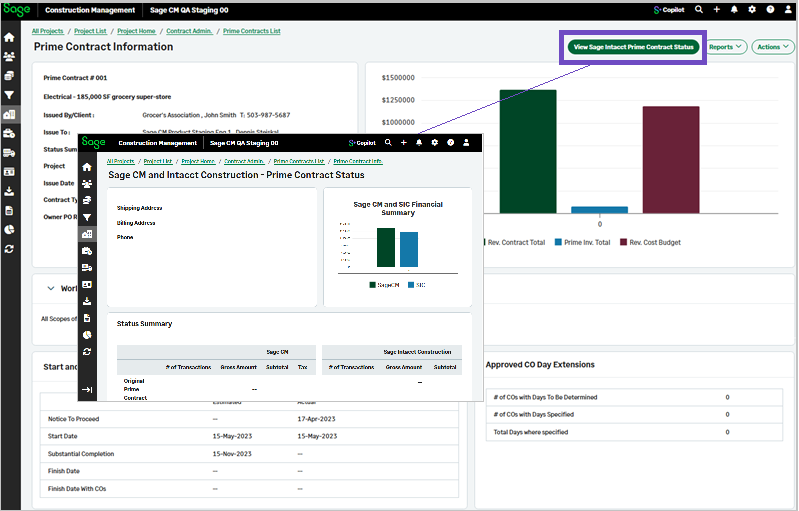
You can now view a side-by-side comparison of what has been posted to Sage Intacct for prime contracts, COs, and prime invoices. The View Sage Intacct Prime Contract Status option is available on all three transaction forms .
Details
A new Sage Intacct Prime Contract Status view and form have been introduced, providing visibility into Prime Contract status information sourced from Sage Intacct.
You can now select View Sage Intacct Prime Contract Status in the following pages:
-
Prime Contract Information
-
Change Order (CO) Information
-
Prime Invoice Information
How it works
To view the status details that a prime contract has in Sage Intacct:
-
Open a prime contract, change order, or prime invoice.
-
Select View Sage Intacct Prime Contract Status.
The Sage Intacct Prime Contract Status page opens, displaying the latest available status information retrieved from Sage Intacct.