View not posted or failed transactions
Related information
 Related topics
The View Not Exported function has been enhanced and renamed to View Not Posted or Failed, allowing you to see transactions that are either not posted or have failed to post. This update provides greater visibility into transaction statuses, helping you identify and resolve issues more quickly.
Details
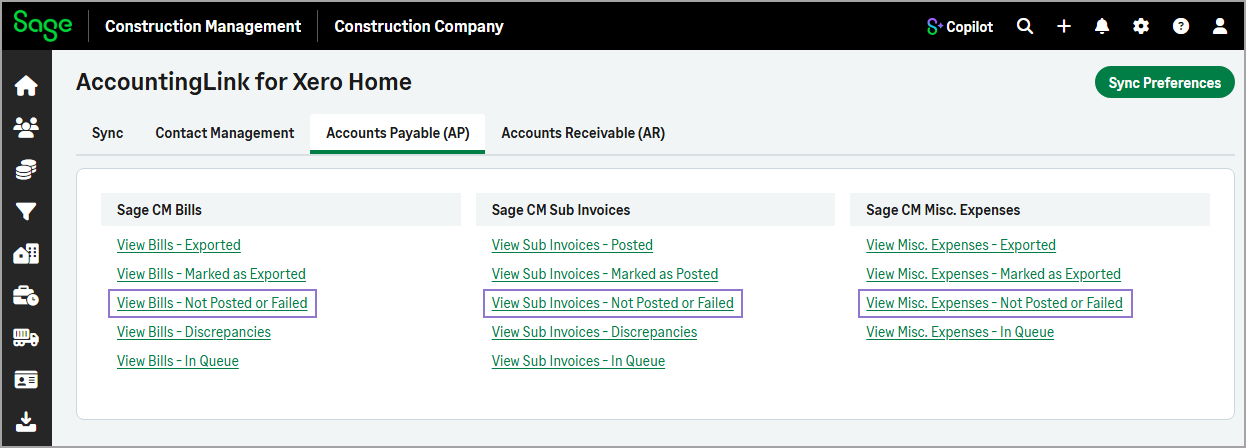
This enhancement applies to all the transactions under the Accounts Payable (AP) and Accounts Receivable (AR) tabs in the AccountingLink.
How it works
-
Go to Accounting Link.
-
Do the following tabs as needed:
-
Select the Accounts Payable (AP) tab, then select View Bills - Not Posted or Failed, View Sub Invoices - Not Posted or Failed, or View Misc. Expenses - Not Posted or Failed.
-
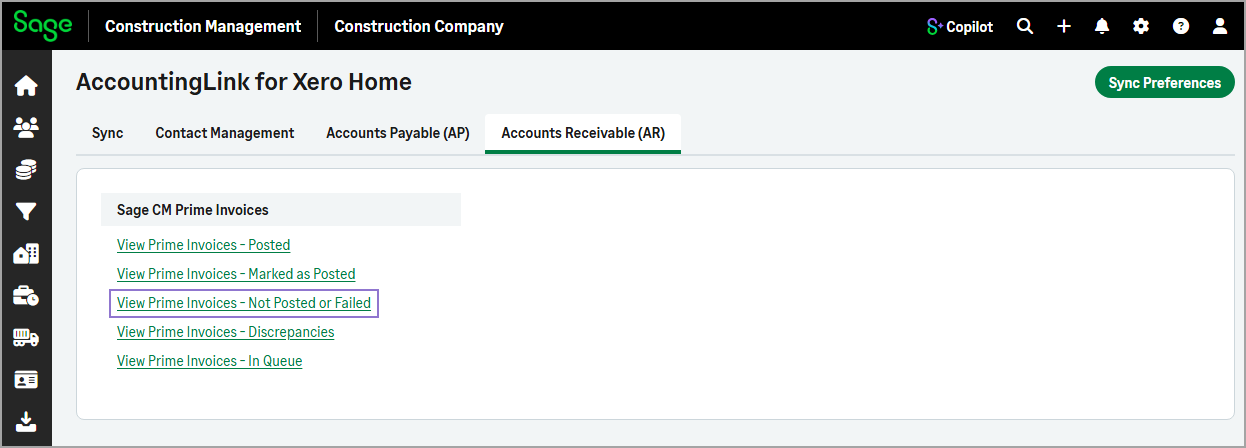
Select the Accounts Receivable (AR) tab, then select View Prime Invoices - Not Posted or Failed.
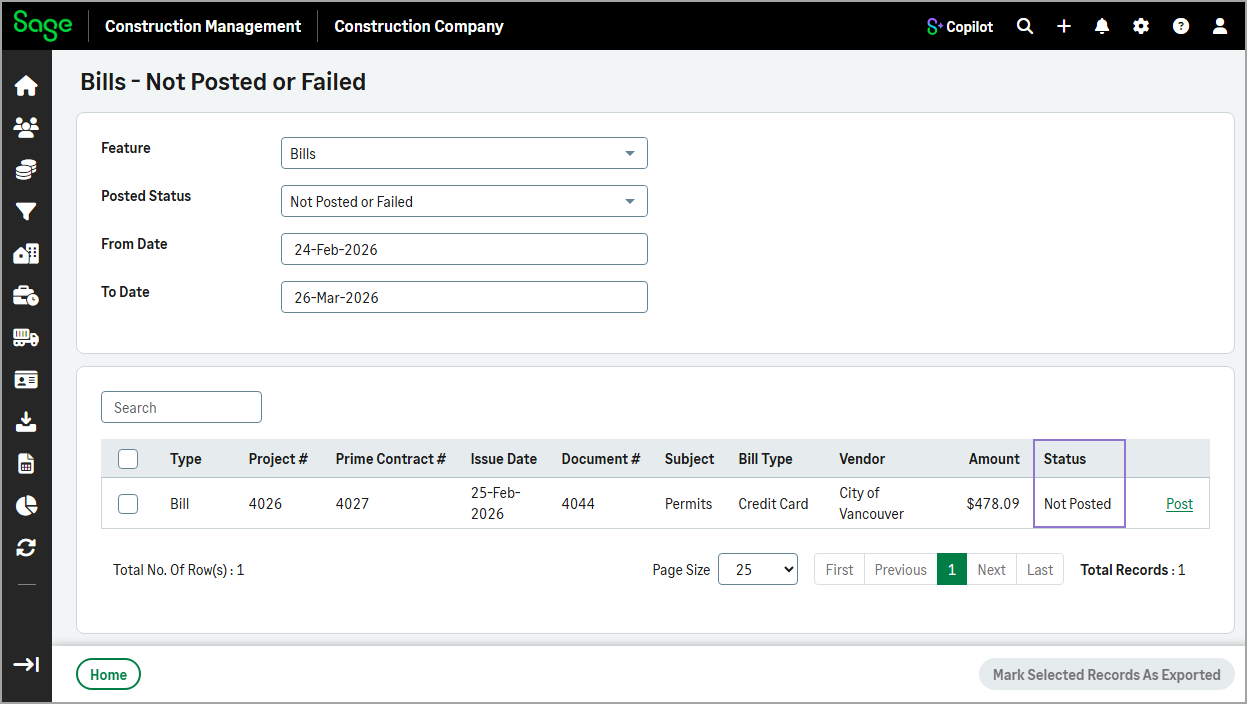
The Status column indicates whether the transaction has not been posted or failed to be posted.
-