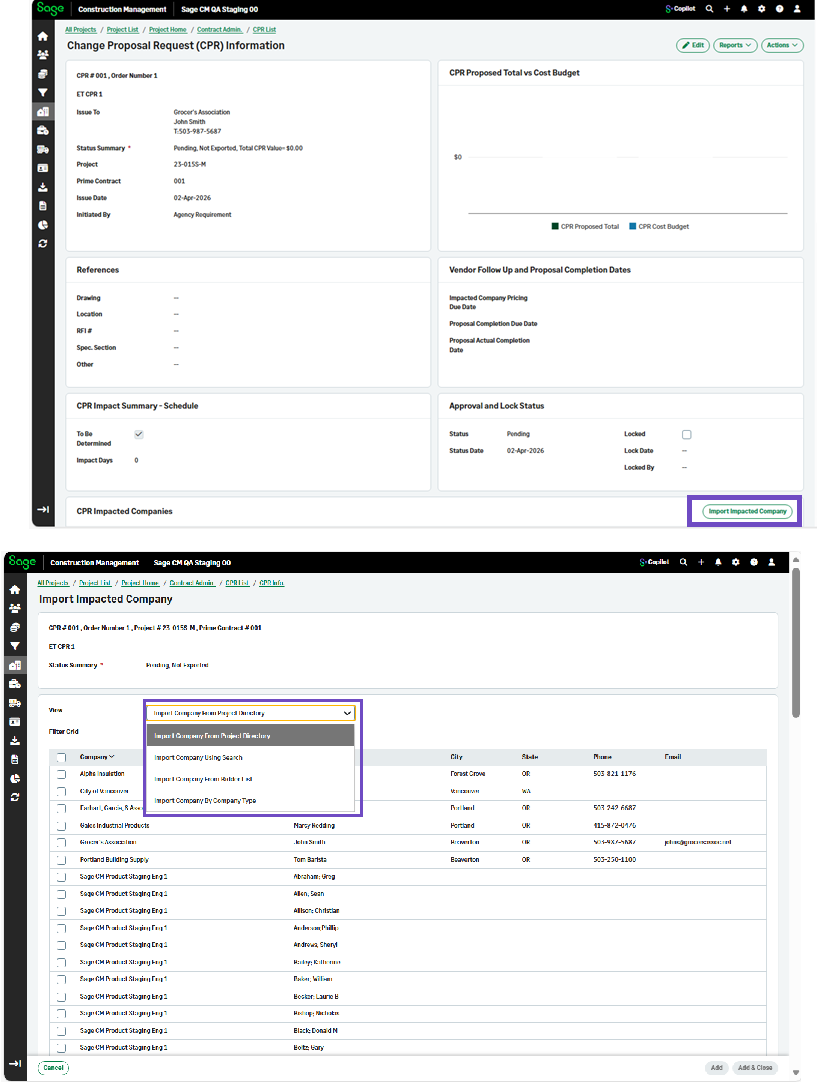
View options when importing CPR impacted companies
Related information
 Related topics
You can now easily select and manage company options when importing CPR impacted companies.
Details
You can now select a company option from the View dropdown when importing impacted companies for a CPR, such as Import Company From Project Directory.
How it works
-
Go to Projects and select the appropriate project from the list.
-
On the Project page, select CPRs in the Client Contract Admin category of the Project Menu section.
- On the CPRs page, select a CPR number from the list.
- In the CPR Impacted Companies section, select Import Impacted Company.
- Select one of the View options.