Time and expense field users can view and upload photos
Related information
 Related topics
Time and expense field users can now both view and upload new photos directly within Sage Construction Management. This enhancement makes it easier to capture and access visual information while working in the field.
How it works
-
Log in to Sage Construction Management as a time and expense field user.
-
Select Documentation.
-
In the dialog, select the project from the dropdown.
-
In the Stats section, do the following as needed:
-
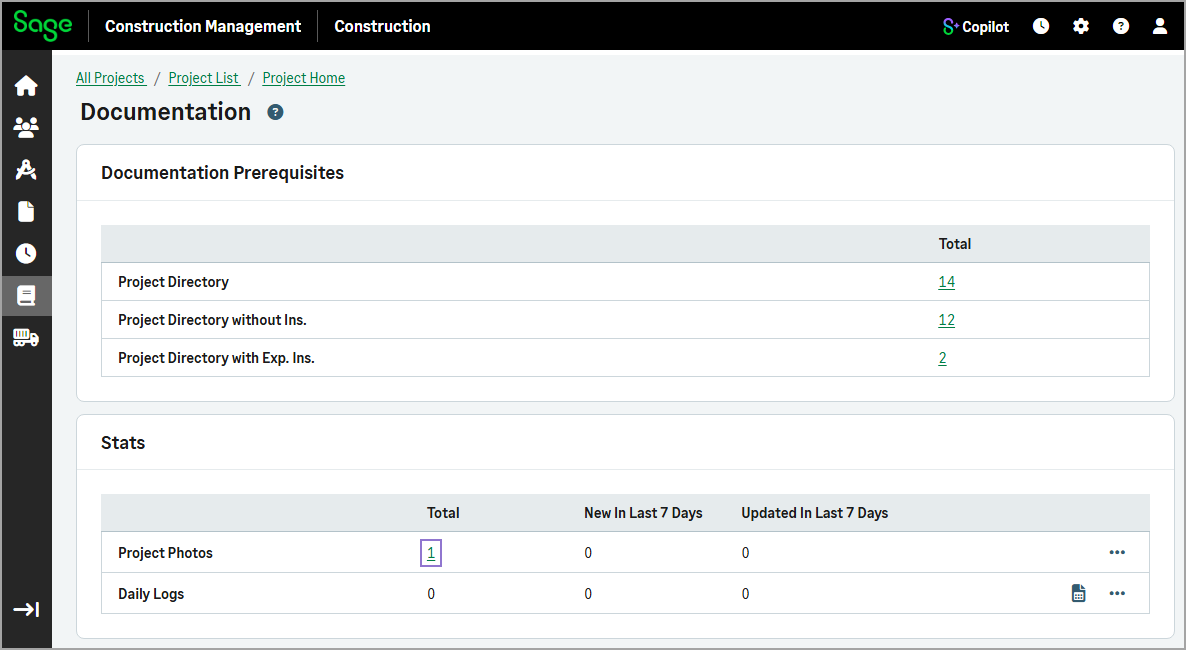
To view all the project photos, select the total record number in the Project Photos row.
-
To upload new photos, select the three-dot menu icon (
 ) in the Project Photos row and select Upload.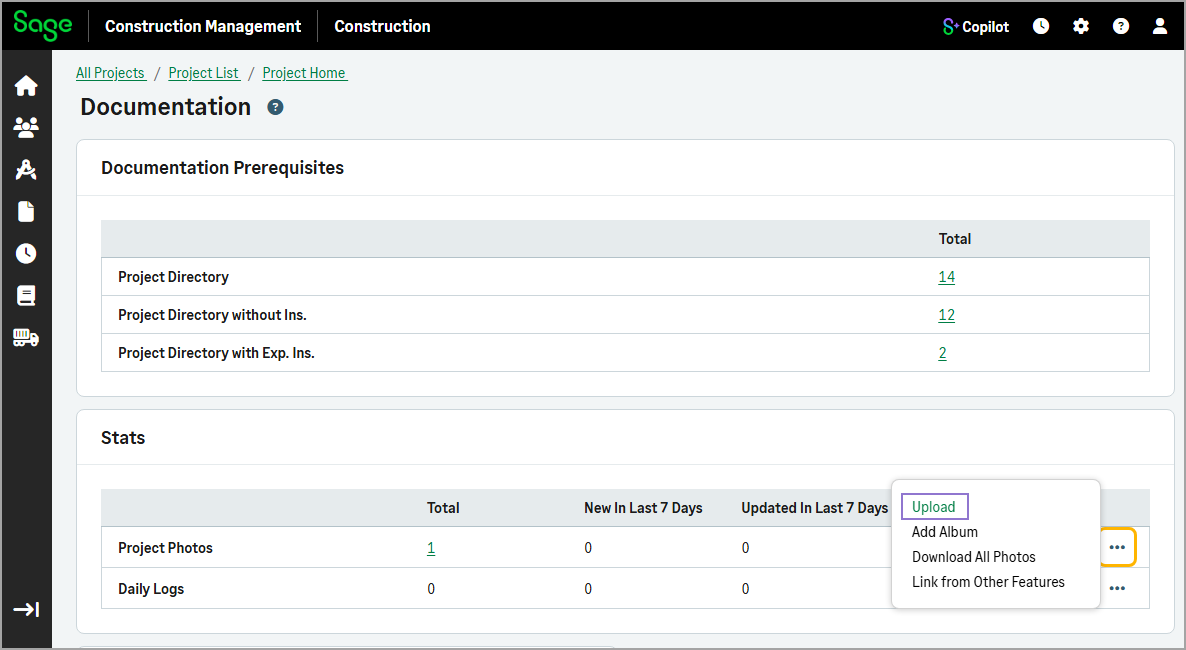
-
To add a new album with photos, select the three-dot menu icon (
) in the Project Photos row and select Add Album.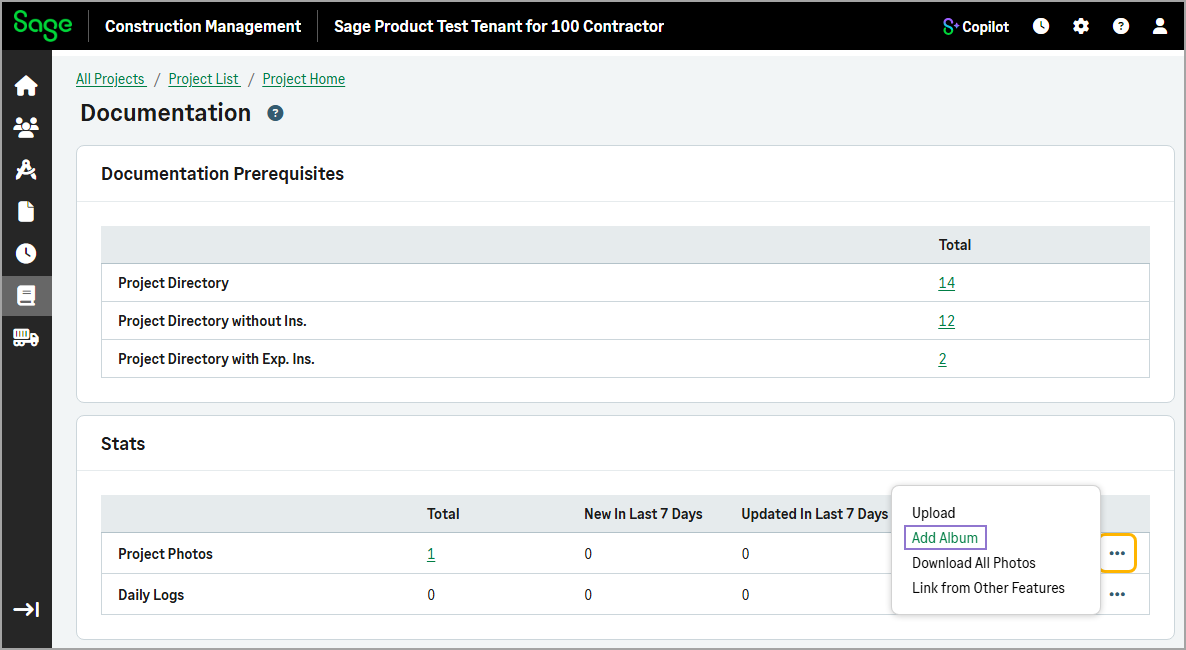
-
To download all the project photos as a ZIP file, select the three-dot menu icon (
) in the Project Photos row and select Download All Photos.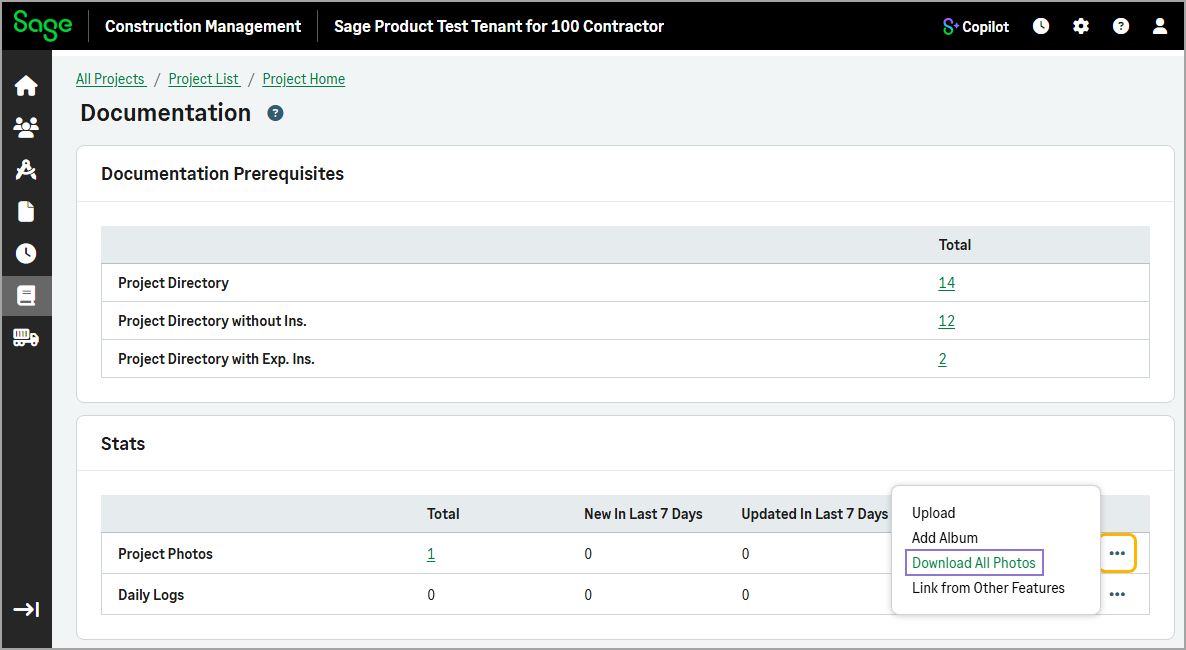
-
To link existing photos from other project features, select the three-dot menu icon (
) in the Project Photos row and select Link From Other Features.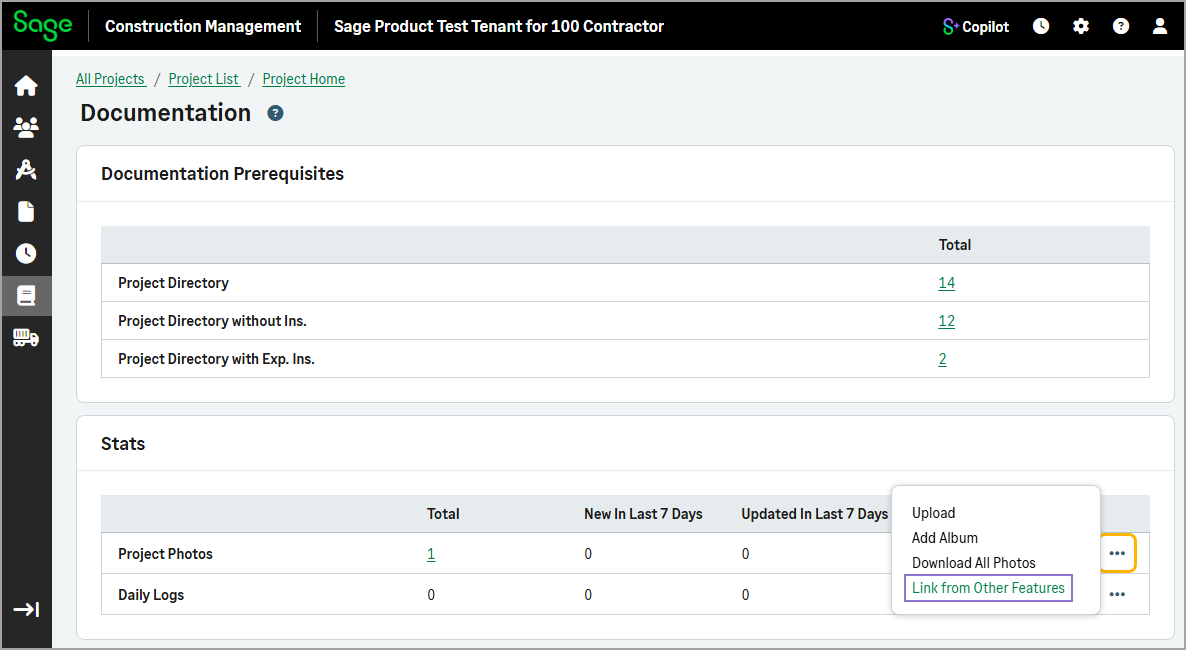
-