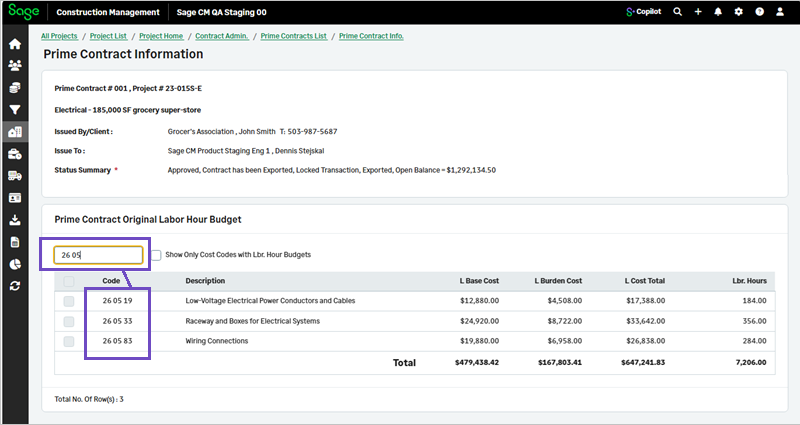
Search capability in prime contract budgets
Related information
 Related topics
You can now easily filter and find cost codes related to cost budgets, as well as labor and equipment hours.
Details
A search box is now included in Cost Budgets, Labor Hours, and Equipment Hours.
How it works
To view cost codes related to cost budgets, labor hours or equipment hours:
- Go to Projects and select the appropriate project from the list.
- On the Project page, select Prime Contracts in the Client Contract Admin category of the Project Menu section.
- Select a Prime Contract # in the Client Contract Admin section.
- Select Cost Budgets, Labor Hours, or Equipment Hours in the Original Prime Contract Budgets section.
- Enter a cost code in the Search box to find a specific cost code.