Support for uploading files in the background
When creating a new record, you can now select Yes. Process in background in the dialog when uploading files. This allows the record to be created immediately while the files continue uploading in the background.
Details
When you upload a file while creating a new record, a dialog displays with the option to continue uploading the files in the background.
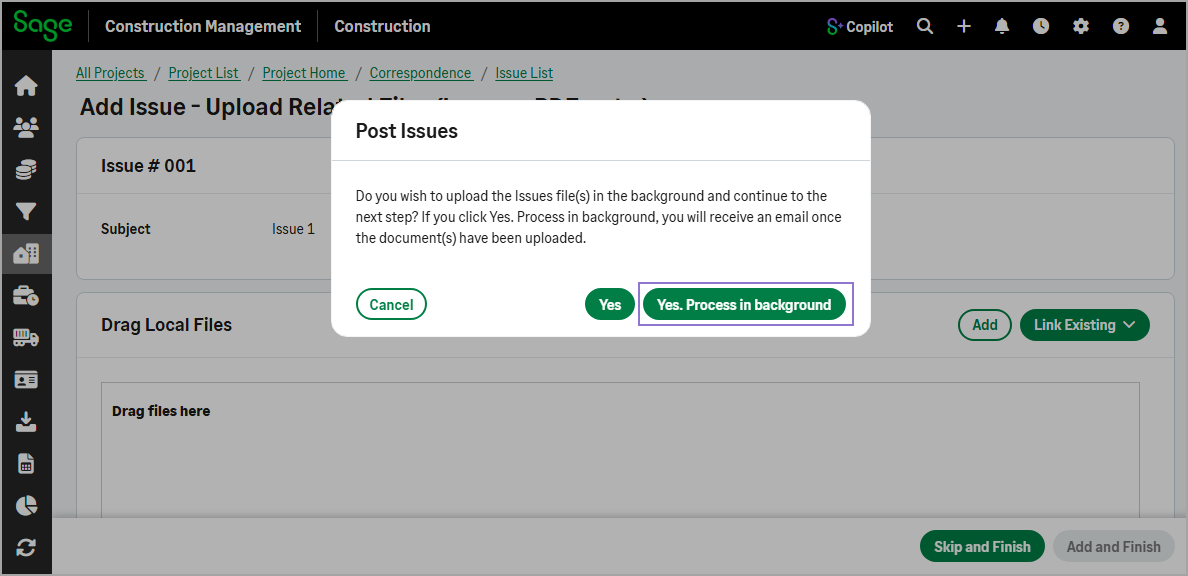
If you select Yes. Process in background, you’ll receive an email confirming whether the files were uploaded successfully after the upload is complete.
This improvement is now available for the following features:
-
Leads
-
Projects
-
Drawings
-
Specifications
-
RFIs
-
Allowance Packages
-
Journals
-
Submittals
-
Transmittals
-
Daily Logs
-
Meetings
-
Work Orders
-
Checklists
-
Comply Notices
-
Test / Inspections
-
Safety Incidents
-
Site Hazard Assessments