Drawing notifications for updated and published drawing sets
Related information
 Related topics
You can now stay informed when drawing sets are updated or published. You can create and send drawing notifications to external project team members, providing quick access to updated drawing information through the TeamLink Portal.
Details
Drawing Notifications are introduced to help communicate drawing updates to external stakeholders without requiring a formal journal process. Using a guided workflow, you can create a drawing notification, send an email to recipients, and provide access to related drawing information and files through the TeamLink Portal.
The feature includes:
-
A Drawing Notification wizard for creating notifications.
-
Email notifications that include a link to the drawing notification.
-
TeamLink Portal access for reviewing drawing notifications and linked files.
-
Tracking and visibility of drawing notifications within project and lead correspondence records.
-
Security, numbering, and email template configuration options for administrators.
How it works
-
Go to Leads or Projects and select a lead or project from the list.
-
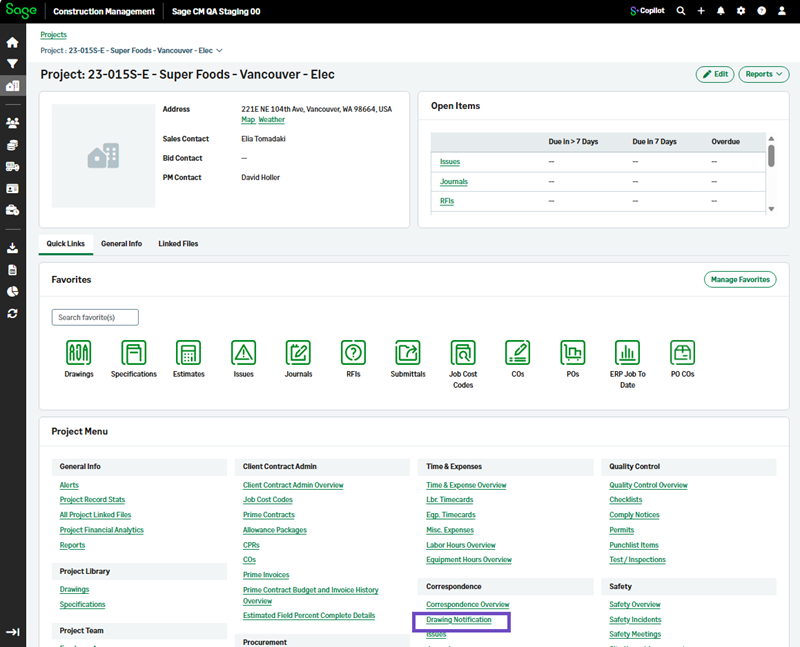
Select Drawing Notification in the Correspondence section.
-
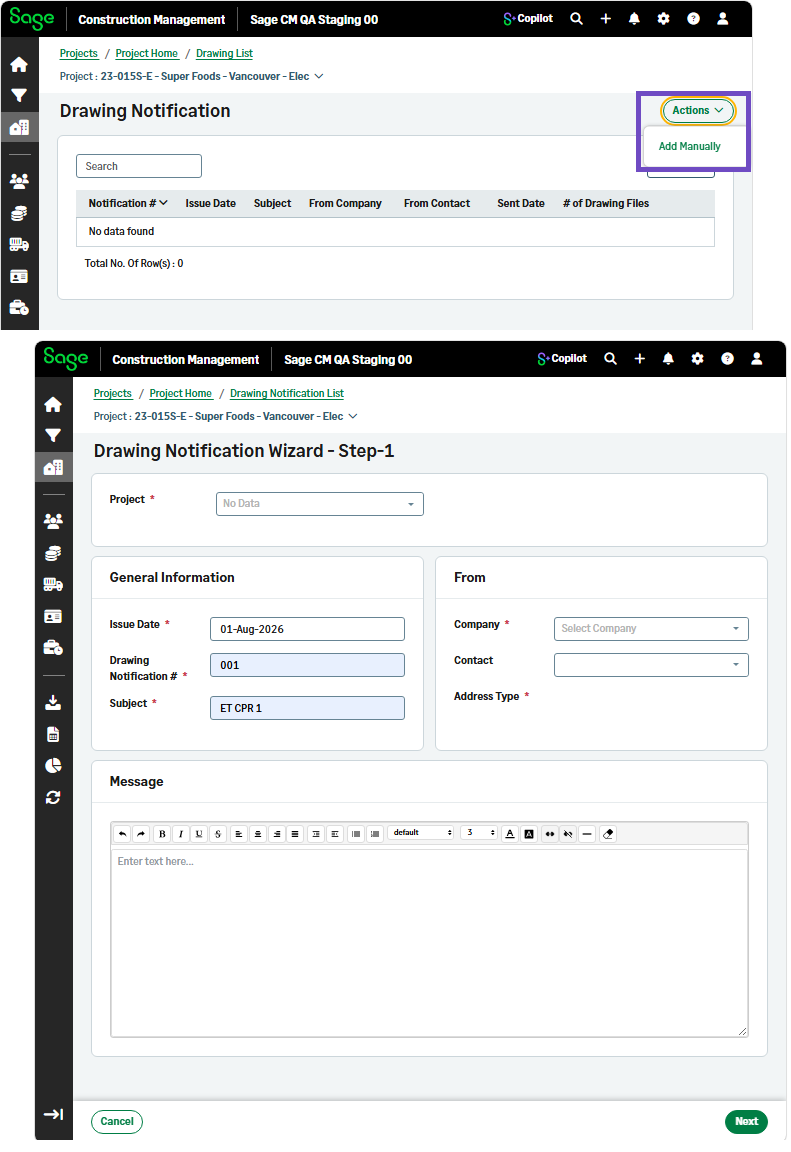
Select Actions > Add Manually from the top right.
-
Follow the wizard's steps to create a drawing notification.
Drawing notifications will be sent according to the configuration selections.
When recipients select the link in the email to open the notification in the TeamLink Portal, they can view the drawing notification details and any linked drawing files associated with the update.