Quality control and safety features reorganized
Related information
 Related topics
To improve navigation and make related functionality easier to find, the quality control and safety features have been separated into their own dedicated sections on the Lead and Project pages.
Details
Previously, quality control and safety features were grouped together in a single section. With this update, these features are now organized into two dedicated sections:
-
Quality Control: Includes quality control-related features and a dedicated Quality Control Overview page that displays information relevant to quality control workflows.
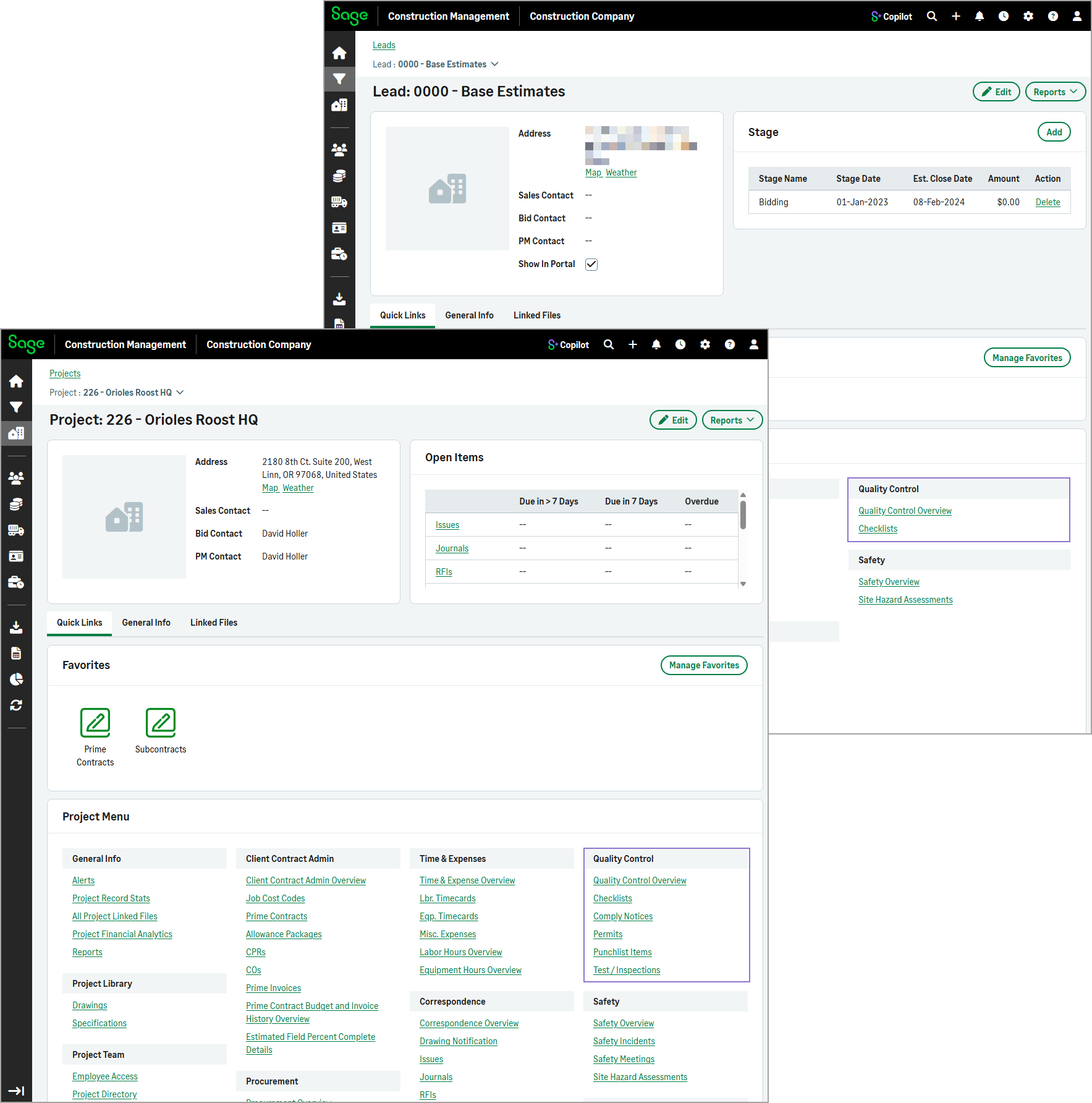
-
Safety: Includes safety-related features and a dedicated Safety Overview page that displays information relevant to safety workflows.
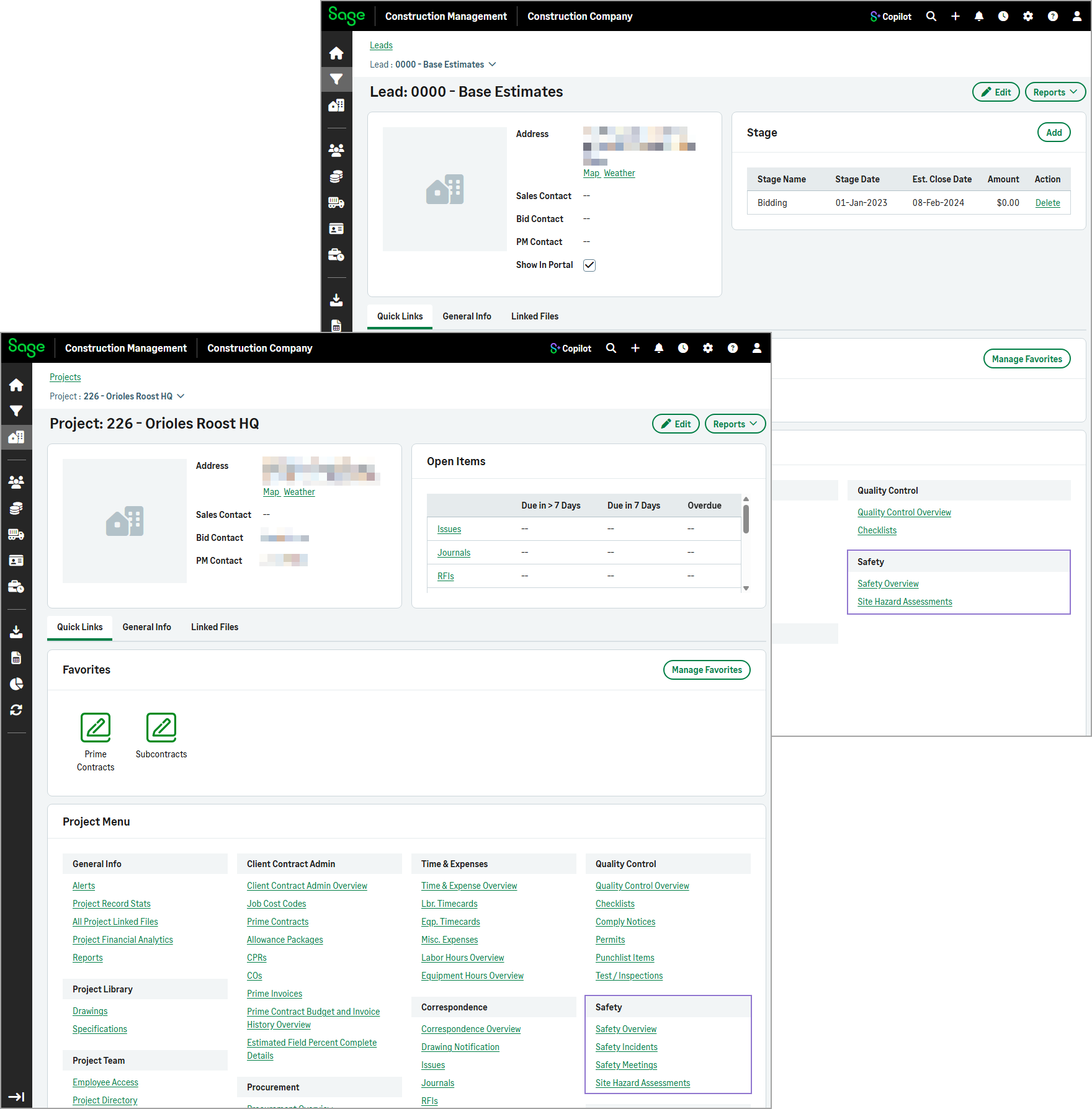
This reorganization makes it easier to navigate to the features and provides overview pages tailored to each area. While the functionality of the features remains unchanged, their organization and overview pages on the lead an project home pages have been updated for a more streamlined experience.
How it works
- Go to Leads or Projects and select a lead or project from the list.
-
In the Quality Control section, select one or more of the following links:
-
Quality Control Overview
-
Checklists
-
Comply Notices (projects only)
-
Permits (projects only)
-
Punchlist Items (projects only)
-
Test / Inspections (projects only)
-
-
In the Safety section, select one or more of the following links:
-
Safety Overview
-
Safety Incidents (projects only)
-
Safety Meetings (projects only)
-
Site Hazard Assessments
-