Enhancements to estimates
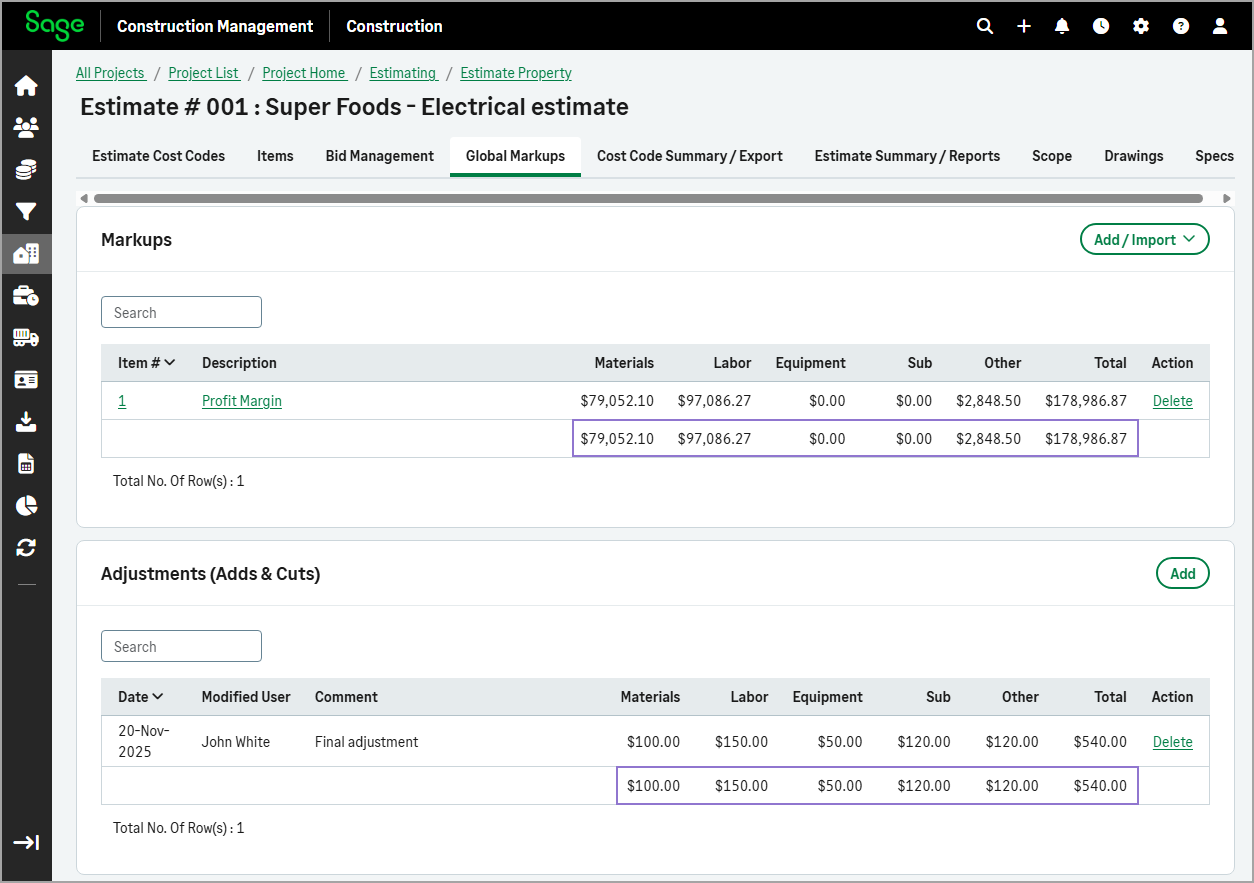
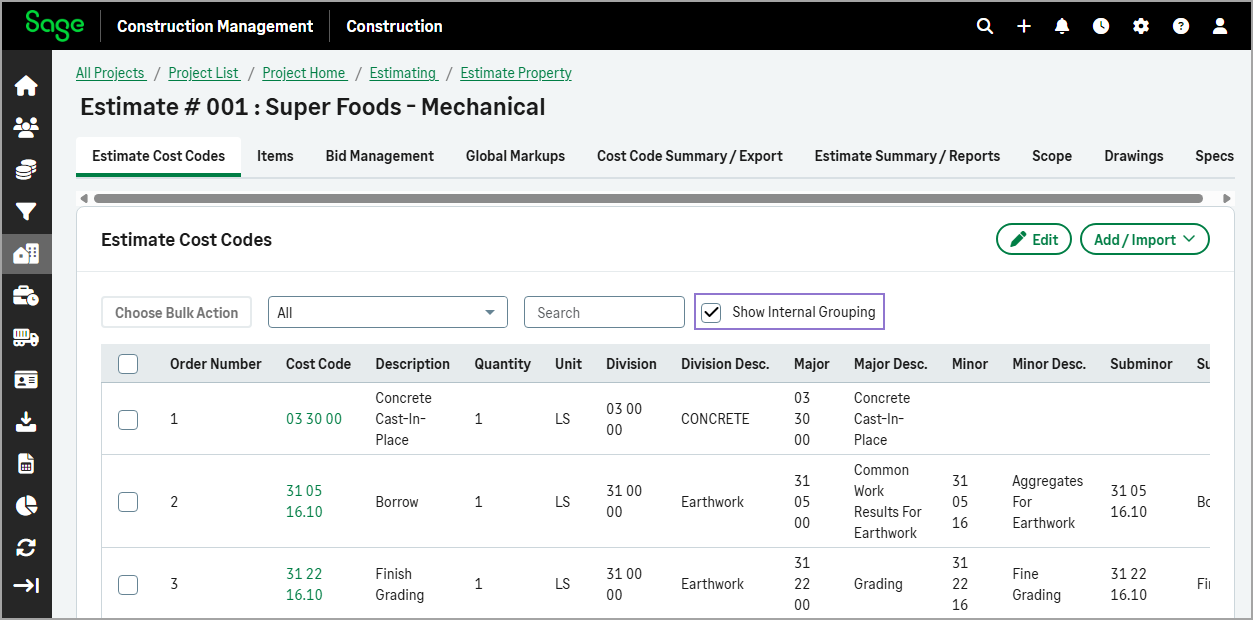
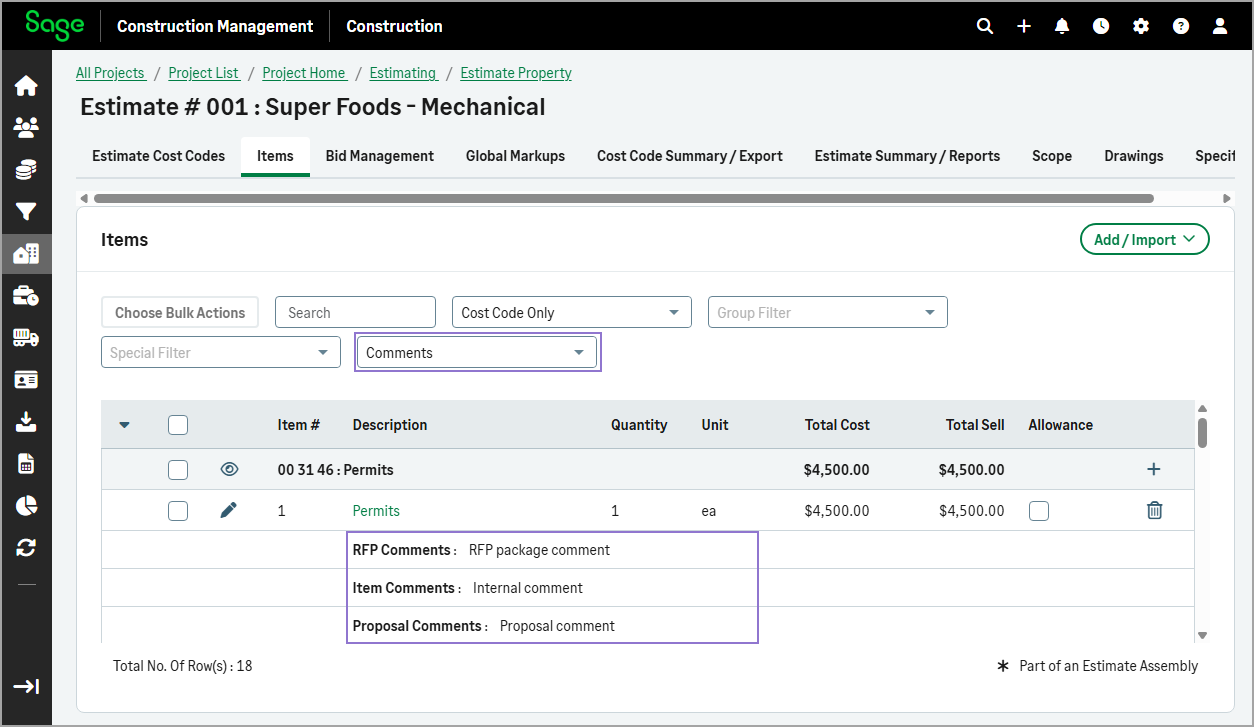
The Global Markups tab shows subtotals by resource and overall totals, while in the Estimate Cost Codes tab the Show Internal Grouping remains selected while you view or edit the estimate. In the Items tab, comments are neatly aligned under key columns for clarity.
Details
Specifically:
-
In the Global Markups tab of estimates, the Markups and Adjustments (Adds & Cuts) lists now display a subtotal row at the bottom, summarizing amounts by resource and overall totals.
-
In the Estimate Cost Codes tab of estimates, if you select the Show Internal Grouping checkbox, it remains selected while you view or edit the estimate.
-
In the Items tab, if you select to view the Comments, they now appear aligned under the Description, Quantity, and Unit columns for each item.
How it works
-
On the Estimate Property Details page, select View Estimate to open the estimate.
-
Do the following as needed:
-
Select the Estimate Cost Codes tab and select the Show Internal Grouping checkbox.
This checkbox will stay selected even if you navigate to other tabs in the estimate and return.
-
Select the Items tab and select to view the Comments from the dropdown.
-
Select the Global Markups tab and review the subtotals for the Markups and Adjustments (Adds & Cuts).
-