Reset the Job to Date cost details retrieved from Sage 100 Contractor
Related information
 Related topics
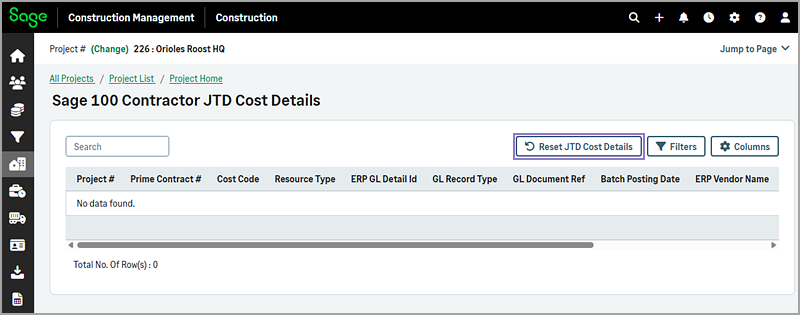
A new Reset JTD Cost Details option has been added to the Sage 100 Contractor JTD Cost Details page of projects to reset the Job to Date (JTD) cost details retrieved from Sage 100 Contractor.
Details
When you select the Reset JTD Cost Details option, Sage Construction Management deletes the existing JTD detail entries for the selected project and repopulates them from Sage 100 Contractor. This ensures that JTD cost detail data is fully refreshed and accurate.
This functionality is useful in cases where general ledger entries have been deleted in Sage 100 Contractor, which can lead to discrepancies between:
-
Project, prime contract, job cost code, and cost summary reports.
-
JTD cost detail drill-in results.
How it works
- Go to Projects and select the appropriate project from the list.
-
Select the ERP Job To Date link in the selected accounting system's section.
-
Select Reset JTD Cost Details.
-
In the dialog, select OK to confirm your action.