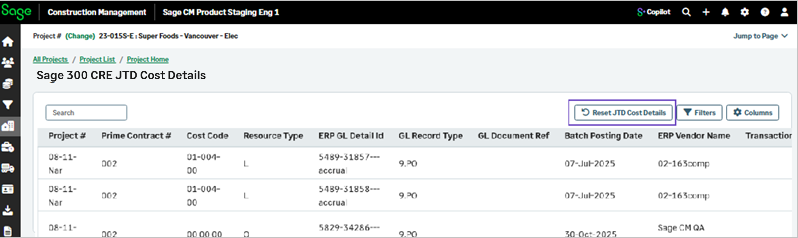
Reset the Job to Date (JTD) cost details from Sage 300 Construction and Real Estate
Related information
 Related topics
A new option is introduced to reset Sage 300 Construction and Real Estate Job‑to‑Date (JTD) Cost Details for a selected project. This feature ensures that JTD Cost Details remain accurate and aligned with the underlying General Ledger (GL) and summary‑level project reporting.
Details
When selecting Reset JTD cost Details, all existing entries in JTD Cost Details for the selected project are removed, while JTD cost details are automatically repopulated using the Sage 300 Construction and Real Estate values.
Previously, entries in the GL could be deleted, resulting in data mismatches between project, prime, JCC, and Cost Type summary reports and the values shown in JTD Cost Details.
How it works
-
Go to Projects and select the required project.
-
Select ERP Job to Date.
-
Select Reset JTD Cost Details > OK.