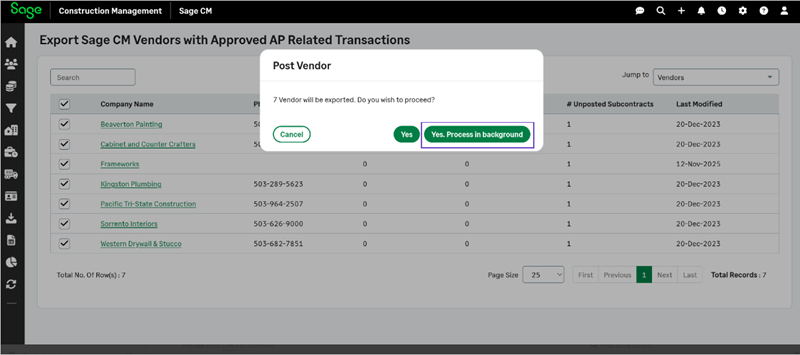
Background posting for exporting multiple vendors
Related information
 Related topics
A new option has been added to allow vendor postings to be processed in the background when posting multiple records to Sage 300 Construction and Real Estate allowing you to continue working while the system handles the posting activity.
Details
This enhancement introduces the ability to run vendor postings asynchronously, enabling you to select multiple vendors and submit them for posting without waiting for each transaction to complete.
How it works
-
Select Accounting Link > Contact Management > Export Vendors.
The list of Sage CM vendors displays. -
Select the check boxes for the vendors that you need to post and select Post Selected.
-
Select Yes. Process in background.