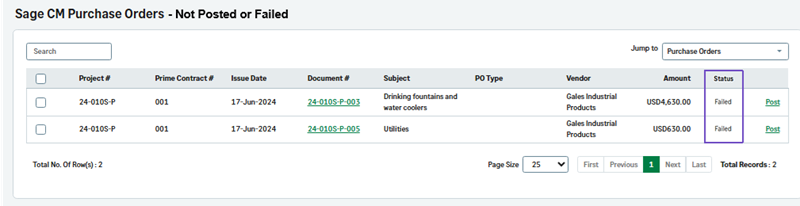
View Not Posted or Failed transactions
Related information
 Related topics
You can now view transactions that were not posted or failed to post in the View Not Posted pages.
Details
The Not Posted transactions for POs, PO COs, subcontracts, bills, SCOs, sub invoices, labor timecards, equipment timecards, and miscellaneous expenses have been updated to also include transactions of Failed status.
How it works
-
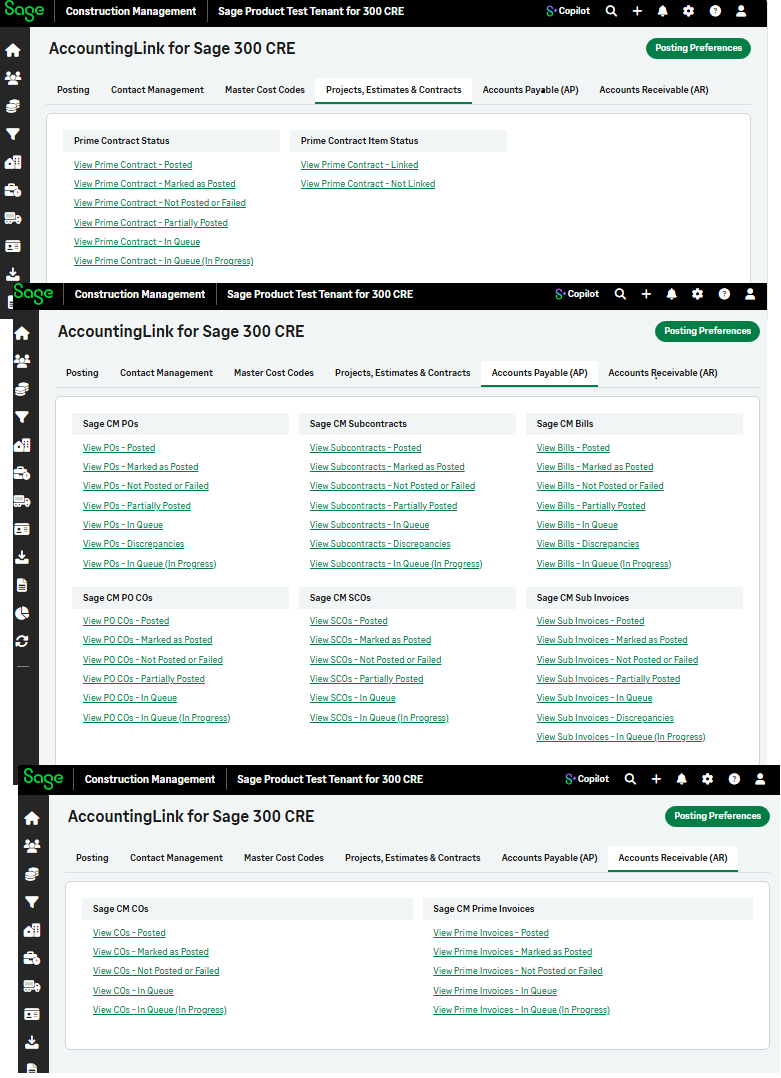
Select Accounting Link and then select any of the following tabs:
-
Projects, Estimates & Contracts
-
Accounts Payable (AP)
-
Accounts Receivable (AR)
-
-
Select View Not Posted or Failed from the required section.
The Status column displays whether each transaction was failed to be posted or not posted.