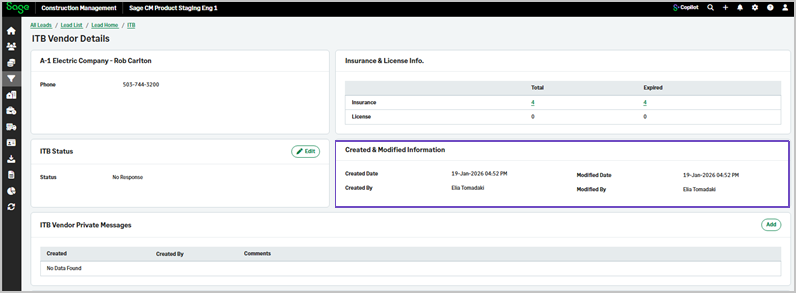
Updated vendor details form in an invitation to bid
Related information
 Related topics
The created and modified information of a vendor now display in the vendor details form in an invitation to bid.
Details
You can now view the user information and the time and date that vendor details were updated or created.
How it works
- Go to Leads or Projects.
- Select the lead or project in the Quick Select section.
- On the Lead or Project page, select Invitation To Bid (ITB) in the Preconstruction section.
- Select the Vendors tab and select a vendor.
- The name of the user who created or modified a vendor display on the right together with the date and time of the update.