View the linked date and record ID for companies and employees
The Companies and Employees pages in Contact Management now provide clearer visibility into when records were linked with the accounting system. In addition, for employees, you can now display the ID of the linked accounting record.
Details
In the Companies page:
-
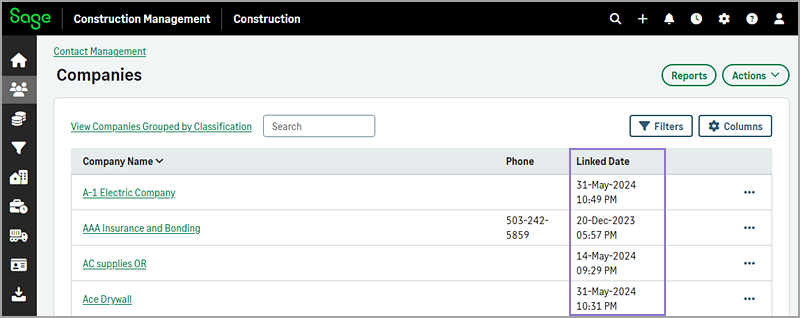
The column previously labeled Export Timestamp has been renamed to Linked Date. The linked date reflects the date that a record was imported, exported, or manually linked with the accounting system.
-
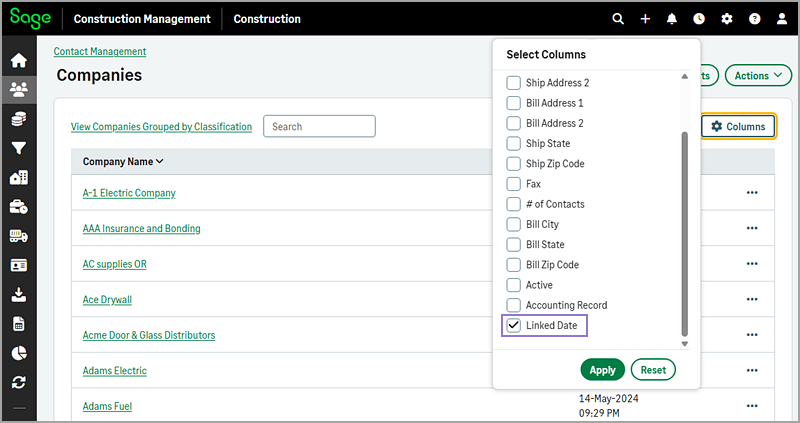
For consistency, the checkbox label in the Select Columns dialog has also been updated from Export Timestamp to Linked Date.
In the Employees page:
-
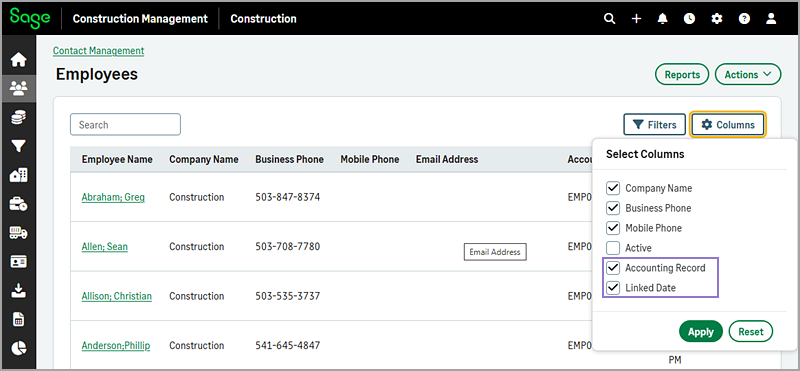
The Accounting Record and Linked Date options are now available in the Select Columns dialog. Select these options to view the date an employee was linked to the accounting system and the employee’s accounting system ID.
How it works
- Go to Contact Management.
-
In the Stats section, select the total count either next to the Companies or Employees.
-
Select Columns > Accounting Record to display the Accounting Record column.
-
Select Columns > Linked Date to display the Linked Date column.
-
Select Apply.