Set the owner PO reference in the Contract Admin Setup wizard
Related information
 Related topics
Details
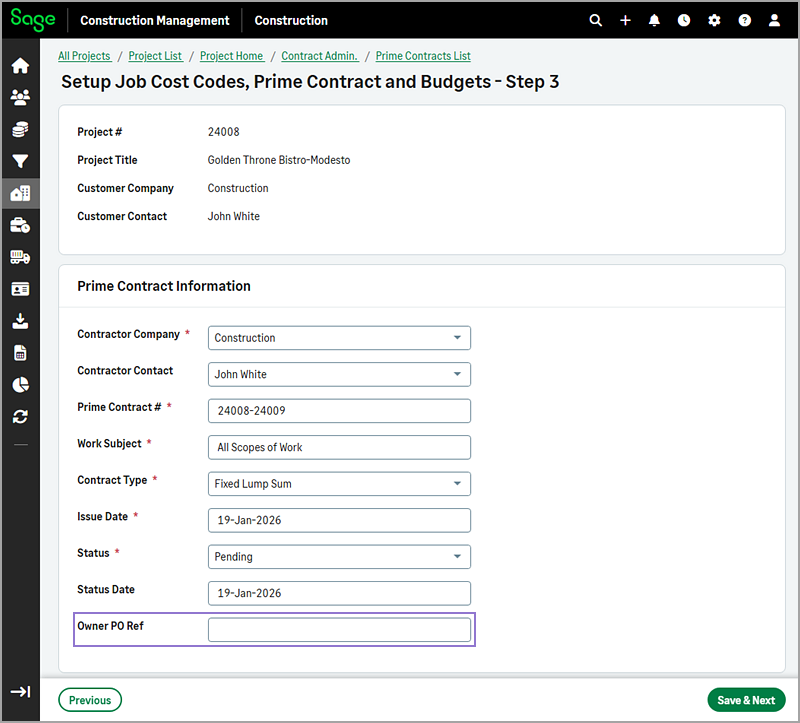
The Owner PO Ref field is now available in the third step of the Contract Admin Setup wizard.
How it works
Go to Projects and select the appropriate project from the list.
On the Project page, select Prime Contracts in the Client Contract Admin category of the Project Menu section.
Select Actions > Add Using Wizard.
In steps 1 and 2 of the wizard, enter the required information.
In step 3, enter the owner purchase order (PO) reference number in the Owner PO Ref field to link the record to the prime contract.
Complete any remaining fields as needed.