Subcontract invoice enhancements
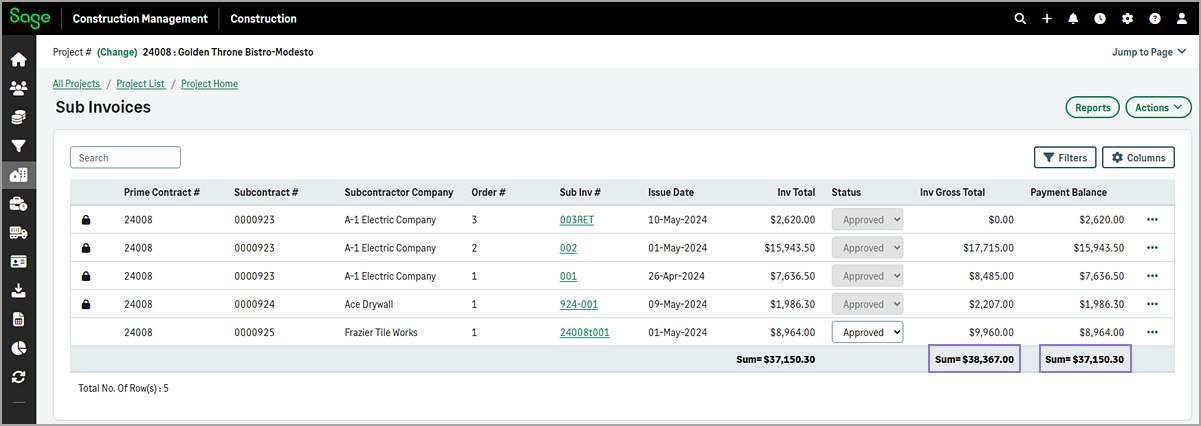
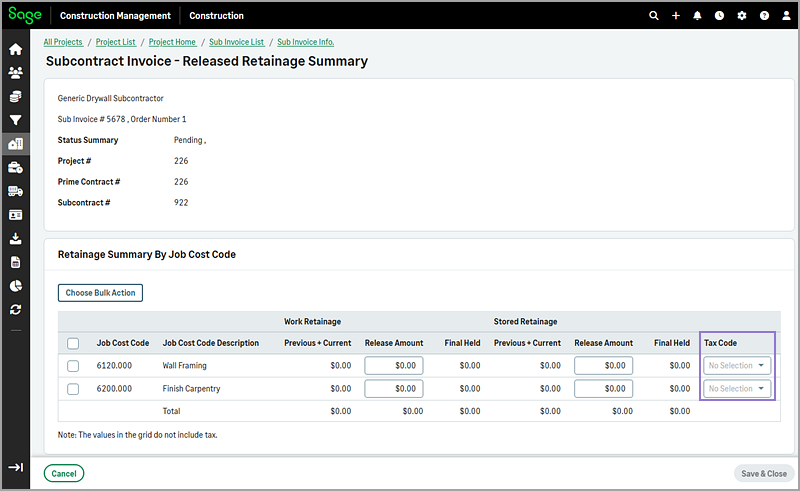
You can now pick a tax code for each job cost code on the Released Retainage Summary page, and the Sub Invoices page now shows combined totals for Inv Gross Total and Payment Balance.
Details
-
On the Sub Invoices page, the Inv Gross Total and Payment Balance columns now show the combined total of all subcontract invoices at the bottom of each column.
-
On the Released Retainage Summary page, you can now select a tax code for each job cost code using the dropdown in the Tax Code column. This improves flexibility when managing retainage at the cost code level.
How it works
-
On the Project page, select Sub Invoices in the Procurement category of the Project Menu section.
-
Select Columns and select the Inv Gross Total and Payment Balance checkboxes.
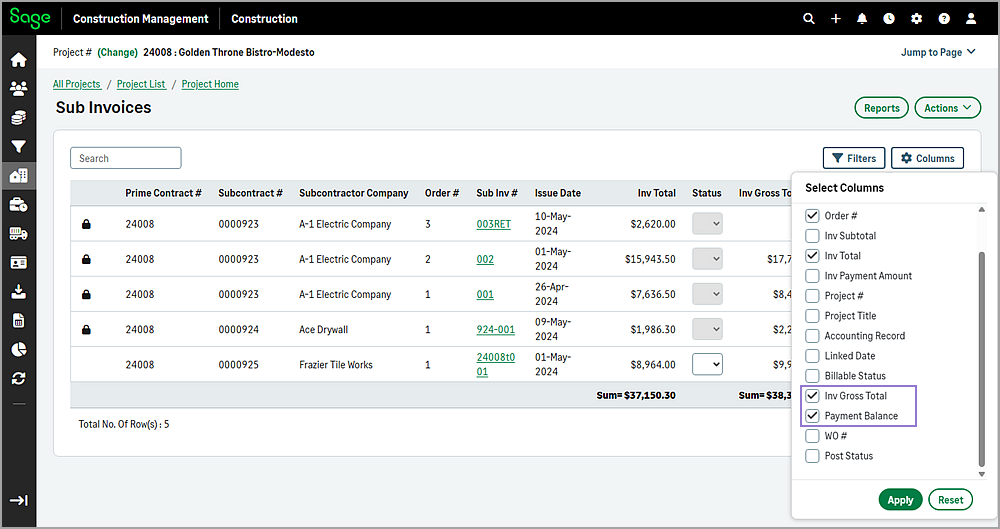
The combined total of all subcontract invoices at the bottom of the Inv Gross Total and Payment Balance columns.
-
Select the subcontract invoice number from the list.
-
Select View Retainage Summary By Job Cost Code in the Financial and Retainage Summary section.
-
On the Released Retainage Summary page, select the appropriate Tax Code for each cost code using the dropdown.