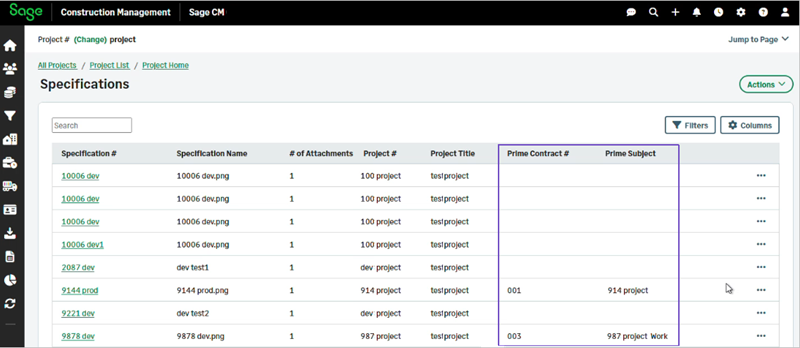
New prime number and subject columns in project Specifications
Related information
 Related topics
You can now display the Prime # and Prime Subject as optional columns within the Specifications page.
Details
The Specifications Listing has been enhanced to support the Prime number and subject as optional columns.
Both Prime # and Prime Subject can now be shown or hidden using the column selector making it easier to associate specification documents with their corresponding Prime Contracts.
How it works
- Select Project and open the required project.
- Select Specifications.
- Select Columns.
- Check the Prime Contract # and Prime Subject boxes and select Apply.