TeamLink Portal enhancements
Related information
 Related topics
-
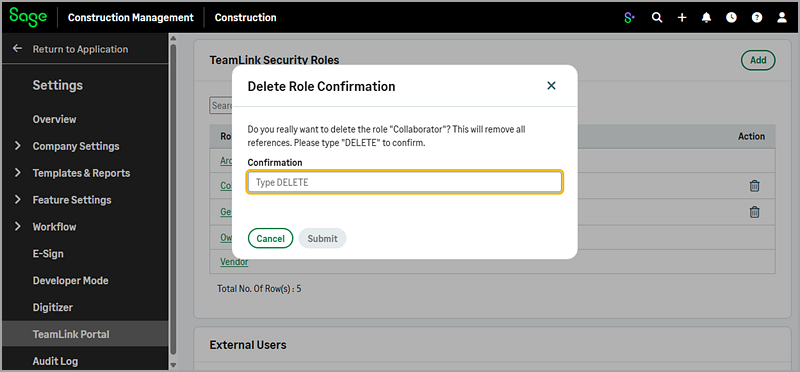
Support deleting custom TeamLink security roles that are assigned to users
When you delete a custom TeamLink security role that's currently in use, a confirmation dialog appears requiring you to enter DELETE to proceed. After you confirm, the custom role is removed, and any users assigned to that role are automatically removed from the associated project directories. This enhancement helps prevent accidental deletion while giving administrators greater flexibility to manage and clean up custom roles.
-
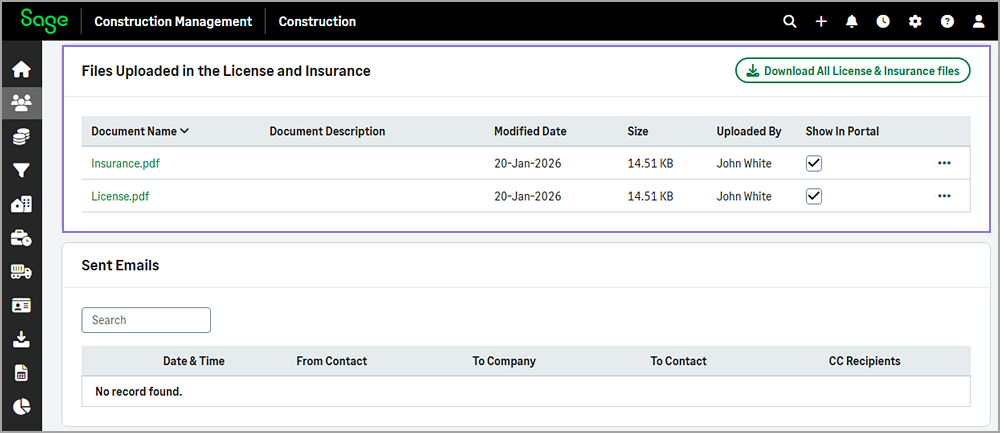
Improved visibility of insurance files uploaded through the TeamLink Portal
When you upload insurance files using the Upload Insurance Certificate option on the My Profile page, the files are saved successfully in the TeamLink Portal. The files now also appear in the Files Uploaded in the License and Insurance section of the Company Profile page within Sage Construction Management.