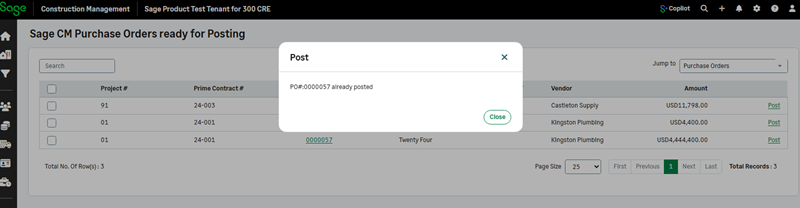
Improved validation for Sage 300 Construction and Real Estate posting
Related information
 Related topics
You can now ensure records are valid before posting to Sage 300 Construction and Real Estate with enhanced validation and error feedback.
Details
Validation has been added when posting the following transaction types for Sage 300 Construction and Real Estate:
-
Purchase orders
-
Change orders
-
POCOs
-
Prime contracts
-
Subcontracts
-
Subcontract change orders
-
Bills
-
Subinvoices
-
Prime invoices
How it works
- Go to Accounting Link and select Posting > Batch Post Wizard.
-
From the Jump to dropdown, select the desired transaction type.
-
Select to Post one more transactions.
A message displays in case a validation error occurs, allowing you to resolve the error and then post.