Add companies and contacts to the directory from RFIs and submittals
Related information
 Related topics
When importing respondents into a request for information (RFI) or submittal, you can now add an existing or new company directly to the project or lead directory from the form.
Details
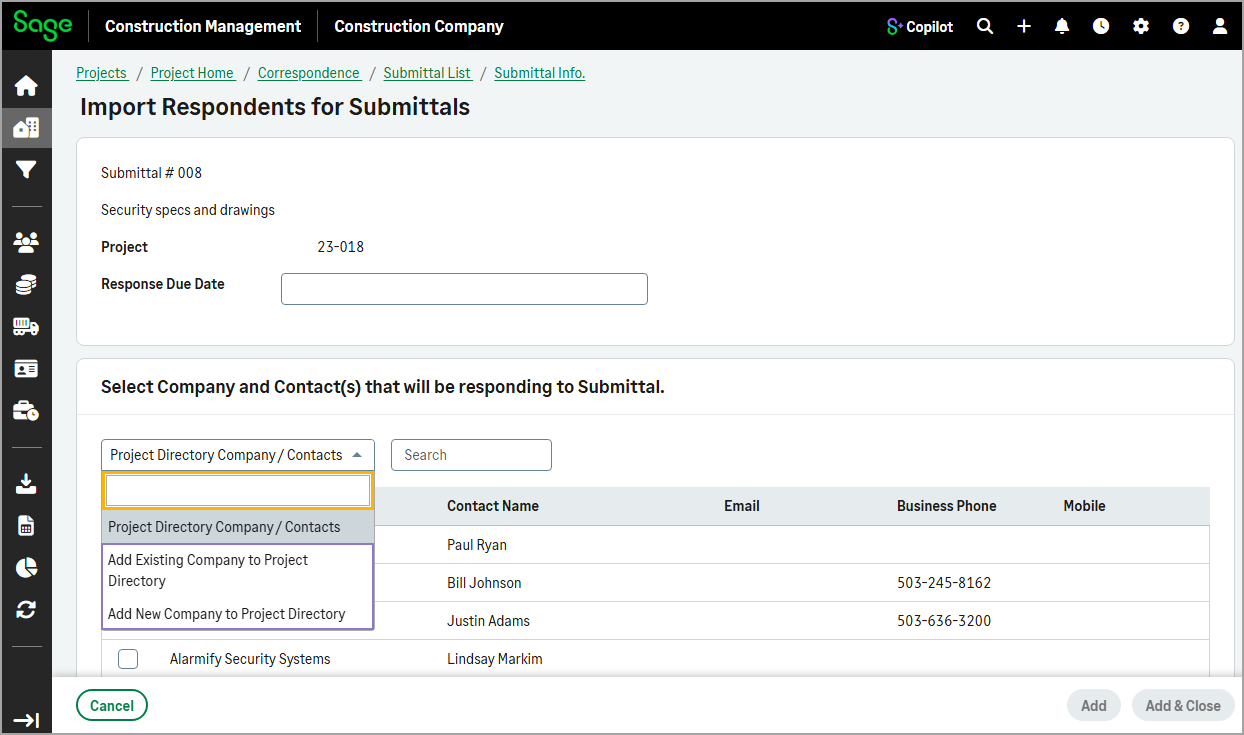
Previously, respondents had to exist in the project or lead directory before they could be added as respondents to an RFI or submittal. With this enhancement, the dropdown in the Import Respondents page now includes the following additional options:
-
Add Existing Company to Project Directory
-
Add New Company to Project Directory
How it works
-
Open an RFI or submittal.
-
In the Respondents section, select Import Company / Contact.
-
In the Select Company Contact(s) that will be Respondents to RFI / Submittal section, select one of the following new options from the dropdown:
- Add Existing Company to Project Directory
-
Add New Company to Project Directory
-
Add the existing or new company and contact to the directory and select it as respondent to the RFI or submittal.