Cost Database landing page enhancements
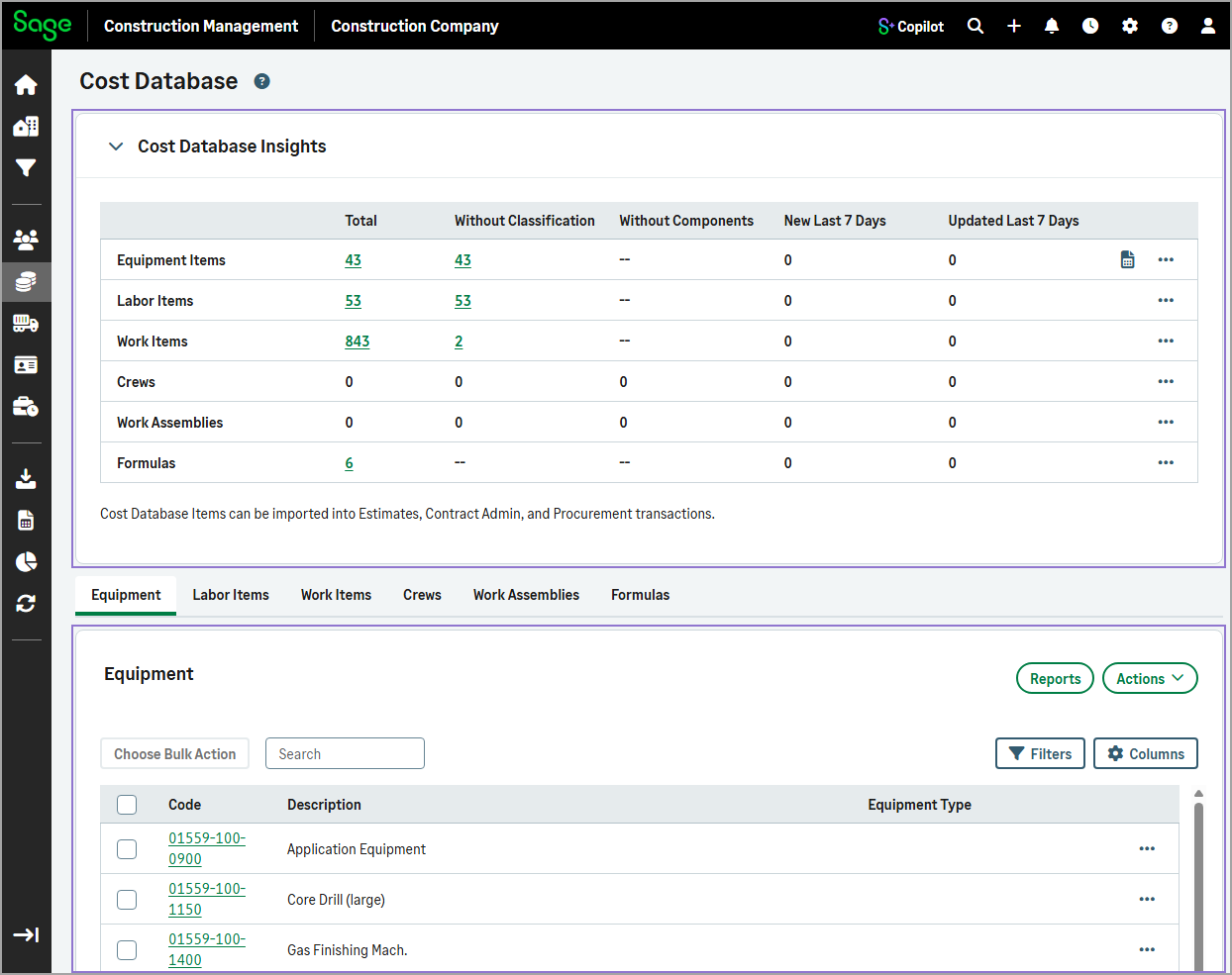
The Cost Database landing page has been redesigned to provide easier and faster access to equipment, labor item, work item, crew, work assembly, and formula records.
Details
-
A new Cost Database Insights collapsible section appears at the top of the page that includes:
-
Total number of equipment, labor items, work items, crews, work assemblies, and formulas.
-
Number of records with missing information.
-
Changes over the past 7 days.
-
-
Equipment, labor items, work items, crews, work assemblies, and formulas now display in tabs under the Cost Database Insights section. You can:
-
Switch between the Equipment, Labor Items, Work Items, Crews, Work Assemblies, and Formulas tabs.
-
Filter the lists.
-
Customize visible columns.
-
How it works
- Go to Cost Database.
The Cost Database Insights section appears at the top of the page, with the equipment list displayed below by default.
-
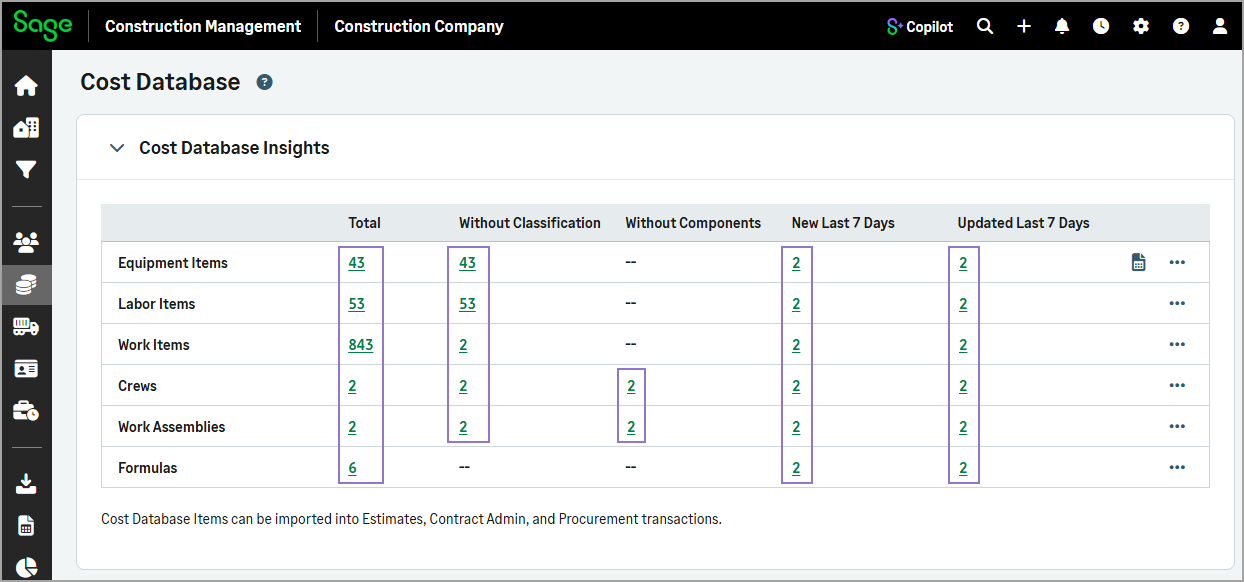
Optionally, select a count under the Total, Without Classification, Without Components, New Last 7 Days, or Updated Last 7 Days to filter the list.
-
Select the Equipment, Labor Items, Work Items, Crews, Work Assemblies, or Formulas tab.
-
Optionally, select Filters to refine the list or Columns to specify which columns to display.