Other browser enhancements
Related information
 Related topics
-
Table footer totals for currency columns
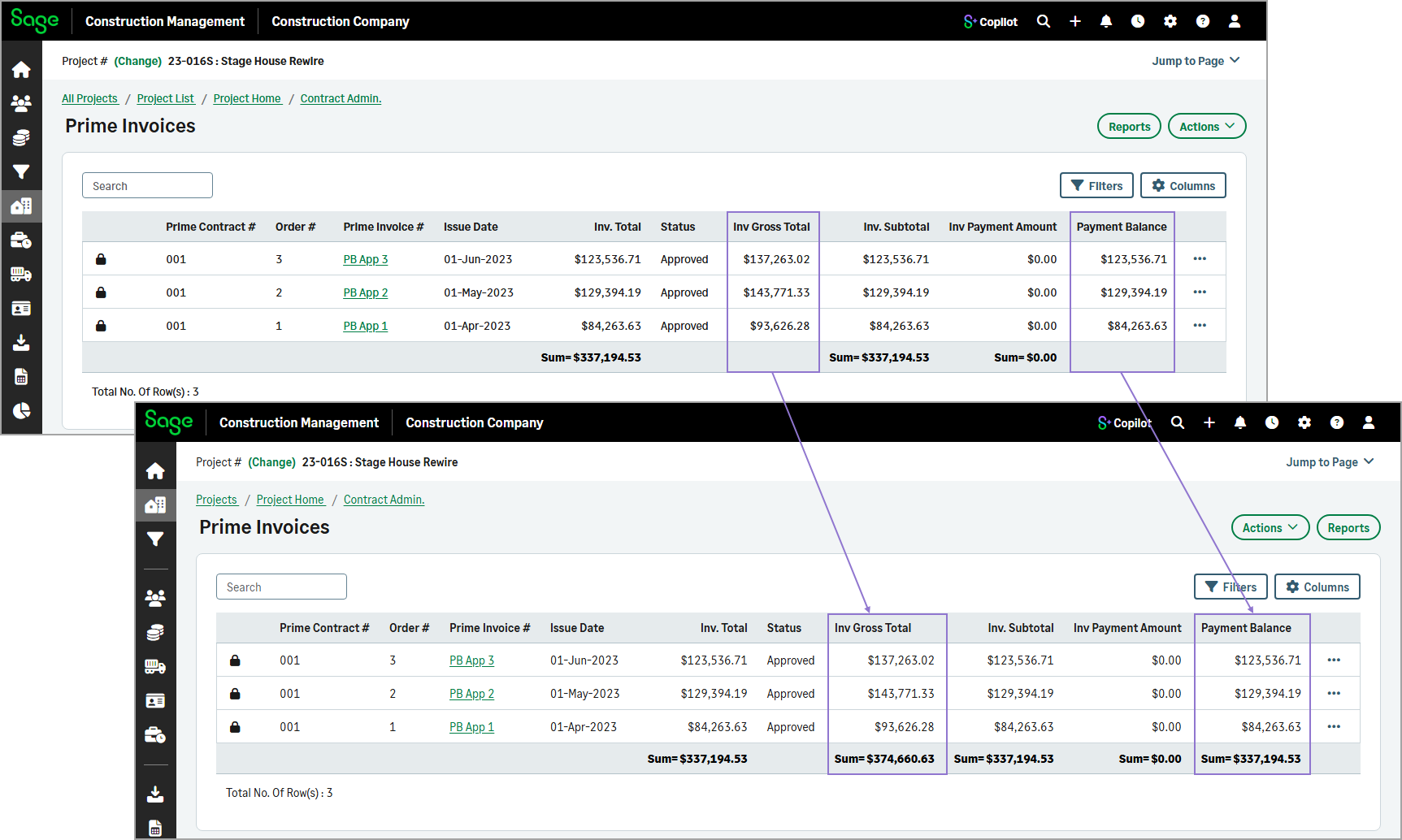
Currency columns on the following list pages now display aggregated totals in the table footer, providing better visibility into key financial amounts:
-
Bills
-
Prime invoices
-
Change orders (COs)
-
Subcontract invoices
-
-
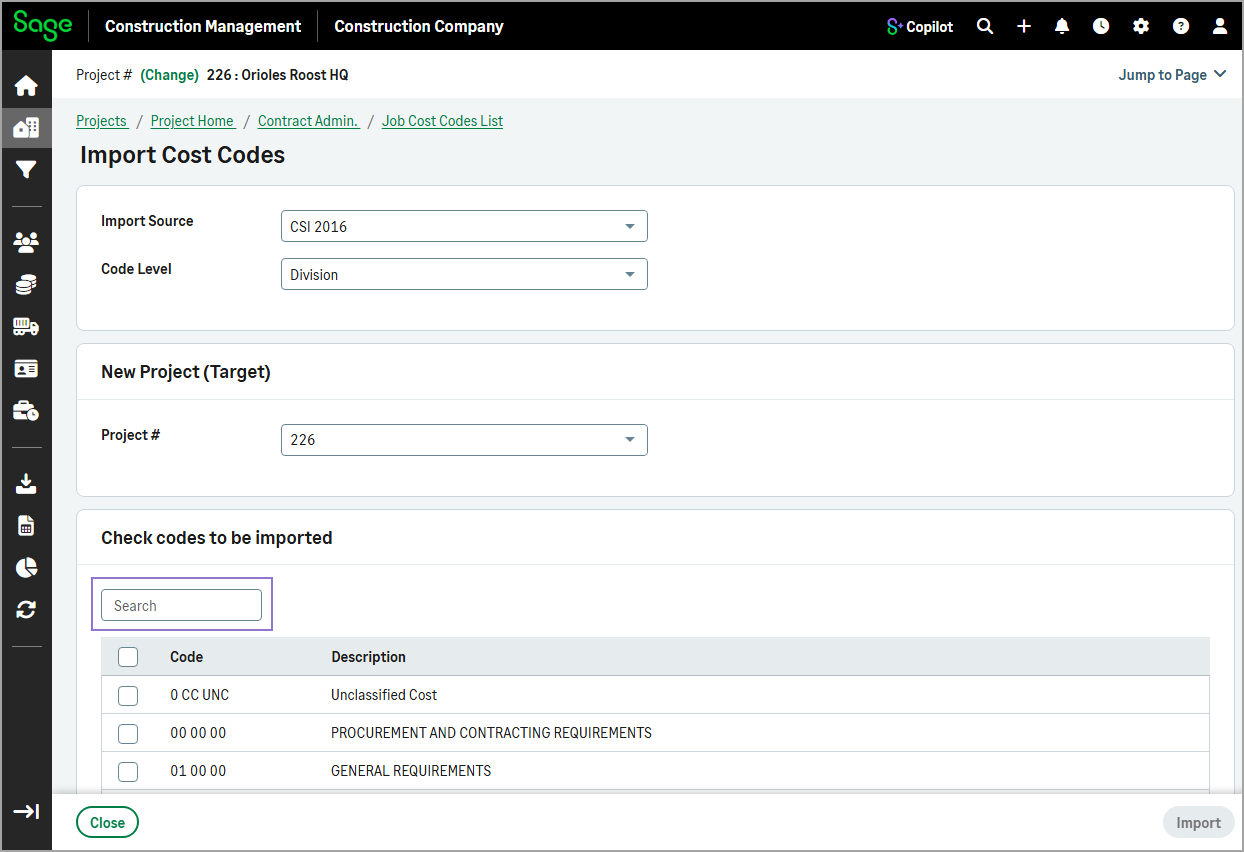
Search field added when importing cost codes into a project
When importing job cost codes from an existing project or list, you can now use the Search field to filter the list quickly by code or description.
-
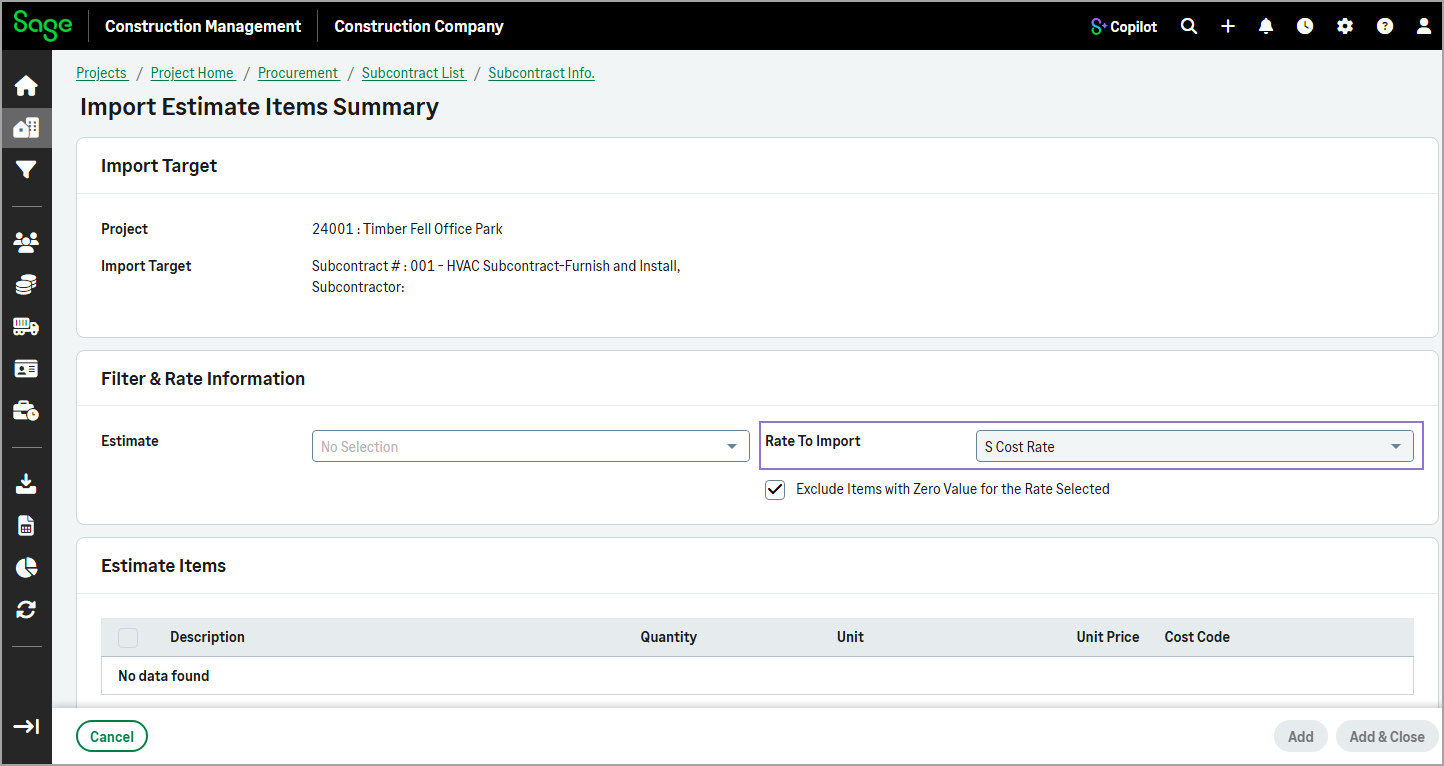
Default rate for estimate item imports in subcontracts and SCOs
When you import estimate items or summarized estimate items into a subcontract or subcontract change order (SCO), the Rate To Import is now read-only and set to S Cost Rate by default.
-
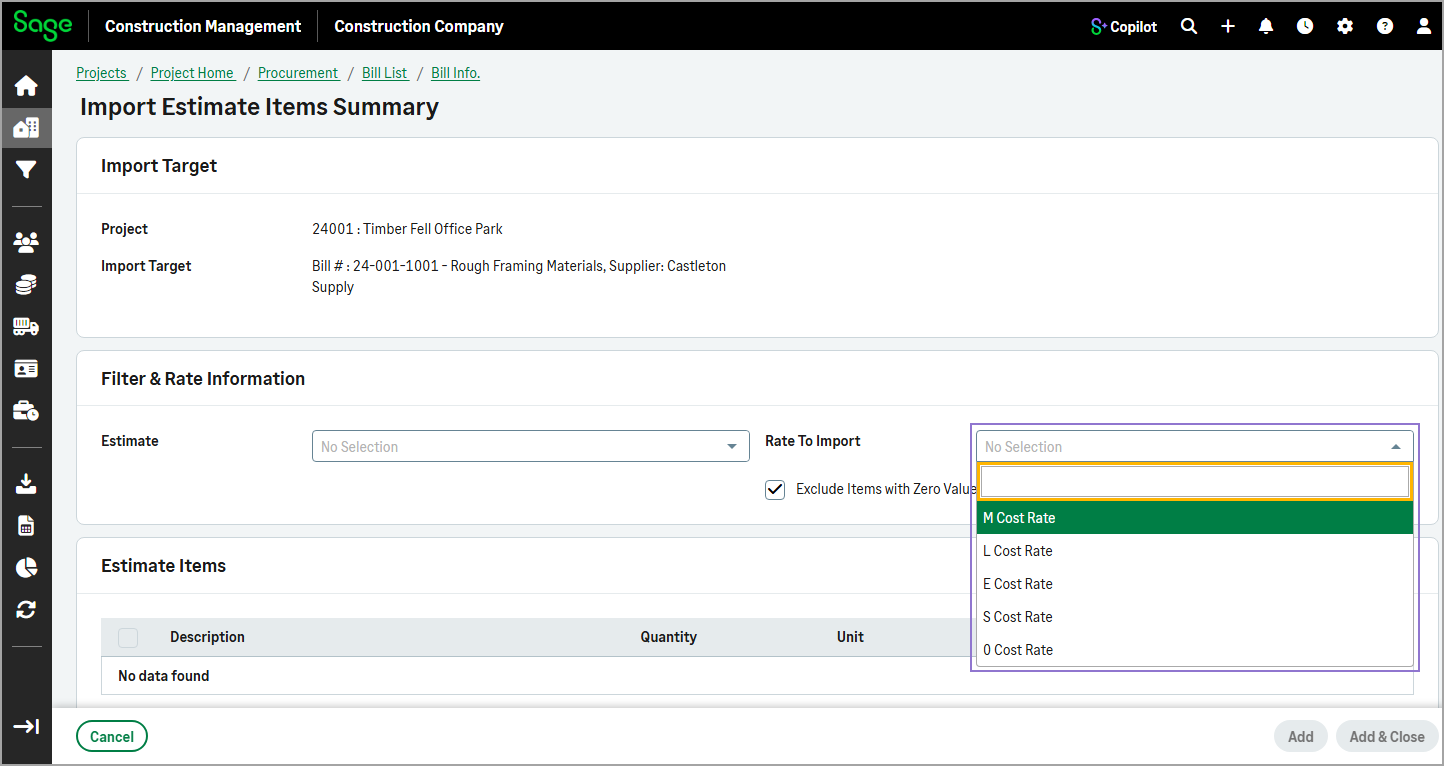
Updated Rate To Import options for estimate item imports into bills
When you import estimate items or summarized estimate items into a bill, the following options are now available from the Rate To Import dropdown:
- M Cost Rate
- L Cost Rate
- E Cost Rate
- S Cost Rate
- O Cost Rate
The options import base cost rates without distributed global markups, using resource quantities, units, and cost rates for calculations.
-
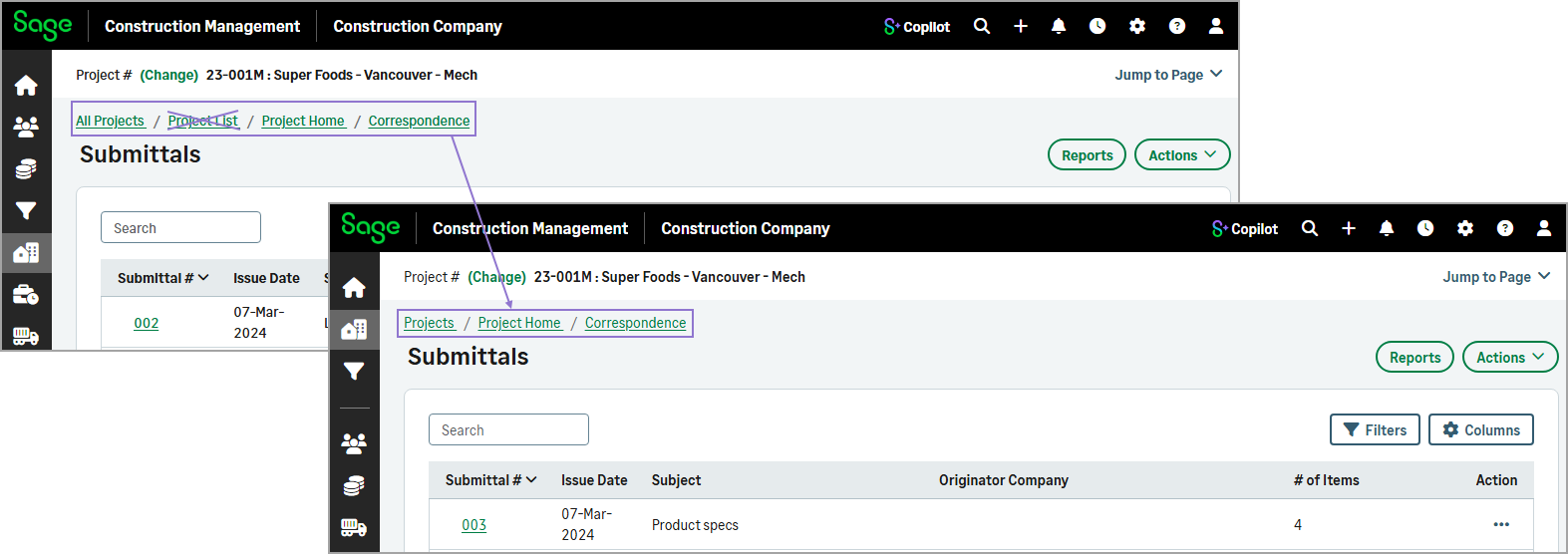
Updated breadcrumb navigation across modules
Breadcrumb navigation has been updated across the Leads, Projects, Contact Management, and Cost Database modules to reflect the new landing page structure. Record lists are now integrated directly into the landing pages, so the separate record list page has been removed from the breadcrumb path, creating a more streamlined navigation experience.
-
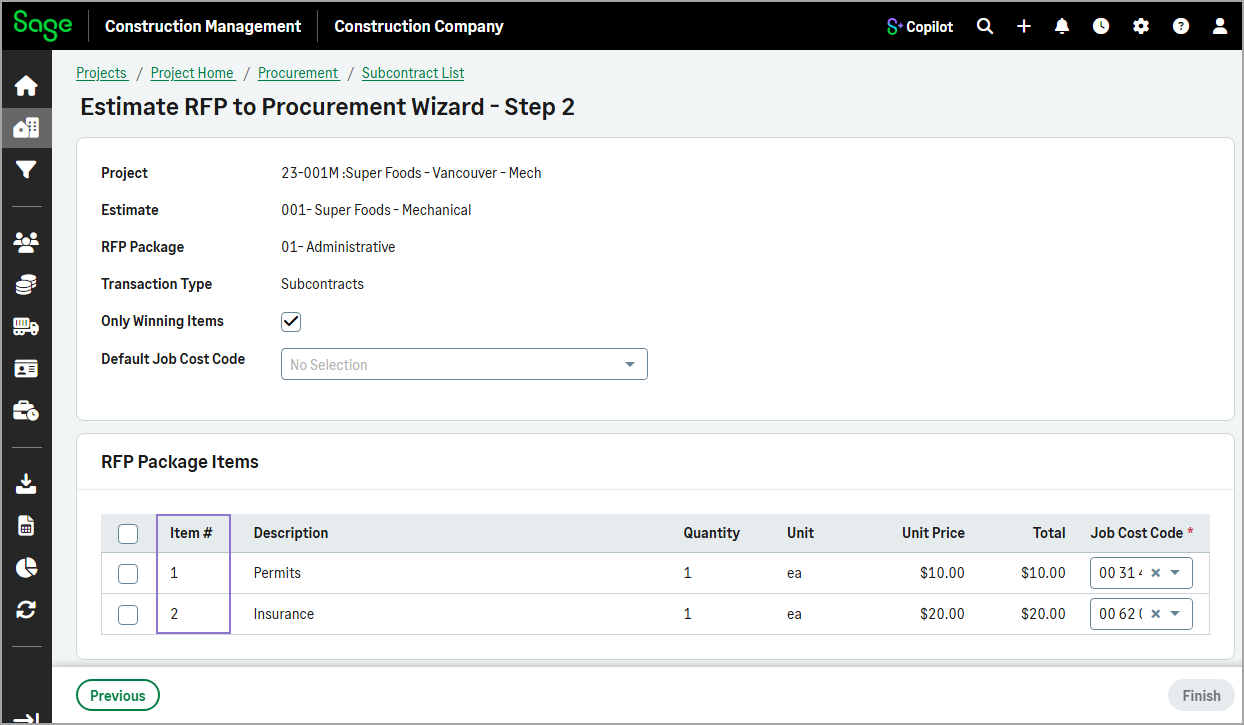
RFP items sorted by item number
When creating a subcontract from an estimate request from pricing (RFP), the RFP package items are now automatically listed in order by item number.
-
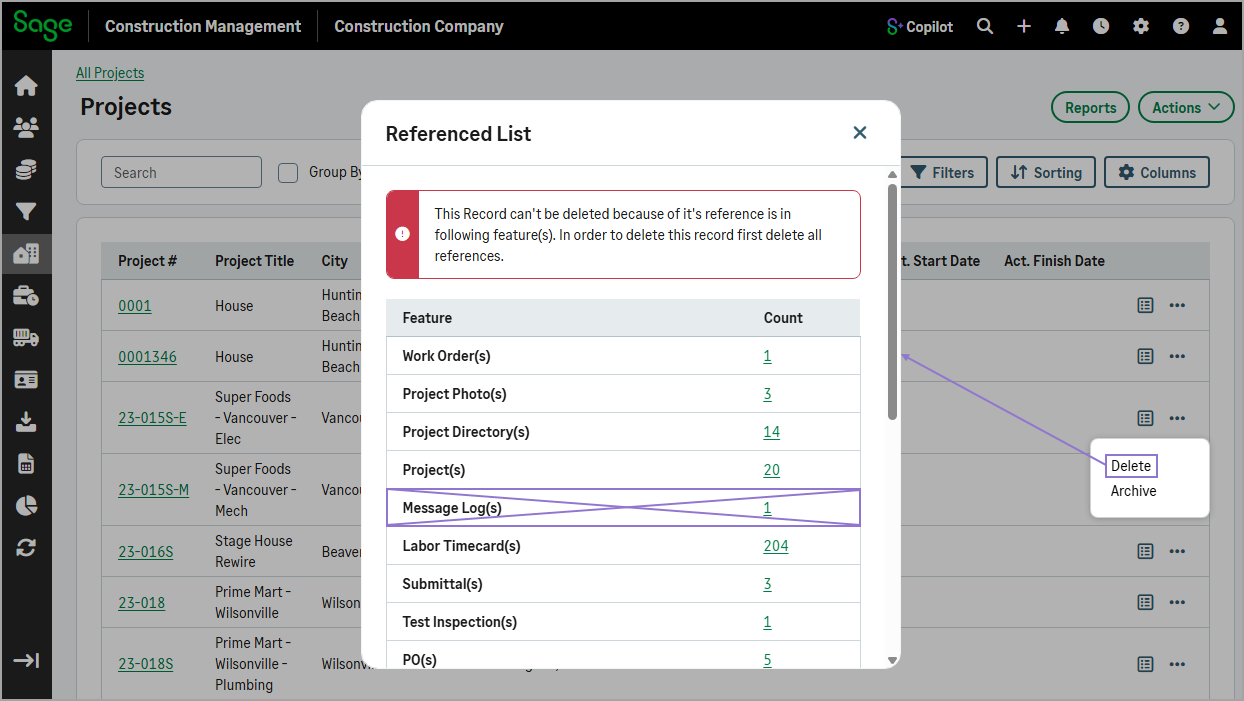
Improved project deletion workflow
Projects can now be deleted even when message logs, such as sent emails, exist for the project. Previously, all associated message logs had to be deleted before the project could be removed.
-
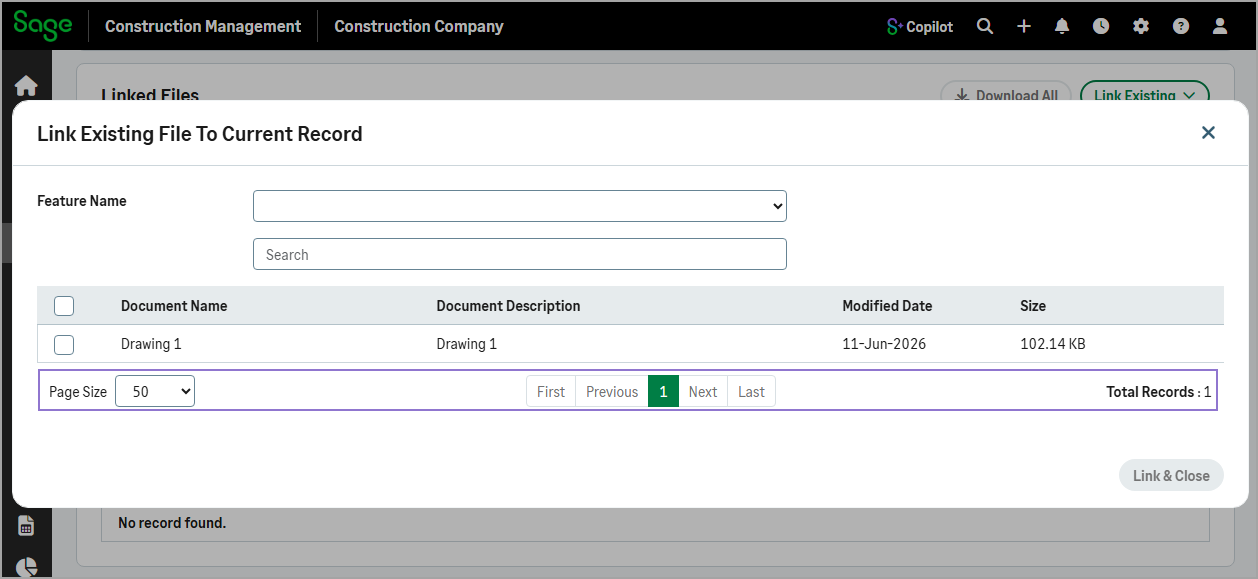
Easier file selection when linking existing files
The Link Existing File to Current Record dialog for drawings, specifications, and other records now supports pagination, making it easier to browse large file lists. You can also select how many records display per page for more efficient file selection.
-
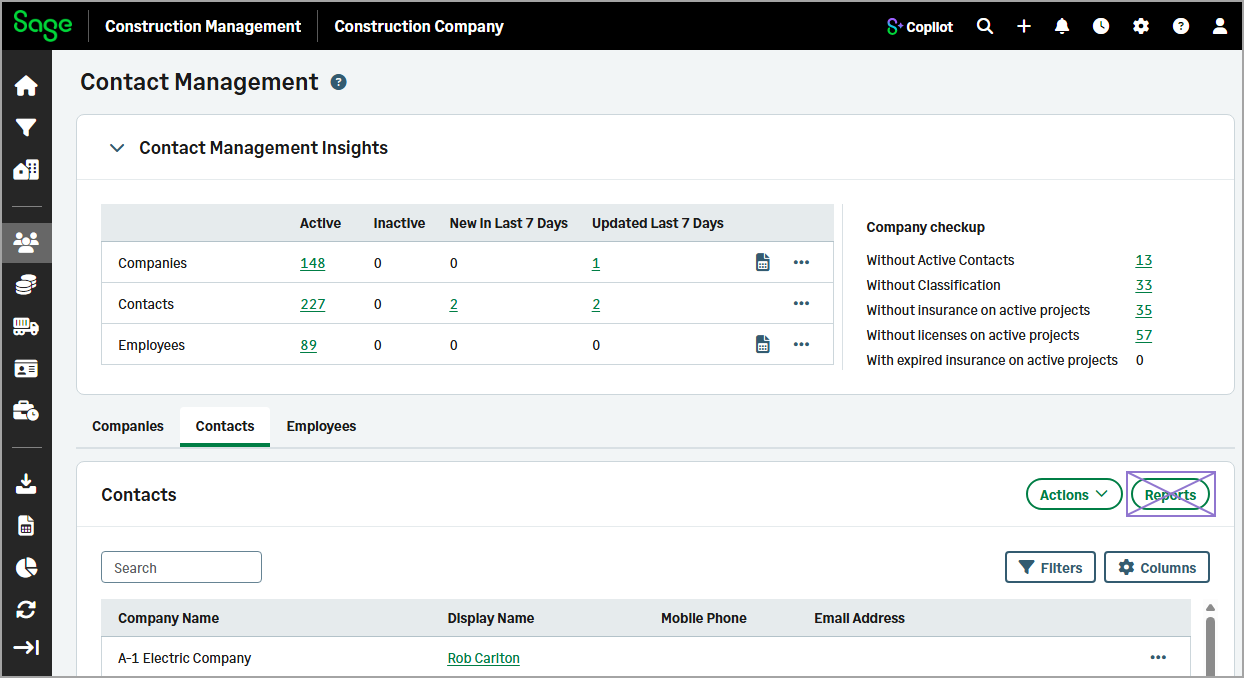
Removed Reports option from the Contacts tab
The Reports option has been removed from the Contacts tab in the Contact Management module, as there are no applicable report categories available for contact logs.
-
Improved filename compatibility for linked file uploads
When you upload files to the Linked Files section, unsupported special characters in filenames are now automatically replaced with underscores (_). This enhancement helps ensure filename compatibility and reduces upload issues.