Photos enhancements
Related information
 Related topics
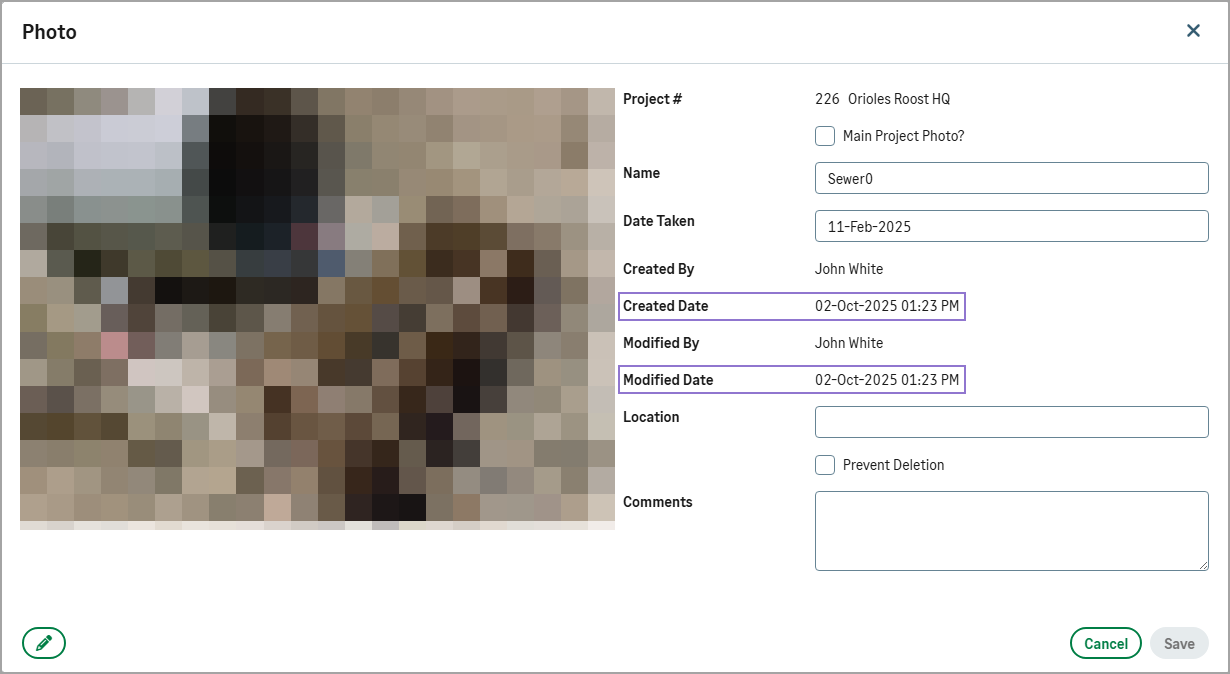
You can now filter photos by their modified date to quickly locate recently updated items. In addition, the photo details dialog displays the Created Date and Modified Date as read-only fields, enhancing visibility and auditability.
How it works
-
Open a project, then select Photos in the Documentation section.
-
Select the Photos tab.
-
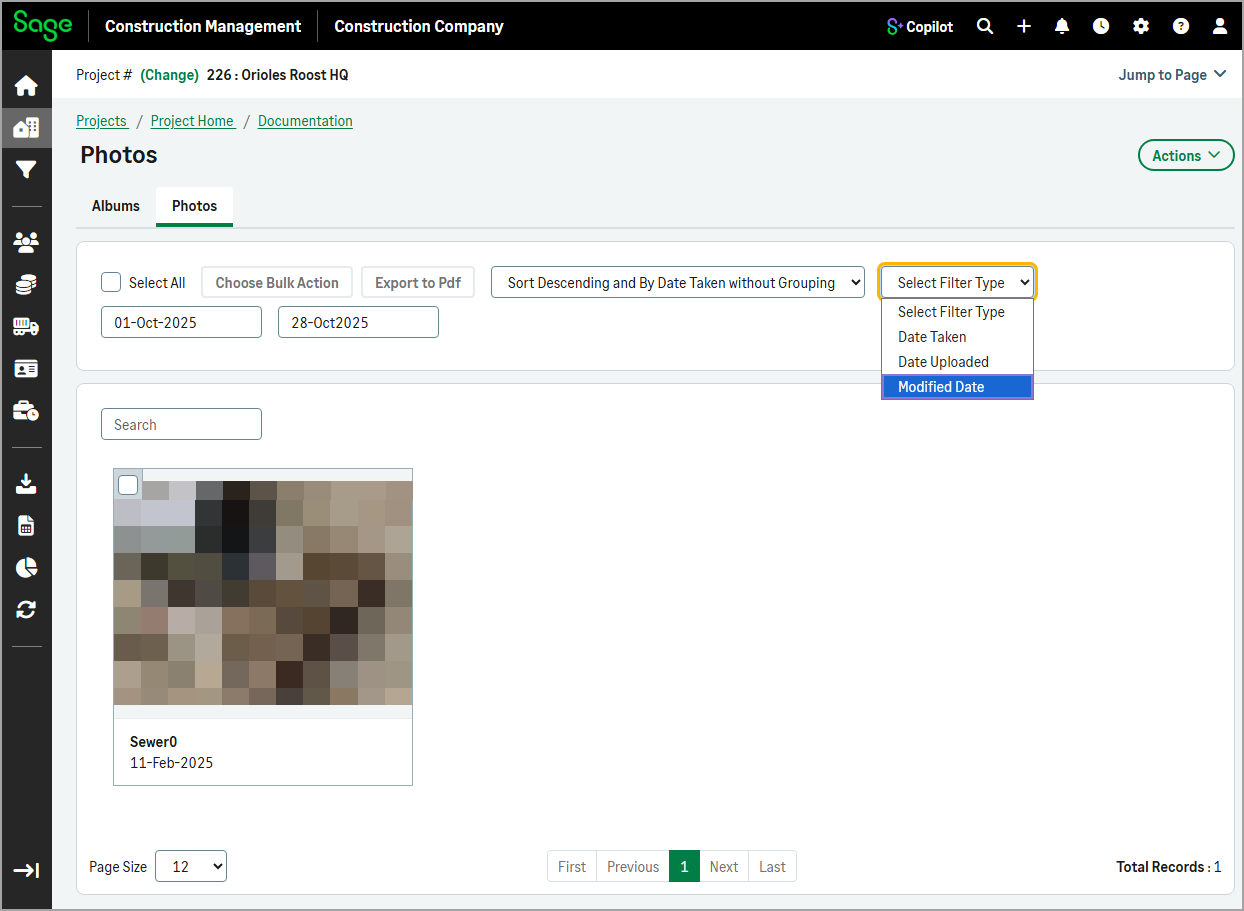
To filter photos by modification date, select Modified Date from the Select Filter Type dropdown.
-
To view a photo's Created Date and Modified Date, select the photo.