Projects landing page enhancements
The Projects landing page has been redesigned to provide faster access to key insights and project management tools.
Details
-
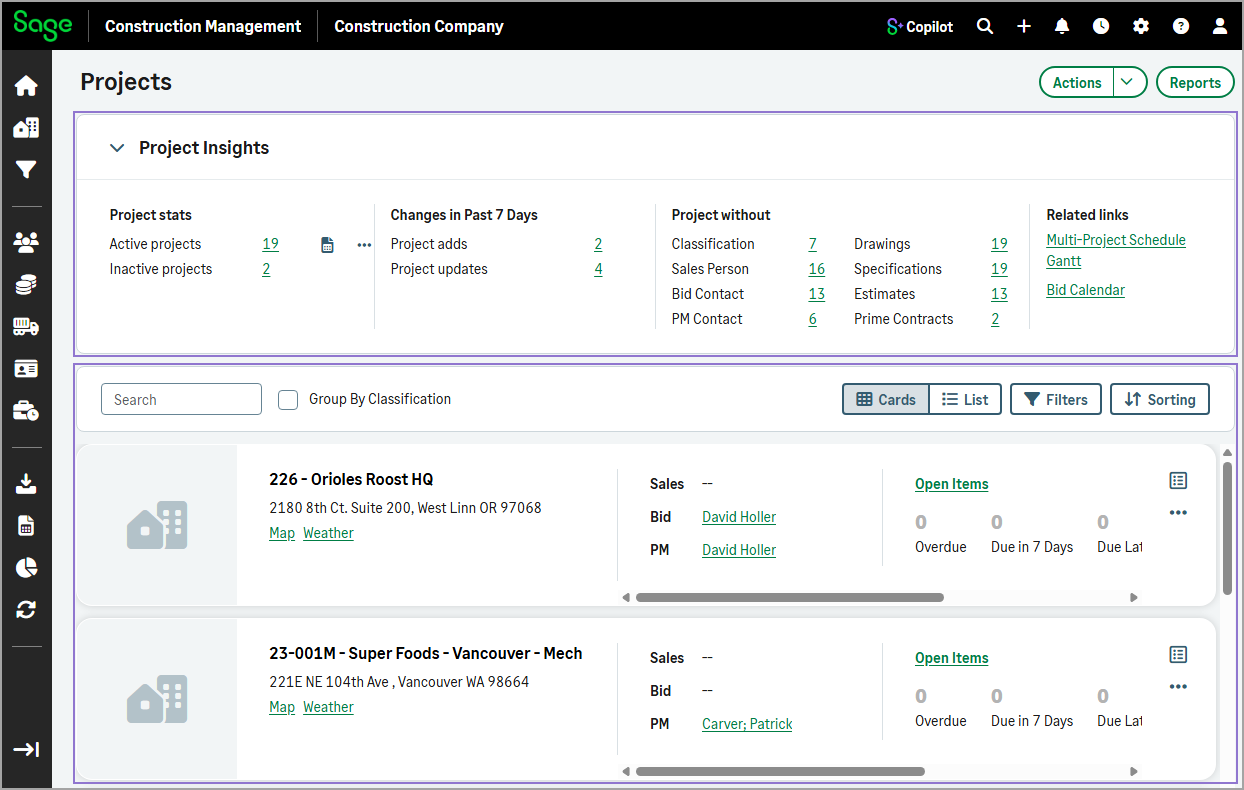
A new Project Insights collapsible section appears at the top of the page, consolidating important metrics and analytics that were previously spread across multiple sections, including:
-
Project statistics
-
Changes over the past 7 days
-
Projects with missing information
- Related links
-
-
Active projects now display below the Project Insights section. You can:
-
Switch between Card and List view.
-
Filter and sort the list.
-
Customize visible columns in list view.
-
How it works
-
Go to Projects.
The Project Insights section appears at the top of the page, with active projects displayed below in card view by default.
-
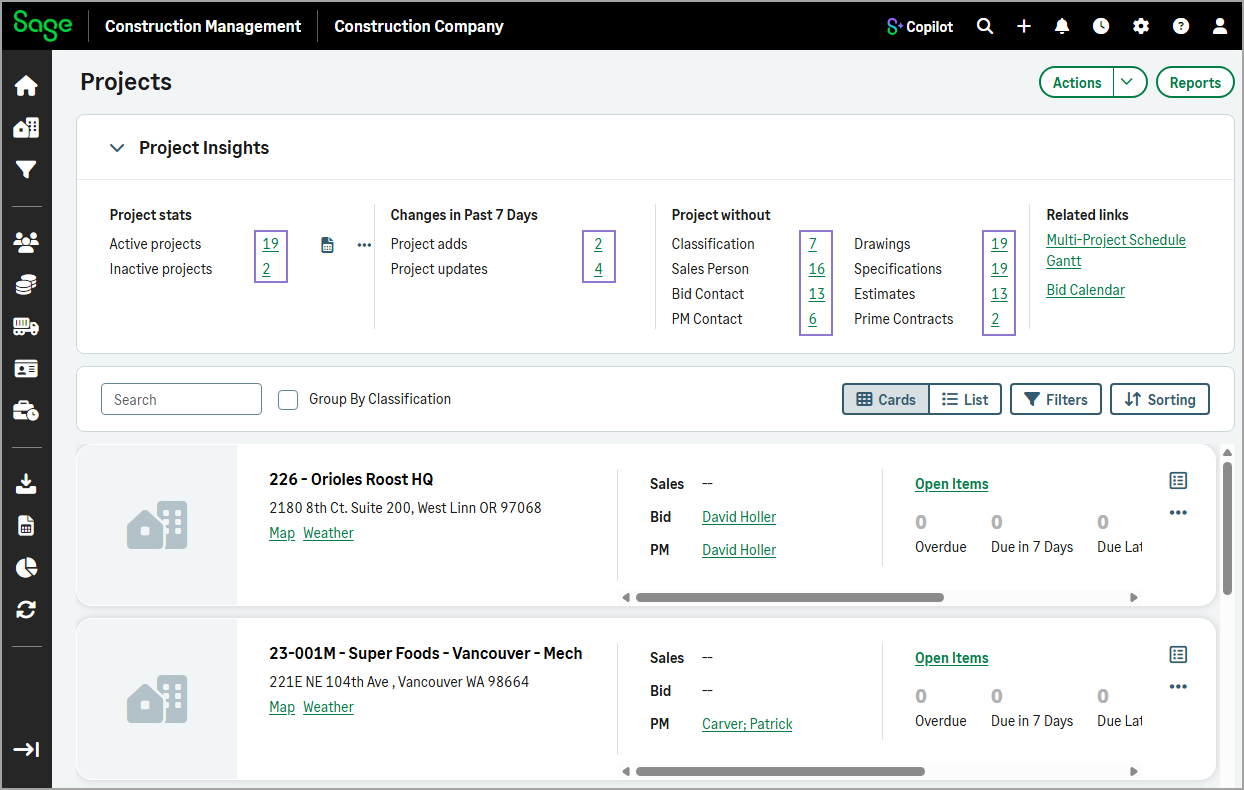
Optionally, select a count under the Project stats, Changes in Past 7 Days, or Projects without to filter the list.
-
Optionally, select Filters to refine the list by status, export status, classification, dates, or missing information.
-
Optionally, select Sorting to sort projects by:
-
Project number
-
Project title
-
City
-
State
-
Project manager
-
ID
-
Last viewed date
-
-
Optionally, select List to switch to list view, then select Columns to specify which columns to display.