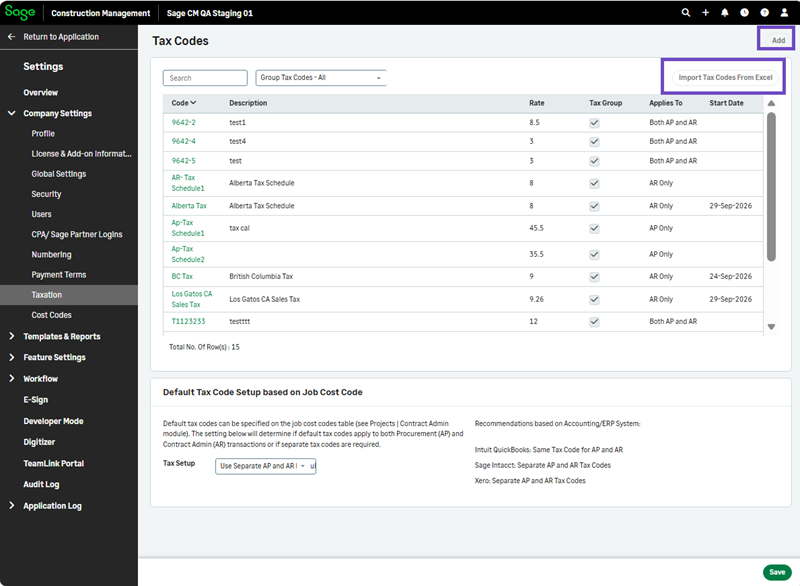
Restrict tax codes changes
You can now restrict changes to tax codes in Sage Construction Management.
Details
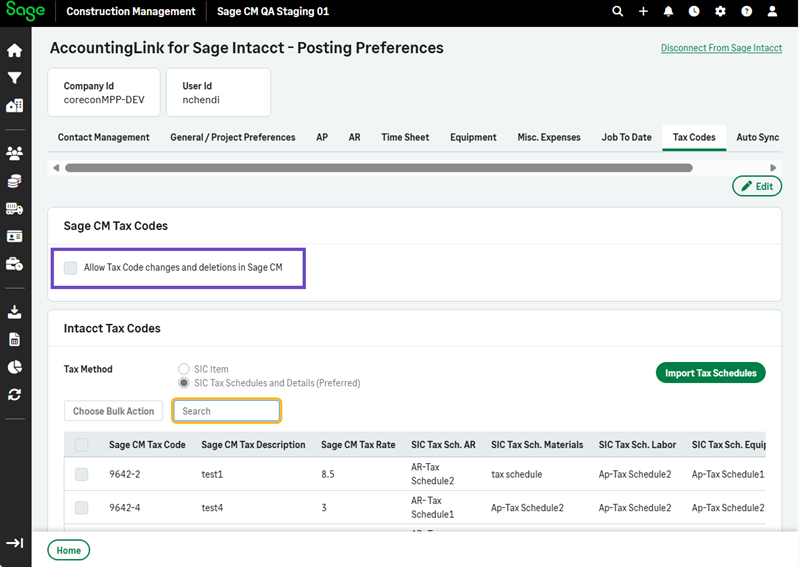
The options to import or add tax codes in Company Settings are disabled if the new Allow tax code changes and deletions in Sage CM checkbox is cleared in Accounting Link > Posting Preferences > Tax Codes.
This helps prevent tax codes from being added, imported, or deleted when changes are restricted.
How it works
-
Select Accounting Link > Posting Preferences > Tax Codes > Edit.
-
Uncheck Allow Tax Code changes and deletions in Sage CM and select Save.
-
Select Settings > Company Settings > Taxation.
The tax code options to import or add tax codes are disabled.