Import tax schedules and tax details from Sage Intacct
You can now import tax schedules and tax detail percentages from Sage Intacct into Sage Construction Management and maintain consistent tax configurations across both applications.
Details
This release provides enhanced tax code management and synchronization capabilities. Tax schedules and associated tax detail percentages can be imported from Sage Intacct and used to update linked tax records in Sage Construction Management.
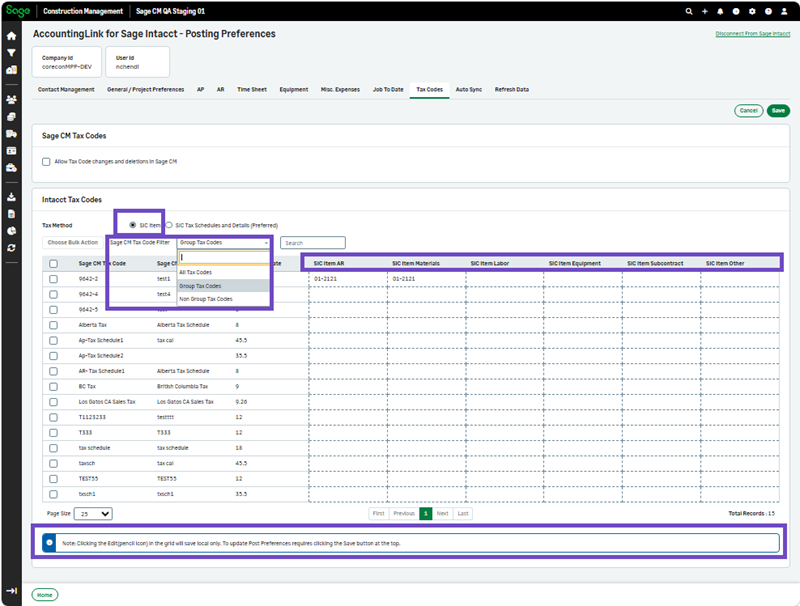
The Tax Codes tab in Posting Preferences has been enhanced to make it easier to view and manage SIC Item tax code mappings for AP and AR. When SIC Item is selected as the tax method, you can now use the Sage CM Tax Code Filter to choose between:
-
Group Tax Codes - AP Only
-
Group Tax Codes - AR Only
The tax code grid adjusts based on the selected filter, displaying the fields relevant to AP or AR tax code mappings. The edit option also reflects the selected filter so you can update the applicable tax code information.
Additionally, the following enhancements have been introduced to the Tax Codes and Auto Sync settings to simplify tax code administration and improve consistency between the two systems:
- Enable the import of tax schedules and tax detail percentages from Sage Intacct through the Tax Codes tab.
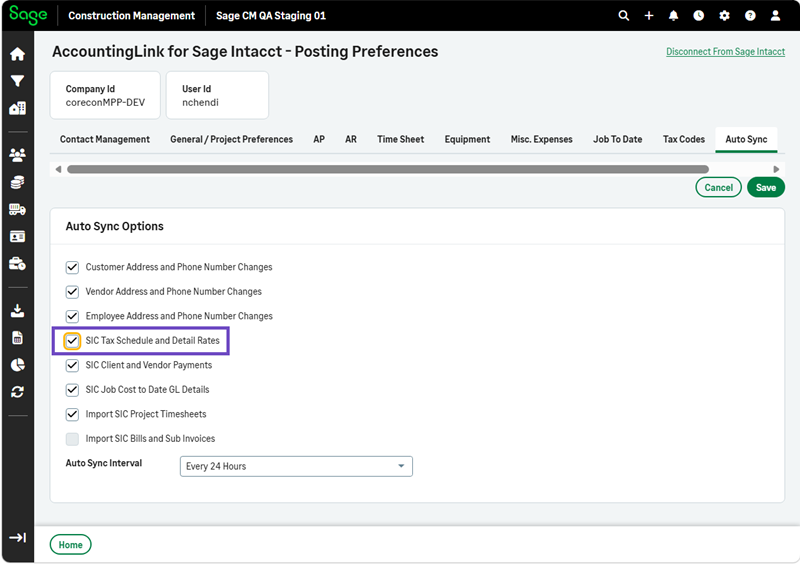
- Synchronize linked tax schedules and tax detail percentages automatically through the Auto Sync tab.
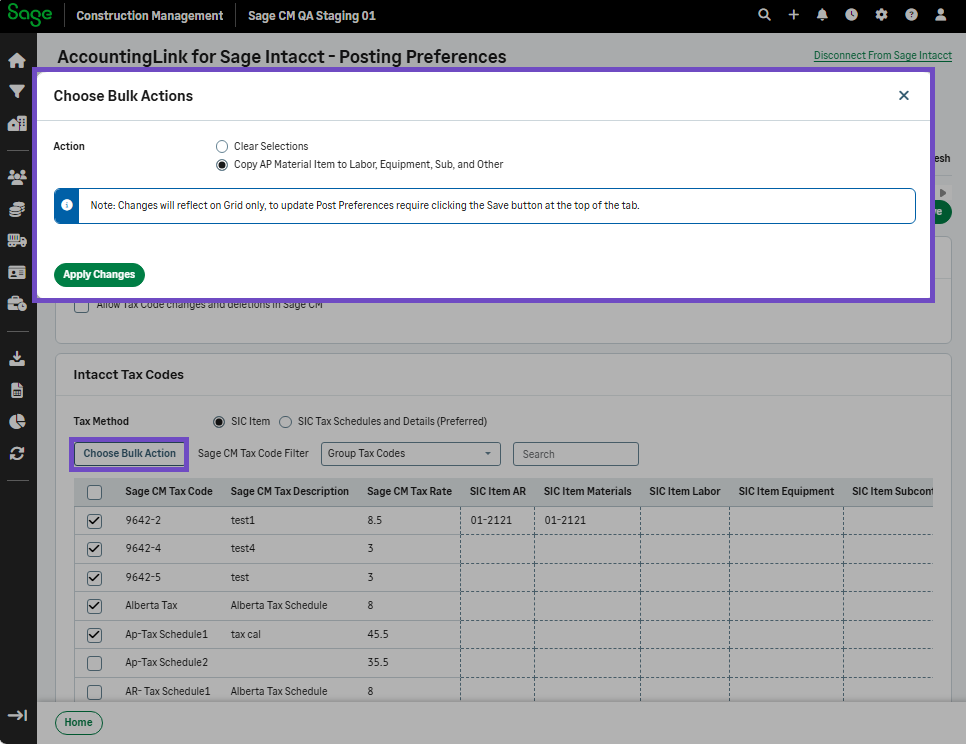
- Apply bulk actions when managing tax schedules and tax code mappings. When SIC Tax Schedules and Details is selected as the tax method, the Choose Bulk Action option provides additional ways to manage tax code mappings such as automatically link selected Sage CM tax codes to SIC tax schedules or details for AR, AP.
How it works
Enable tax code changes in Sage Construction Management
-
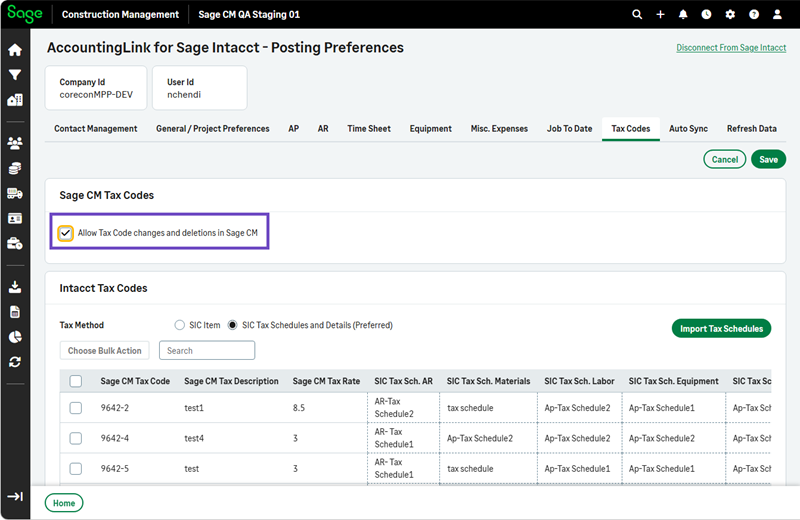
Select Accounting Link > Posting Preferences > Tax Codes > Edit.
-
Select the Allow Tax Code changes and deletions in Sage CM checkbox and select Save.
Enable SIC tax schedule and detail rates
-
Select Accounting Link > Posting Preferences > AutoSync > Edit.
-
Select the SIC Tax Schedule and Detail Rates checkbox and select Save.