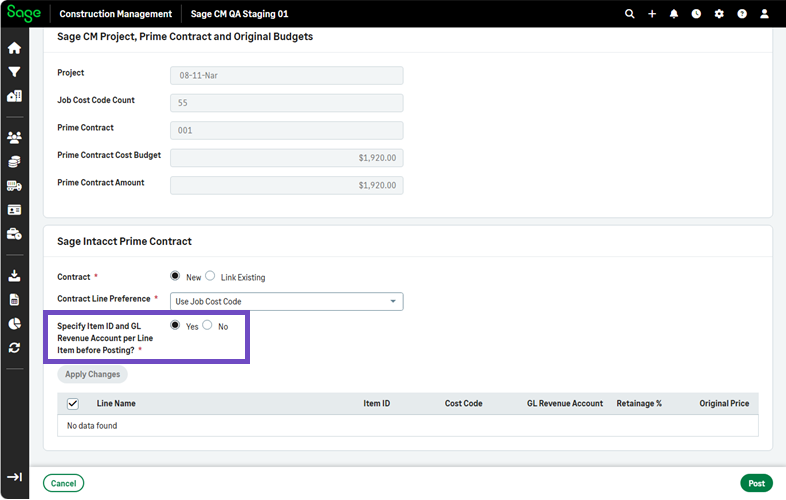
Preview and update contract line Item IDs and revenue accounts before posting a prime contract
You can now review and update Item IDs and General Ledger (GL) revenue accounts for individual contract lines before posting a prime contract in the AccountingLink for Sage Intacct.
Details
A new option enables you to preview item IDs and GL revenue accounts for contract lines before posting a prime contract to Sage Intacct. You can make changes to the default values that are populated from the Posting Preferences, as needed.
How it works
-
Go to Accounting Link.
- Select Projects, Estimates & Contracts > Post or Manually Link Project, Estimate and Contract.
- Select an item to repost.
- Select Yes for Specify Item ID and GL Revenue Account per Contract Line before Posting.
- Review the contract line grid that includes the Line ID, Line Name, Item ID, Cost Code, GL Revenue Account, Retainage %, and Original Price.The default Item IDs and GL Revenue Accounts that display are set in Posting Preferences > AR.
- Select Apply Changes to select an Item ID and/or GL Revenue Account.