Simplified lead creation process
Related information
 Related topics
Creating a new lead in Sage Construction Management is now simpler and more intuitive. The Add Lead Wizard has been replaced with a streamlined Create Lead page that organizes lead setup into three easy-to-navigate tabs.
Details
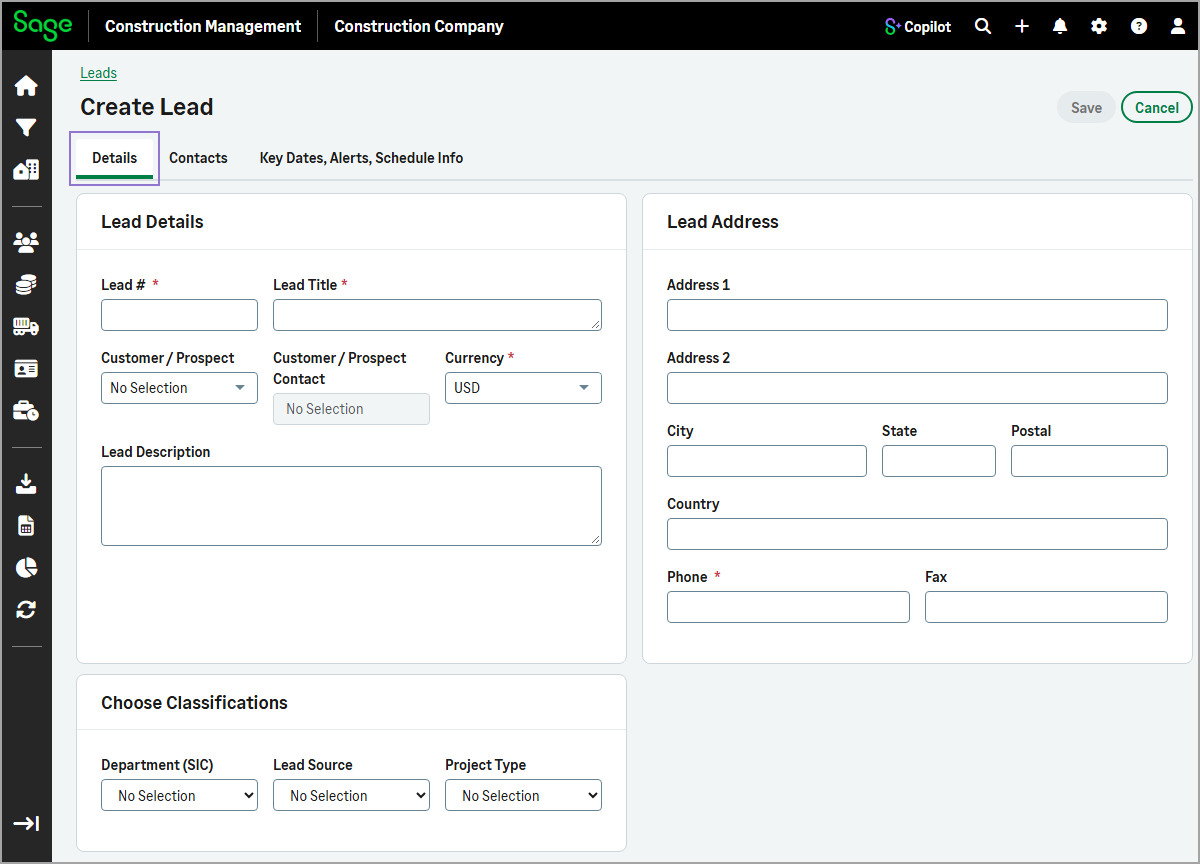
The new Create Lead page uses a tabbed layout to organize the information required to create a lead:
-
Details: Enter lead information, lead address, and classifications.
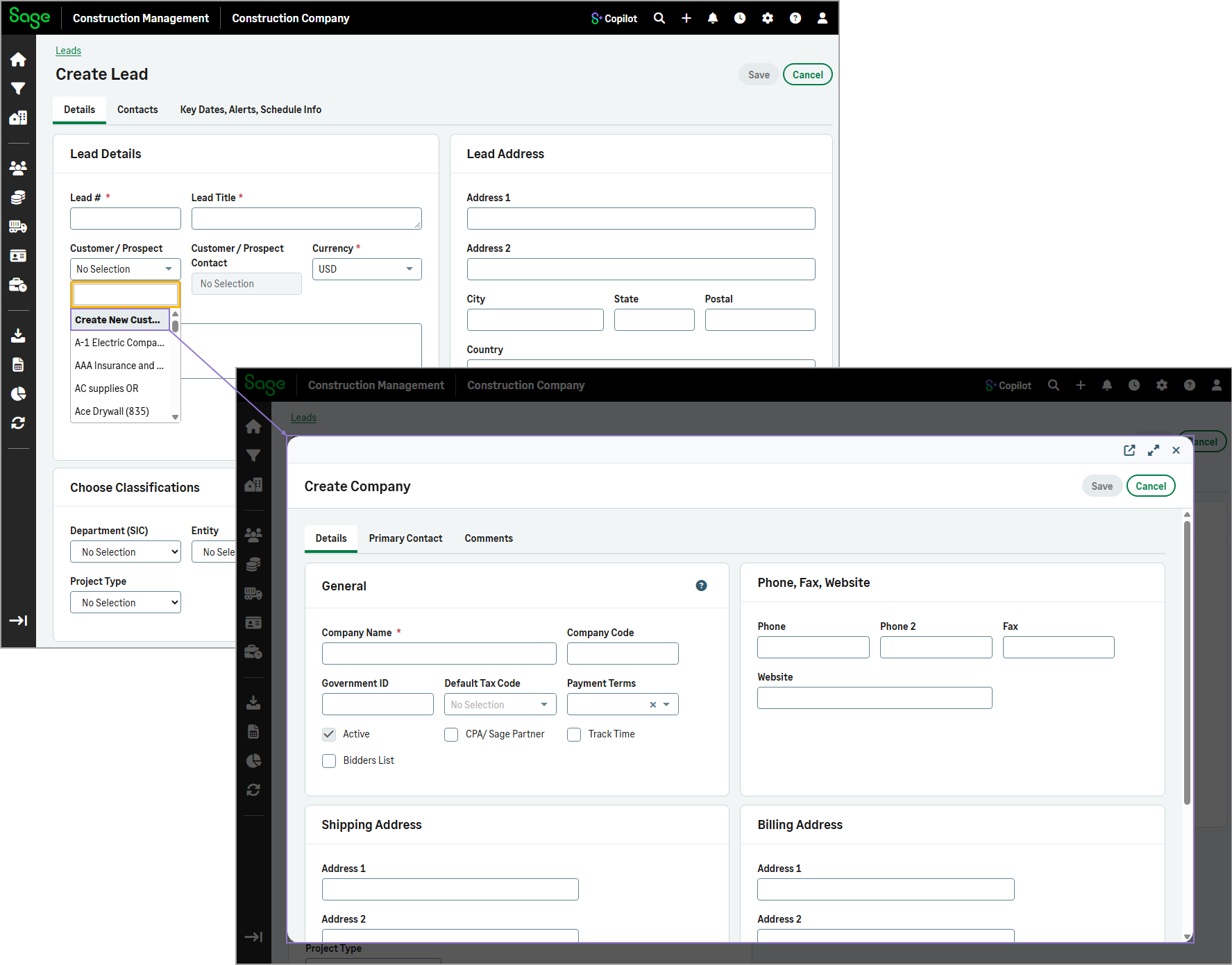
When adding a new customer company or contact, you can create the record directly from the page without navigating away from lead setup.
-
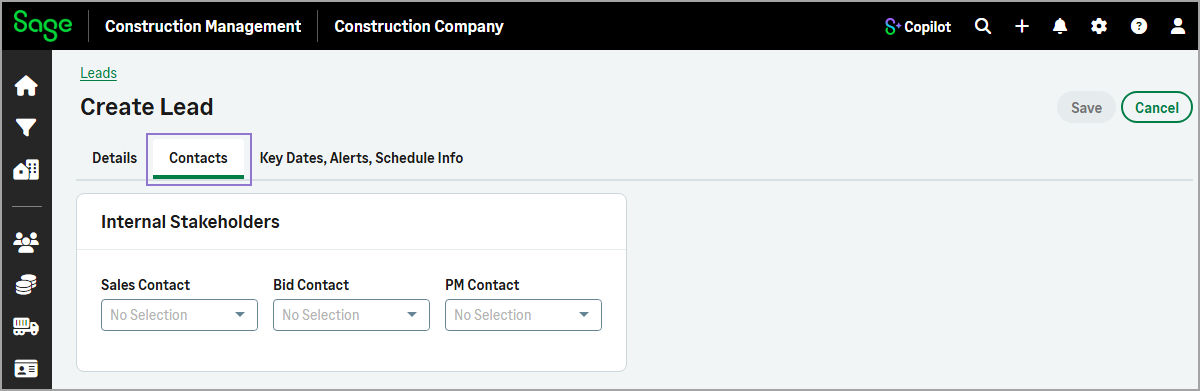
Contacts: Add internal stakeholders.
-
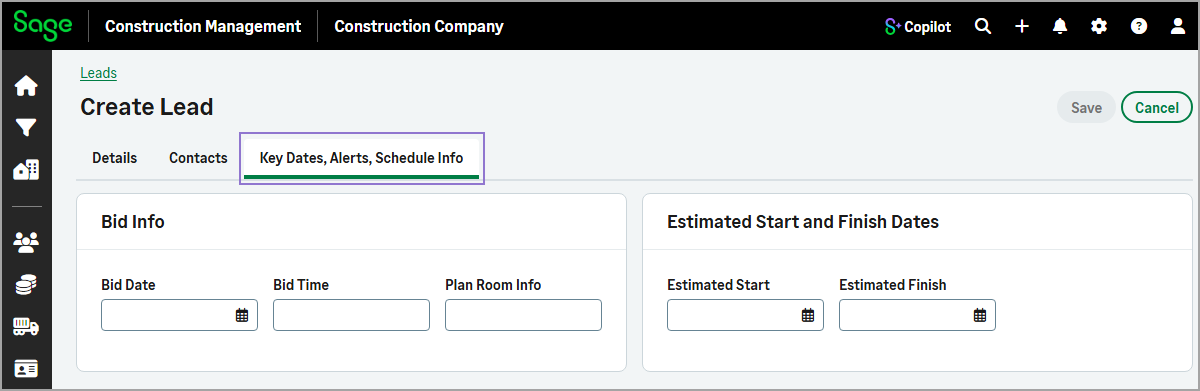
Key Dates, Alerts, Schedule Info: Enter bid information and estimated start and finish dates.
To simplify lead setup, the following activities are no longer part of lead creation:
-
Uploading drawings
-
Uploading specifications
-
Uploading photos
These tasks can now be completed only after the lead has been created, allowing you to establish the lead first and add supporting documentation when needed.
Key benefits
-
Simplified setup: Create leads using a focused, three-tab layout that captures only the essential lead information.
-
Improved organization: Related information is grouped into dedicated tabs, making it easier to navigate and manage lead details.
-
Faster lead creation: Removing document uploads from the lead creation process reduces the steps required to establish a lead.
-
More flexible workflow: Create the lead first and complete document management activities later, when appropriate.
How it works
-
Go to Leads.
- Select Actions > Add Manually.
- On the Details tab:
- Enter the Lead # and Lead Title.
- Select the Currency.
- Enter the Phone number.
- Complete the remaining fields as needed.
-
To add internal stakeholders, select the Contacts tab, and then complete the fields as needed.
-
To enter bid information or estimated start and finish dates, select the Key Dates, Alerts, Schedule Info tab, and then complete the fields as needed.
-
Select Save.