Edit employee clock in/out entries
Related information
 Related topics
Administrators can now edit employee clock in/out entries directly in Sage Construction Management. This enhancement makes it easier to correct timekeeping records when adjustments are needed, such as when an employee forgets to clock in or out.
Key benefits
-
Correct timekeeping records: Quickly update inaccurate clock in/out times to ensure that employee hours are recorded correctly.
-
Save administrative time: Make adjustments directly in Sage Construction Management without relying on manual workarounds or external processes.
-
Maintain reliable records: Help ensure that timekeeping records more accurately reflect employees' actual working hours.
How it works
-
Enable administrators to edit employee clock in and out entries:
-
Select Settings (
 ) > Feature Settings > Time & Expenses.
 -
In the Timecard Settings section, select the Allow Admin to Edit Clock In/Out Entries checkbox.
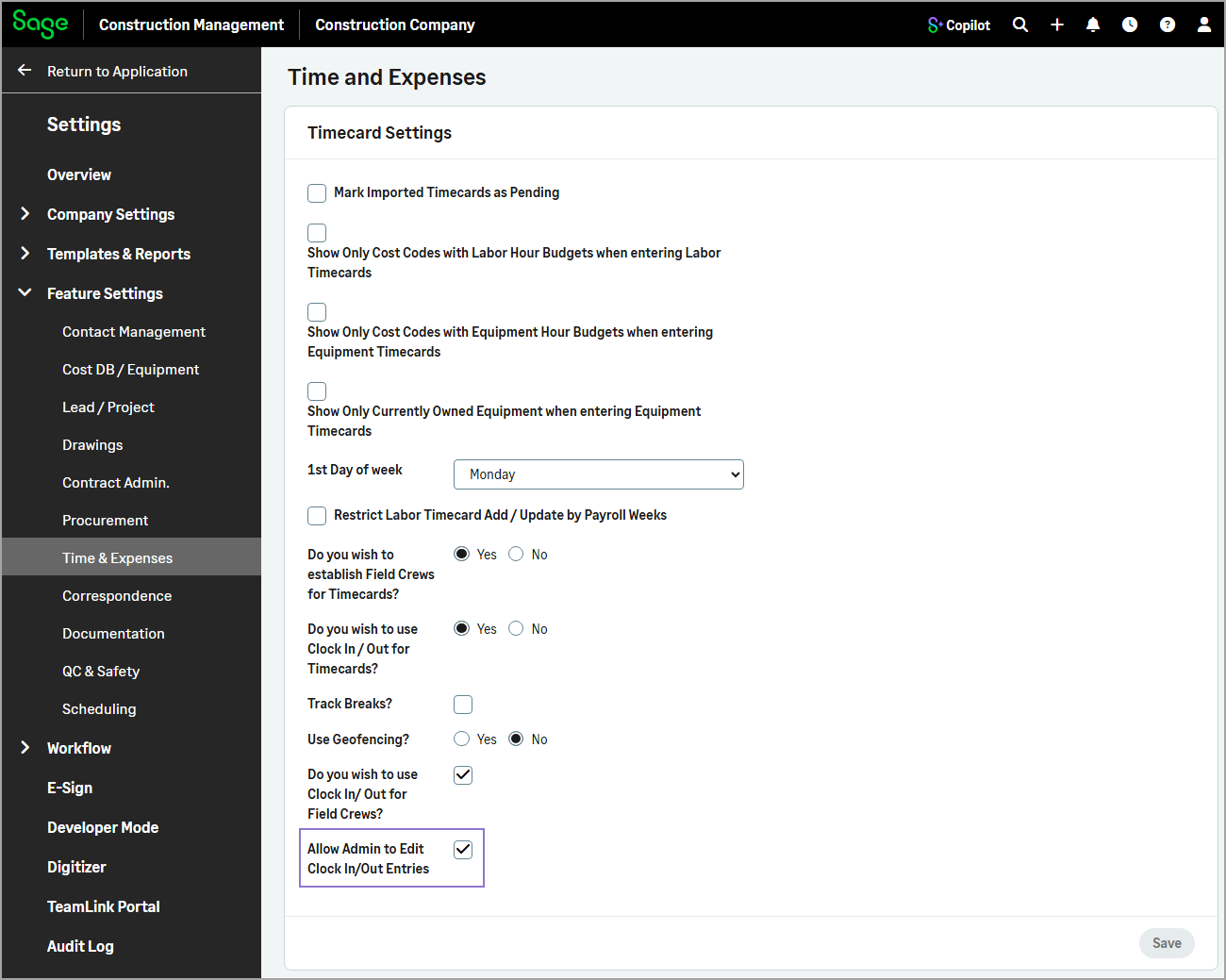
-
Select Save.
-
-
Edit employee clock in/out entries:
-
Go to Time & Expenses.
- In the Timecard and Expense Stats section, select the record number next to Employees Clocked In / Out to view the corresponding clock in/out entries.
- Optionally, use the Search field to filter the list.
- Select the employee's name from the list.
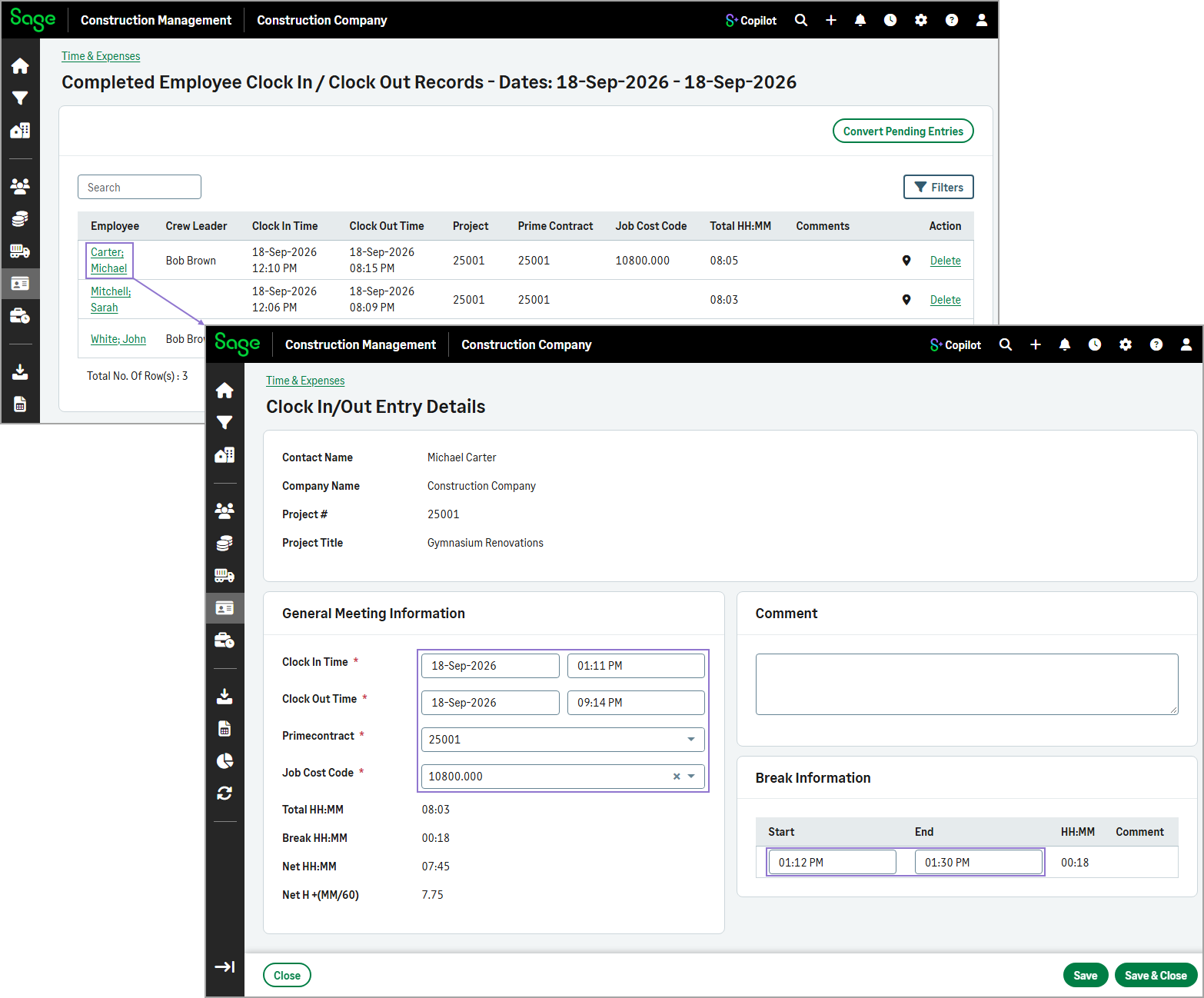
- On the Clock In/Out Entry Details page, administrators can update the following information:
- Clock in and clock out date and time
- Prime contract
- Job cost code
- Break start and end times
- Select Save or Save & Close.
-