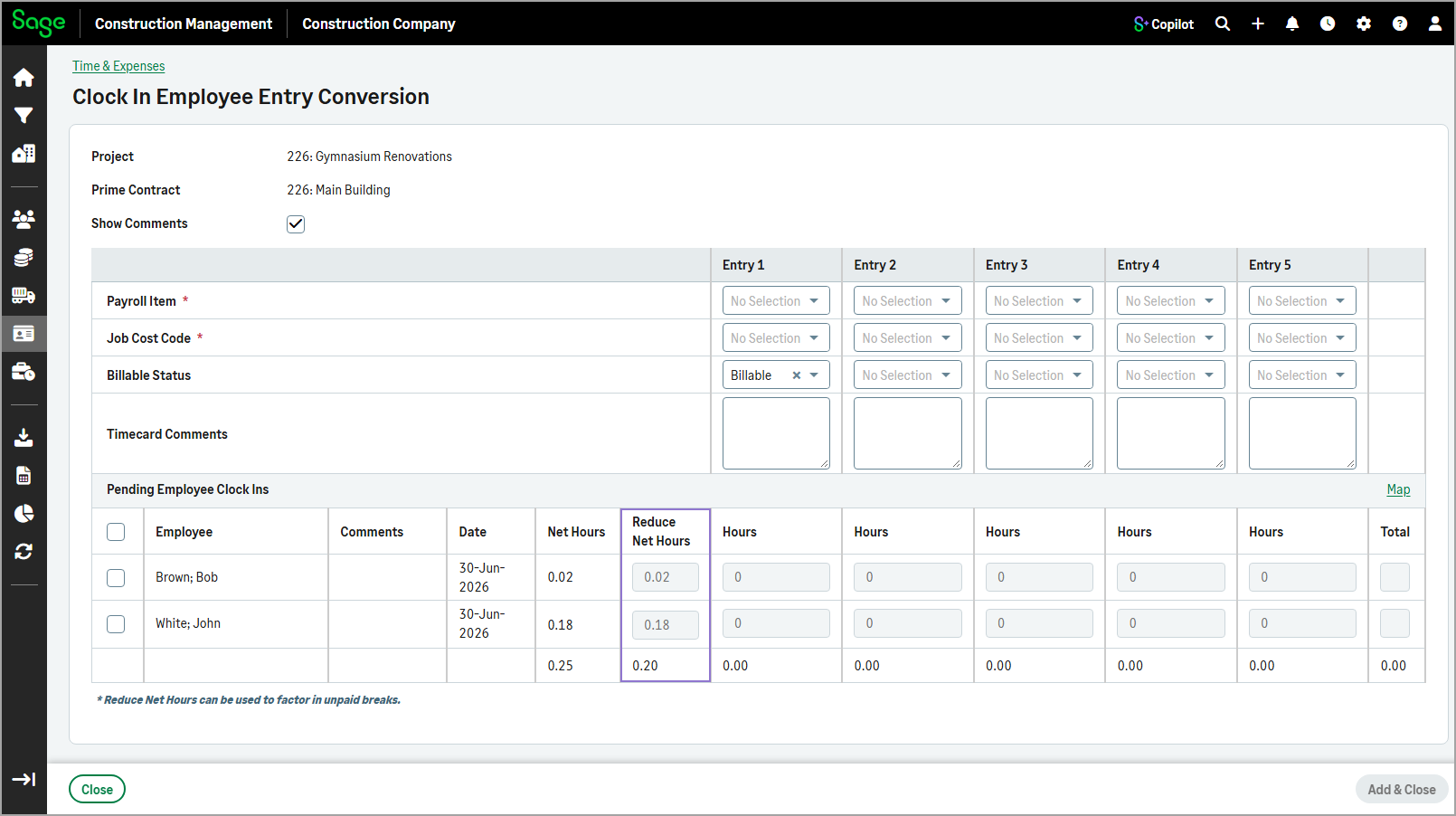
Clock in/out employee conversion: Reduce Net Hours column
Related information
 Related topics
A new Reduce Net Hours column has been added to the Clock In Employee Entry Conversion page.
Details
The Reduce Net Hours column shows the amount of time that can be deducted from an employee's recorded hours, such as unpaid break time. This gives users better visibility into an employee's net working hours and helps ensure hours are accurately reflected during the conversion process.
How it works
- Go to Time & Expenses.
- In the Timecard and Expense Stats section, select more actions (
 ) in the Employees Clocked In / Out row.
 - Select Convert Pending Clock-In Data.
- Specify the project, prime contract, and ensure that the Create Labor Time Entries checkbox is selected.
- Select Next.
-
On the Clock In Employee Entry Conversion page, review the amount of time that can be deducted from an employee's recorded hours in the Reduce Net Hours column.