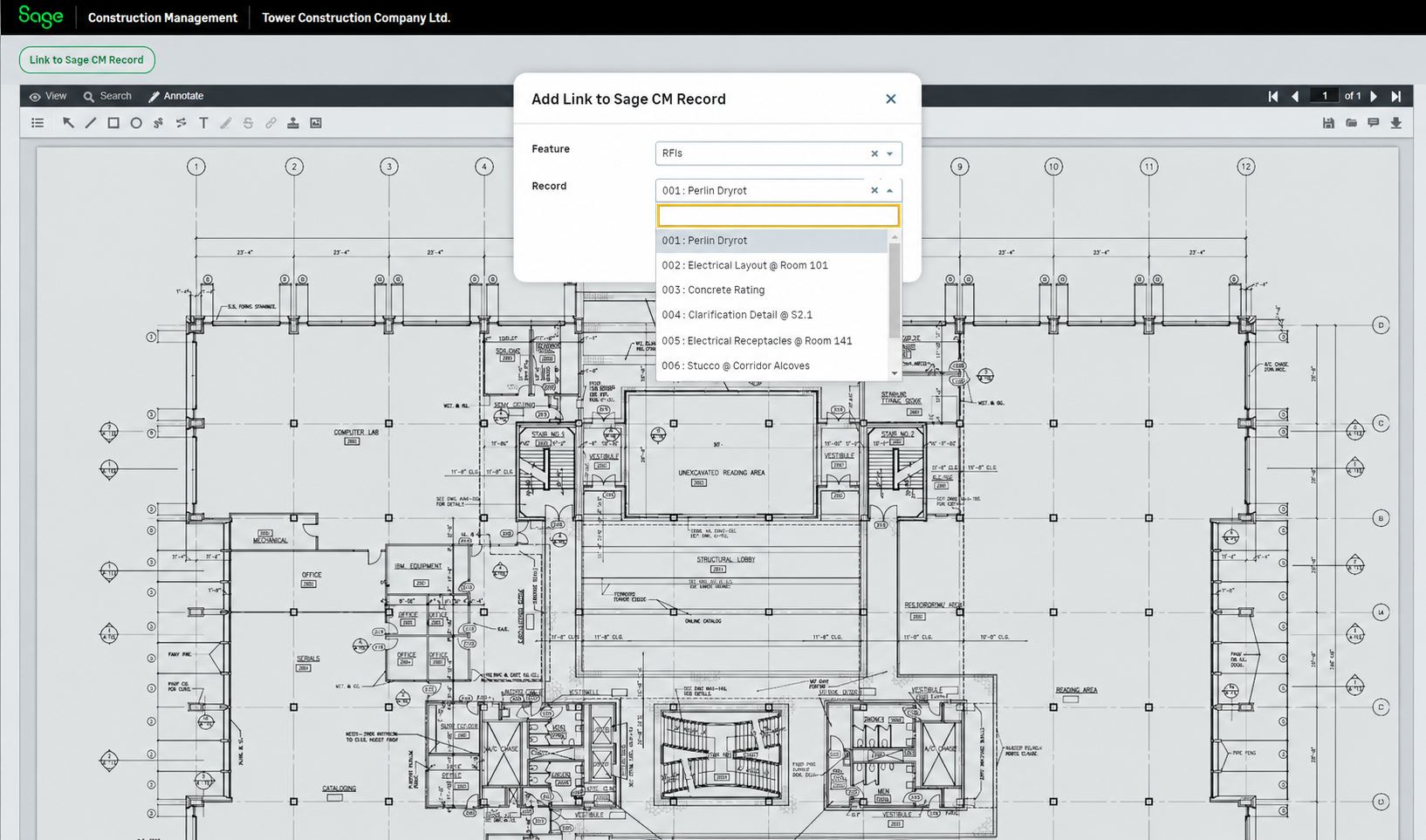
Link documents to Sage Construction Management records in the Document Viewer
Related information
 Related topics
You can now easily link documents to Sage Construction Management records directly from the Document Viewer and connect them to relevant project information.
Details
The Document Viewer now supports creating links between documents and Sage Construction Management records. These links enable you to quickly identify and access related information while reviewing project documentation.
How it works
-
Open a drawing in the Document Viewer.
-
Select Link to Sage CM Record on the top left.
-
Select a Feature and a Record from the dropdown lists.
-
Select Save.