Improved cost budget fields when creating a prime contract
Related information
 Related topics
The cost and budget fields have been updated and expanded when creating a prime contract, improving clarity and making it easier to enter and manage budgets accurately.
Details
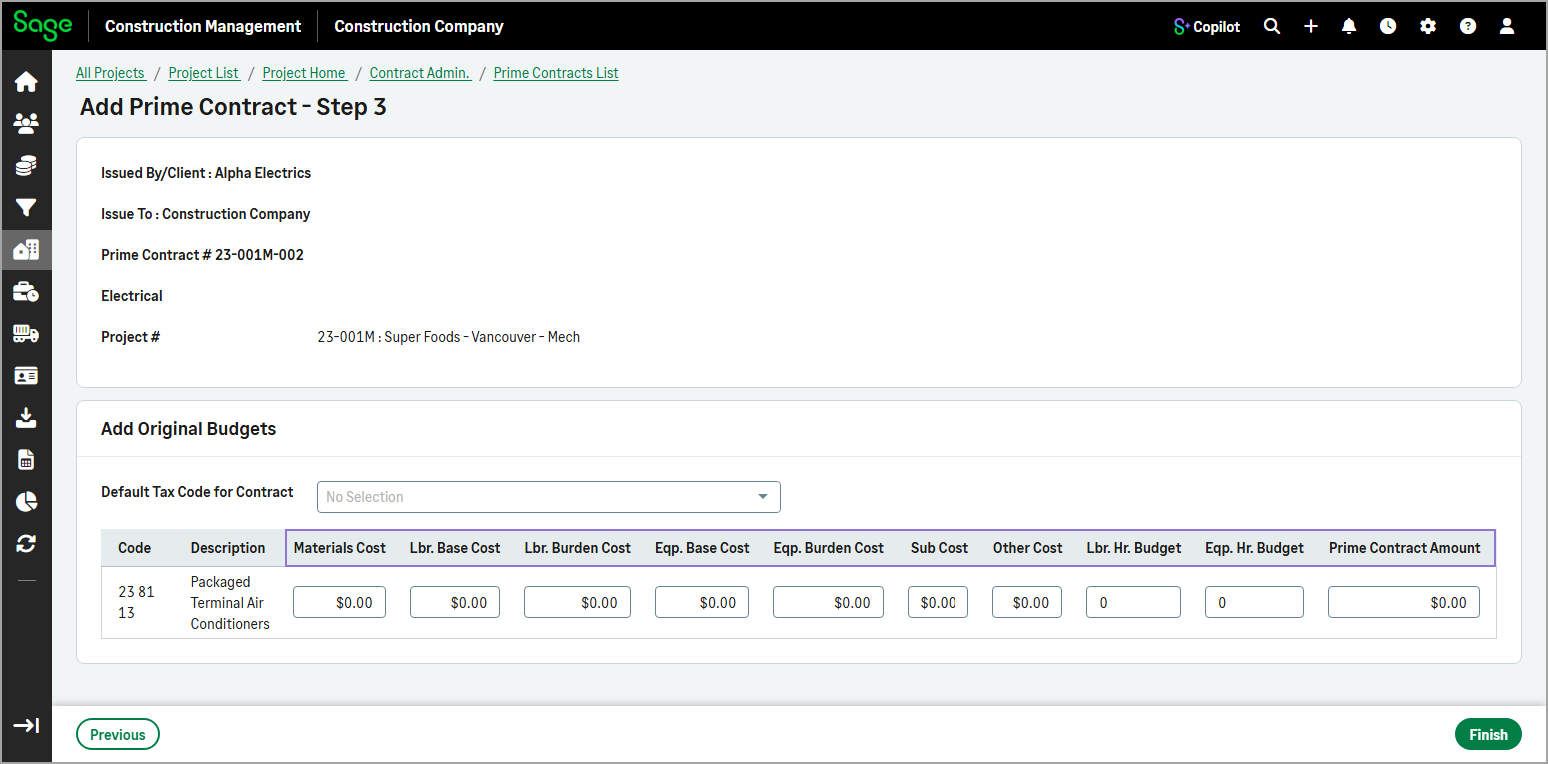
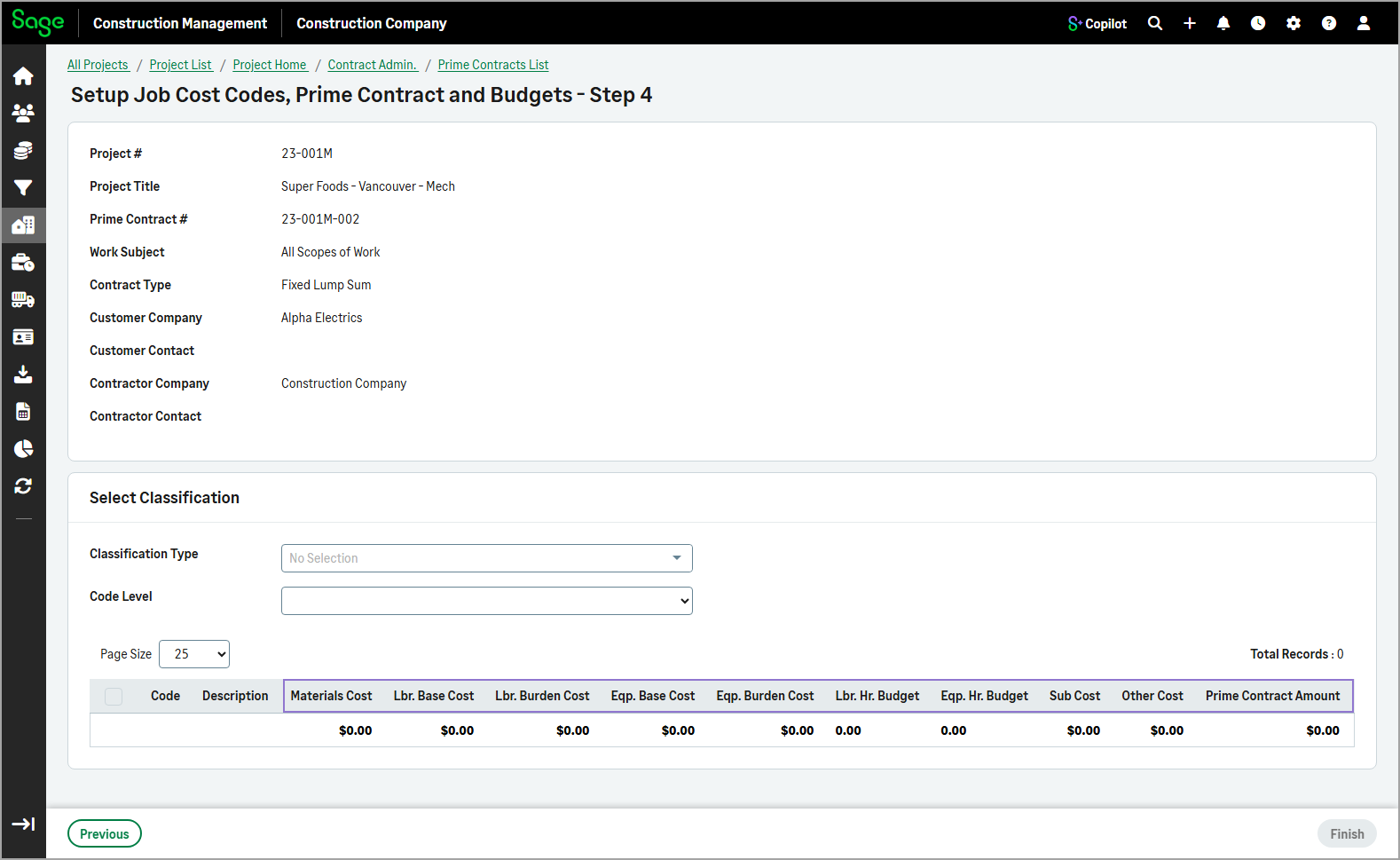
The following cost and budget fields are now available when you create a prime contract manually or through the wizard and add budgets manually:
-
Materials Cost
-
Lbr. Base Cost
-
Lbr. Burden Cost
-
Eqp. Base Cost
-
Eqp. Burden Cost
-
Sub Cost
-
Other Cost
-
Lbr. Hr. Budget
-
Eqp. Hr. Budget
-
Prime Contract Amount
How it works
- Go to Projects and select the appropriate project from the list.
- On the Project page, select Prime Contracts in the Client Contract Admin category of the Project Menu section.
- Do one of the following:
- Select Actions > Add Manually and enter the budgets in step 3.
- Select Actions > Add Using Wizard and enter the budgets manually in step 4.
- Select Actions > Add Manually and enter the budgets in step 3.