New revenue GL account and item mapping options
Related information
 Related topics
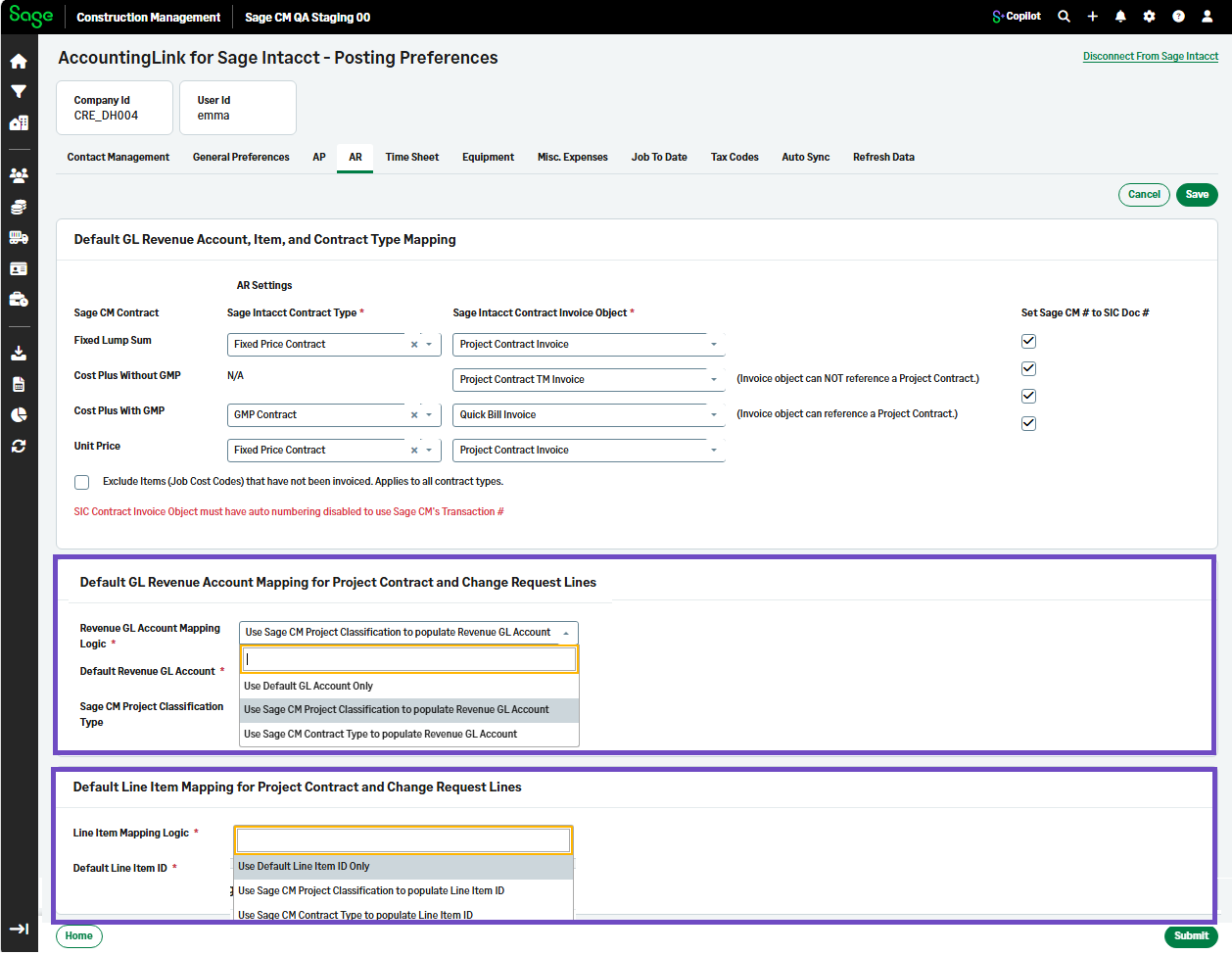
New revenue GL account and item mapping options are now available in the AR tab of the AccountingLink for Sage Intacct.
Sage Construction Management now provides greater flexibility when creating contract and change request invoices.
Details
This release includes new revenue GL account mapping configuration options in the AR tab of the AccountingLink for Sage Intacct:
-
Default GL Revenue Account Mapping for Project Contract and Change Request Lines: Administrators can define how the Revenue GL Account is populated during invoice creation. You can choose from the following mapping methods:
-
Use Default GL Account Only
-
Use Sage CM Project Classification to populate Revenue GL Account
-
Use Sage CM Contract Type to populate Revenue GL Account
Depending on the selected mapping logic, you can also specify a default Revenue GL Account and Project Classification Type.
-
-
Default Line Item Mapping for Project Contract and Change Request Lines: Administrators can control how the Intacct Line Item ID is populated when creating invoices. Available options include:
Use Default Line Item ID Only
Use Sage CM Project Classification to populate Line Item ID
Use Sage CM Contract Type to populate Line Item ID
This enhancement has been designed to align invoice data with their project classifications and contract structures.
How it works
-
Go to Accounting Link and select Posting Preferences.
-
Select AR.
-
Select the needed values in the following sections:
- Default GL Revenue Account Mapping for Project Contract and Change Request Lines
-
Default Line Item Mapping for Project Contract and Change Request Lines
-
Select Submit.
In Sage Intacct, the GL account and item display in Job contract line > General.