Custom TeamLink invitation email
Related information
 Related topics
You can now select a custom email template when sending a TeamLink invitation, making it easier to tailor the email to your organization's needs.
Details
When sending a TeamLink invitation from the Project Directory, Sage Construction Management now prompts you to select the email template to use before sending the invitation.
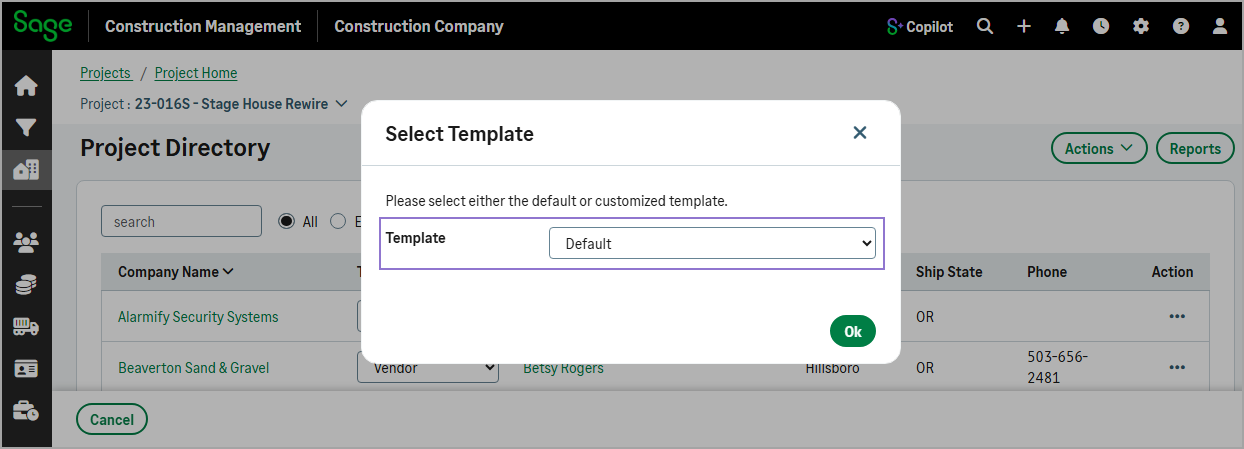
The template selection list includes all templates uploaded in Settings ( ) > Templates & Reports > Email Templates under the TeamLink Invitation Template upload category.
How it works
- Open a project and select Project Directory in the Project Team section.
- Select Actions > Send TeamLink Invitation.
- In the dialog, select the custom Template from the dropdown and then select Ok.
- Complete the required information as needed.
- Select Send Email.