Enhanced record details in the Document Viewer
Related information
 Related topics
This release provides faster access to related drawings and revisions with less navigation steps when reviewing drawing records.
You can now review documents and drawings directly in the Document Viewer.
Details
The Document Viewer now displays Sage branding and additional record information, helping you identify the source record and related documents while viewing files.
Updates to the document viewer include:
-
Sage branding in the Document Viewer tabs and icons.
-
Feature information, record numbers, and linked file details display in the viewer header.
-
Lead or Project numbers appear in the top row of the viewer for additional context.
-
Support for multiple Sage Construction Management record types, including drawings, specifications, issues, journals, bills, purchase orders, RFIs, submittals, transmittals, photos, daily logs, meetings, work orders, checklists, and compliance notices.
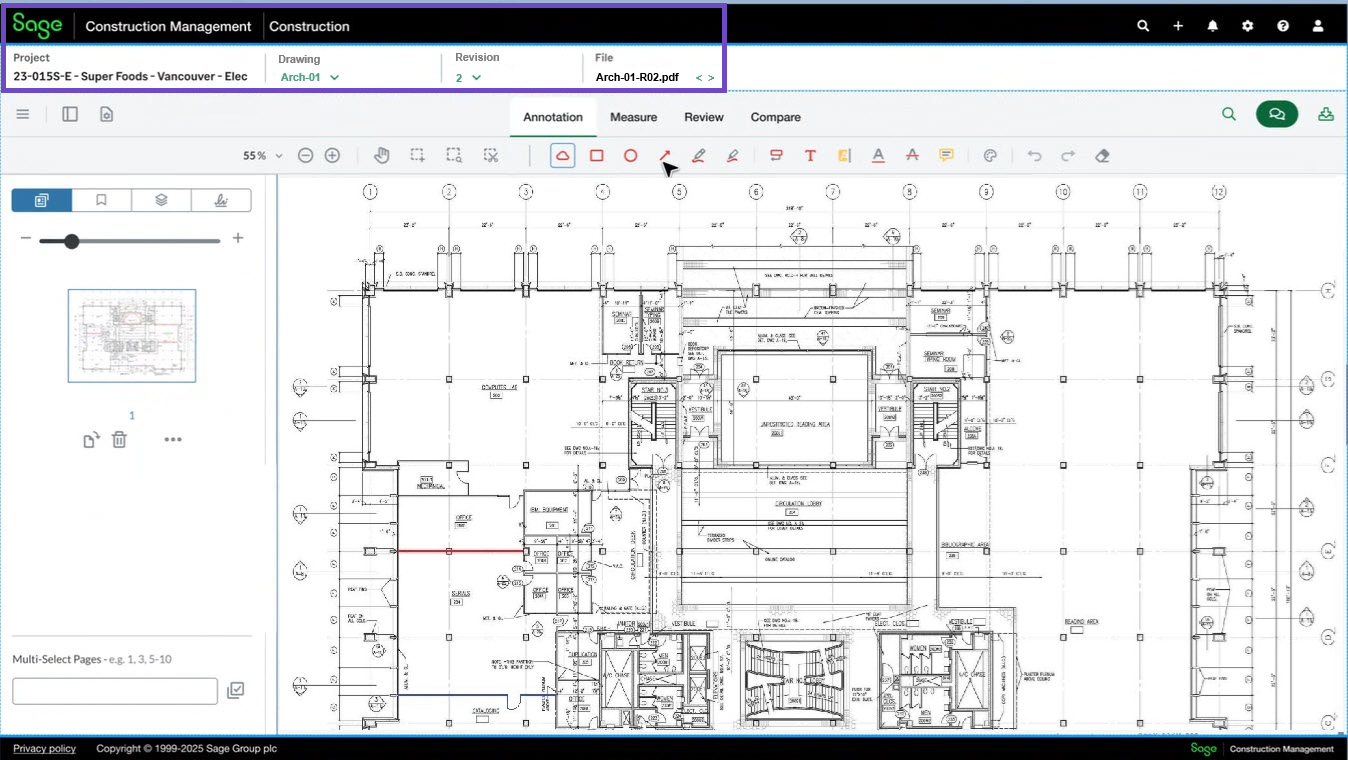
We've introduced three dropdowns in the Drawing Viewer to make it easier to navigate between related drawings, revisions, and files directly from the toolbar.
-
Drawing: Displays the current drawing record number and lets you switch to another drawing linked to the selected feature or record.
When a Drawing Set is not assigned, the list shows all drawing log records with no Drawing Set. When a Drawing Set is assigned, the list shows drawing log records from the same Drawing Set as the currently viewed file.
-
Revision: Displays available revisions for the selected drawing and lets you quickly move between drawing revisions without leaving the viewer.
This option appears when multiple revisions are available for the selected drawing.
-
File: Displays the linked file name, including the file extension and lets you switch between linked files associated with the selected feature or record. This option appears when multiple linked files are available.
How it works
-
Open a drawing in the Documentation Viewer.
The following enhancements display:-
The viewer header now includes additional contextual information such as the related feature, record number, linked file information, and lead or project number when available.
-
Sage branding is included within the viewer interface.
-