Sort schedule tasks
Related information
 Related topics
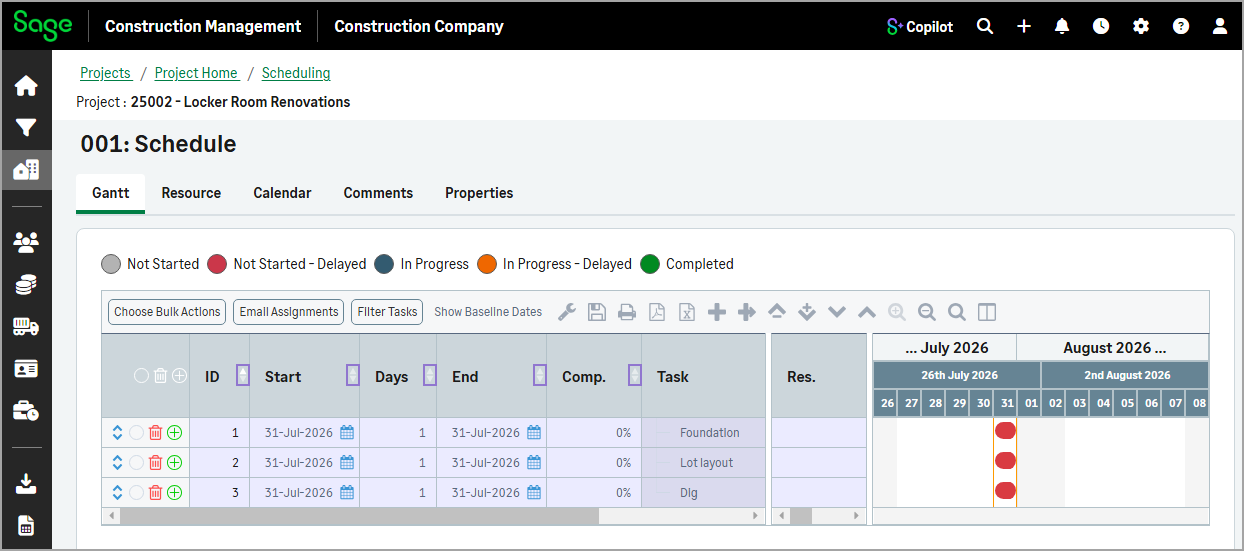
You can now sort tasks in the schedule by selecting the up or down arrows in any column header. This makes it easier to organize task information and quickly find the details you need.
How it works
-
Open a project and select Schedules in the Scheduling section.
-
Select the record number in the Schedules (Gantt Chart) section to open the schedule.
-
Select the up or down arrow in any column header to sort tasks in ascending or descending order.