View Sage Intacct vendor invoice details in Sage Construction Management
Related information
 Related topics
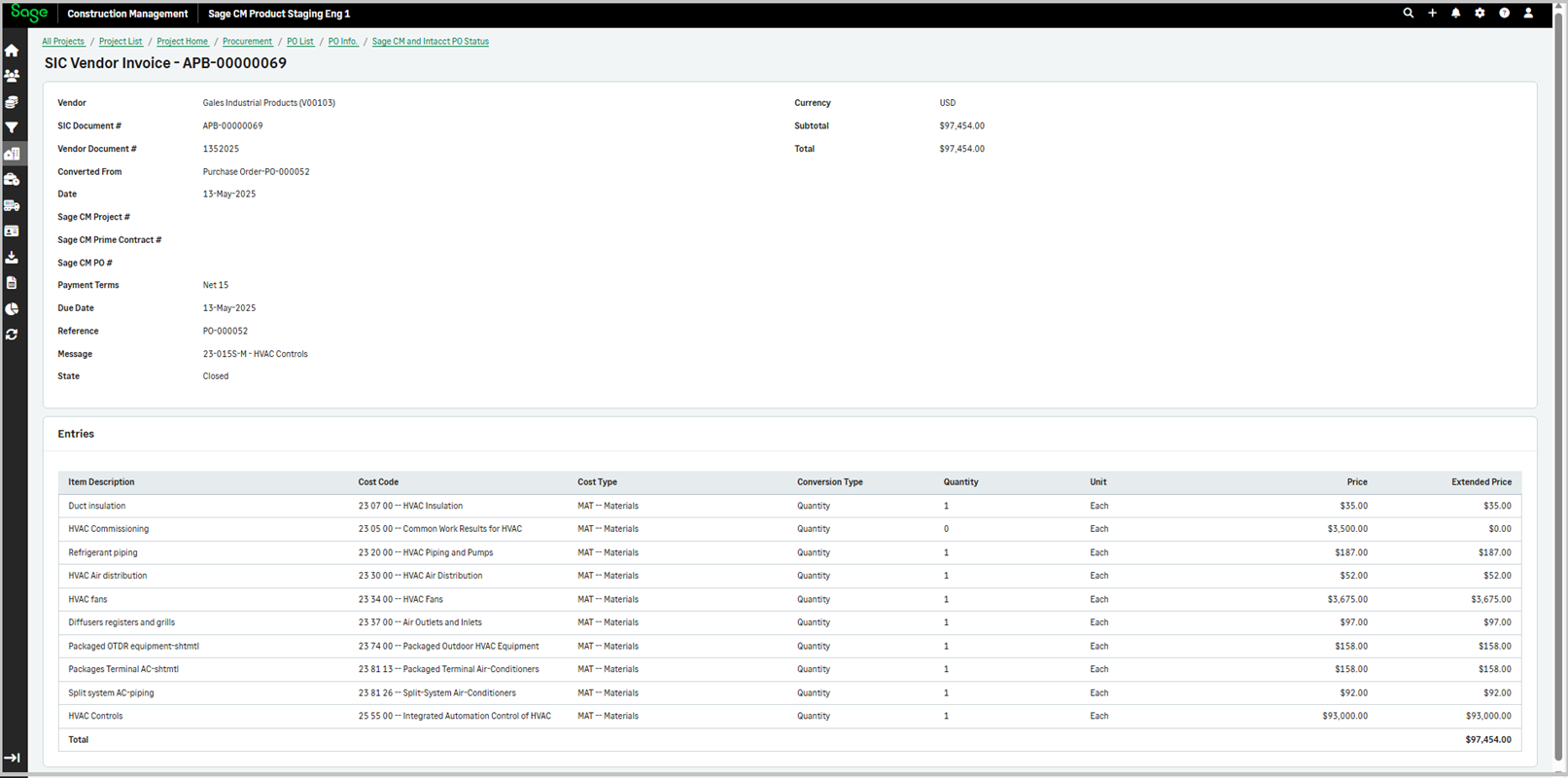
You can now view Sage Intacct vendor invoice details within Sage Construction Management, without having to log in to Sage Intacct.
Details
The following Sage Intacct vendor invoice details now display in Sage Construction Management through the Sage CM and Intacct PO Status form in the PO List.
-
Vendor
-
SIC Document #
-
Vendor Document #
-
Converted from
-
Date
-
Sage CM Project #
-
Sage CM Prime Contract #
-
Sage CM PO #
-
Payment Terms
-
Due Date
-
Reference
-
Message
-
State
-
Currency
-
Subtotal
-
Total
How it works
-
Go to Projects and open the required project.
-
Select POs in the Procurement section.
-
Select a PO from the list.
-
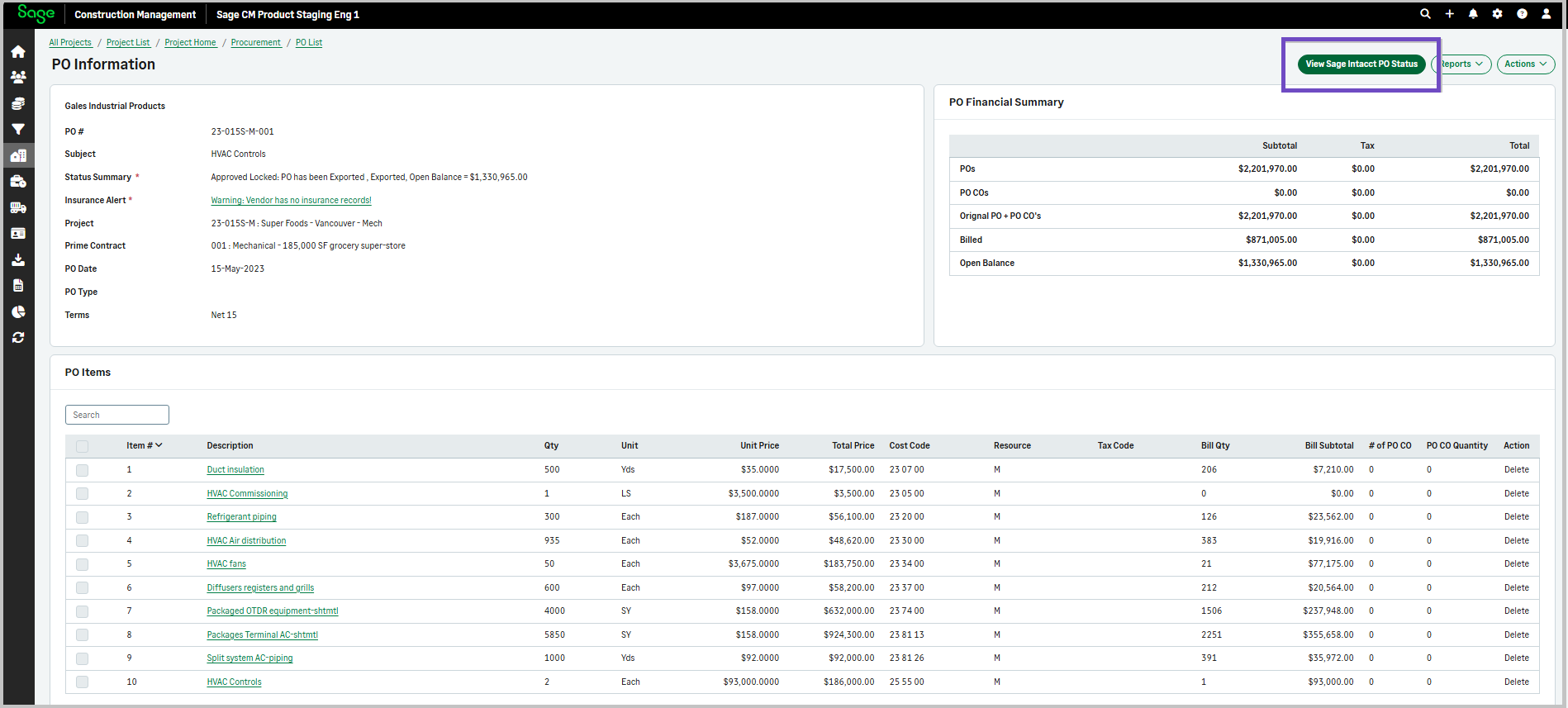
Select View Sage Intacct PO Status.
-
Select the link in the Document # column in the Sage Intacct Bills not in Sage CM section on the bottom of the page.
The SIC Vendor Invoice details display.