Updates in posting cost plus prime invoices with or without GMP
Related information
 Related topics
AccountingLink for Sage Intacct now checks whether a Project Contract exists in Sage Intacct when posting cost plus prime invoices.
Details
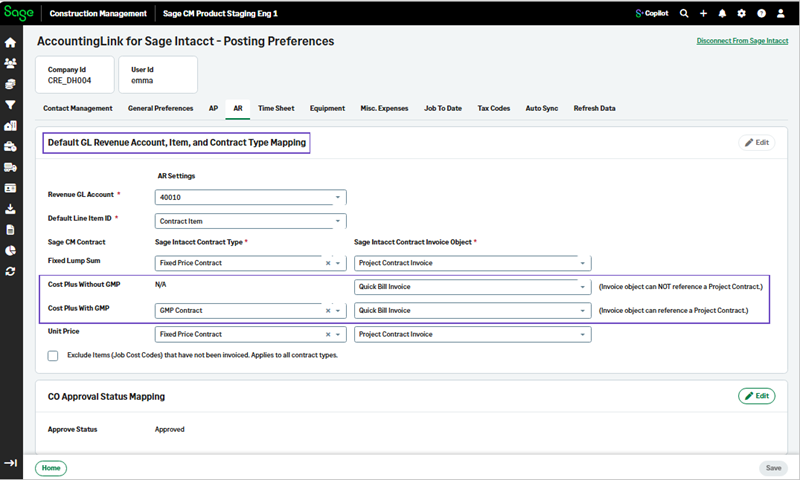
The Contract Mapping section has been renamed to Default GL Revenue Account, Item, and Contract Type Mapping.
Also, the posting logic for Cost Plus items with GMP has been updated.
AccountingLink for Sage Intacct looks whether a Project Contract is present:
-
If a Project Contract exists, the system uses the Cost Plus with GMP AR invoice.
-
If a Project Contract does not exist, AccountingLink for Sage Intacct is set to use the Cost Plus without GMP AR invoice.
This enhancement ensures that posting is consistent and accurate even for earlier exports that did not include any contracts.
How it works
-
Select Accounting Link > Posting Preferences > AR.
-
Select Edit and then select the required Sage Intacct Contract Invoice Object for Cost Plus With GMP and for Cost Plus Without GMP.
-
Select Save.