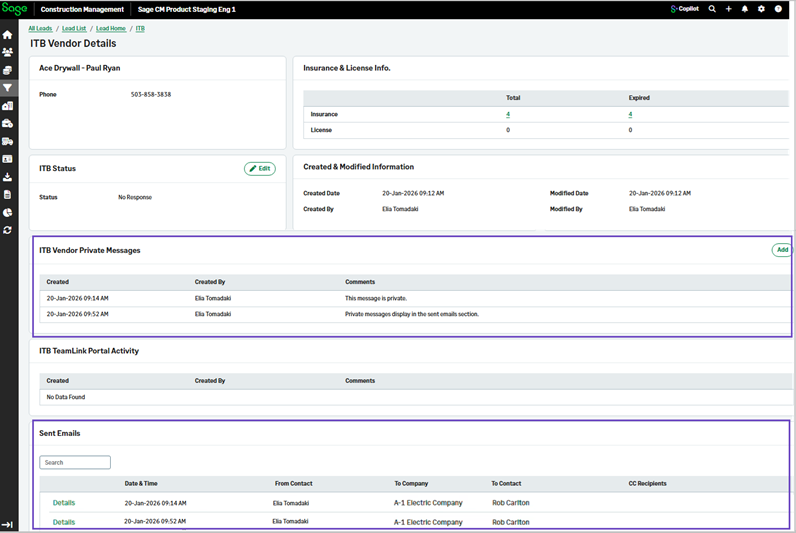
General and private messages in the vendor details page
Related information
 Related topics
General and private messages sent to directory contacts in an invitation to bid are recorded in the email log and appear in the vendor's sent messages in the vendor details page.
Details
You can now view general and private messages that have been sent to vendors through the Sent Emails section in the ITB Vendor Details page.
How it works
- Go to Leads or Projects.
- Select the lead or project in the Quick Select section.
- On the Lead or Project page, select Invitation To Bid (ITB) in the Preconstruction section.
- Select the General Messages and the ITB Vendor Messages tabs to view the sent messages.
- To view all sent emails including the general and private vendor messages, select the Vendors tab and select the required vendor.
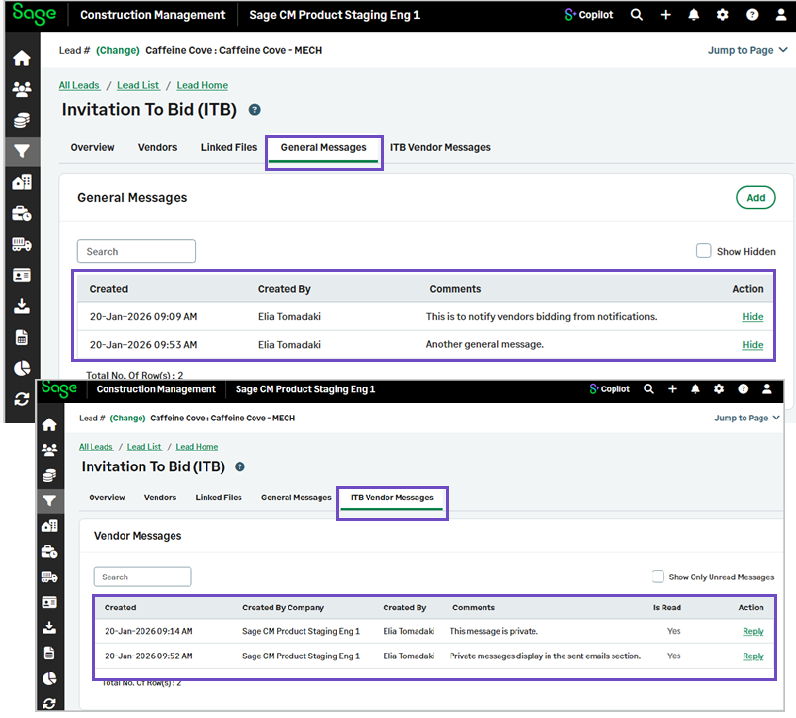
The Sent Emails section includes all sent messages.