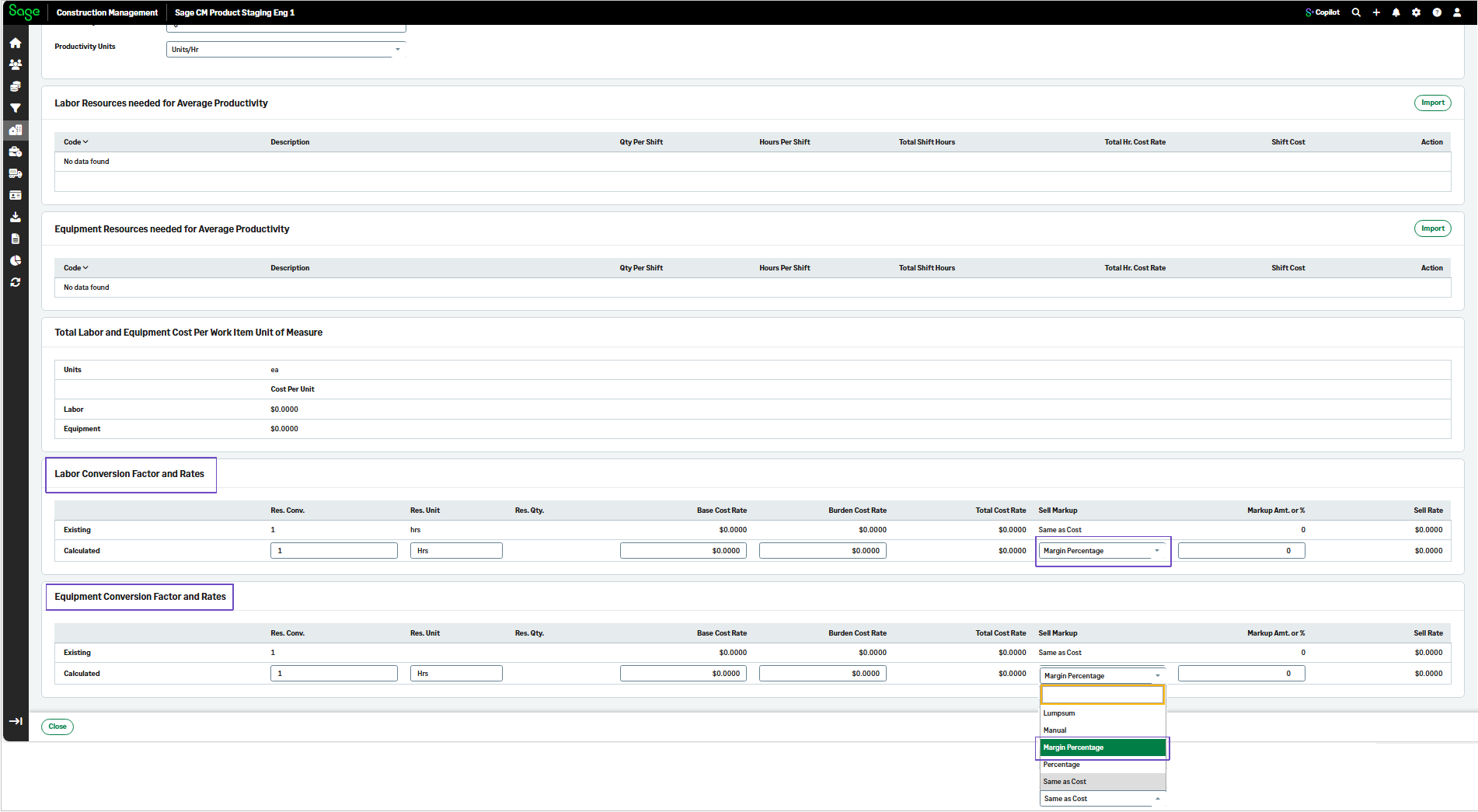
Margin Percentage option in the labor and equipment productivity calculator for estimates
Related information
 Related topics
A new Margin Percentage type is included for Sell Markup calculations in the Labor and Equipment Conversion Factor and Rates sections of the labor and equipment productivity calculator for estimates.
Details
You can now select the Margin Percentage type from the Sell Markup dropdown for labor and equipment items in estimates.
How it works
-
Go to Projects, and open the required project.
-
Select Estimates, open an estimate.
-
Select View Estimate > Items.
-
Select an item from the list.
-
Select Use Labor and Equipment Calculator to set corresponding Conversion Factor and Rates.
-
In the Labor Conversion Factor and Rates section, select Margin Percentage from the Sell Markup dropdown.
-
In the Equipment Conversion Factor and Rates section, select Margin Percentage from the Sell Markup dropdown.