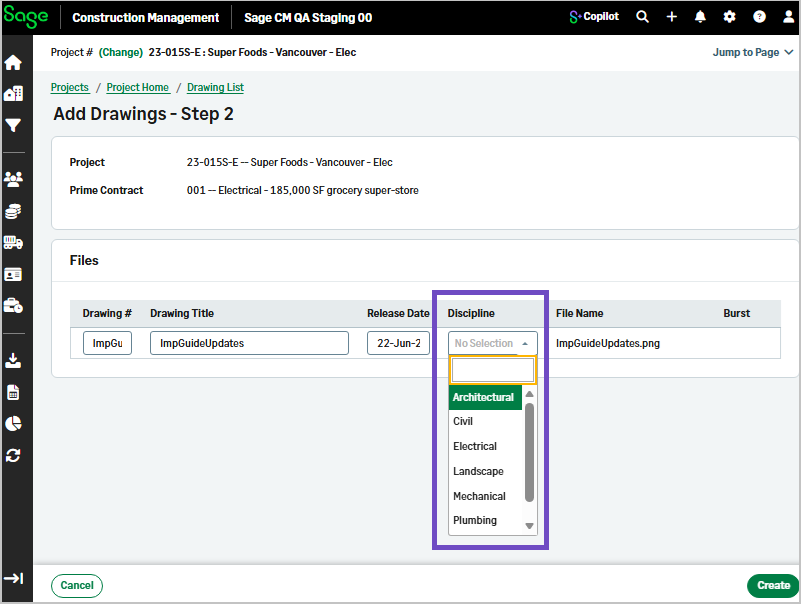
Grouping enhancements in drawings simple listing
Related information
 Related topics
You can now organize and review drawings more efficiently using new grouping options and integrated revision details.
Details
The drawings simple listing has been enhanced with new group by options, allowing you to organize drawings by discipline or revision history.
The Revision Details tab has been removed, and revision information is now available directly in the Listing.
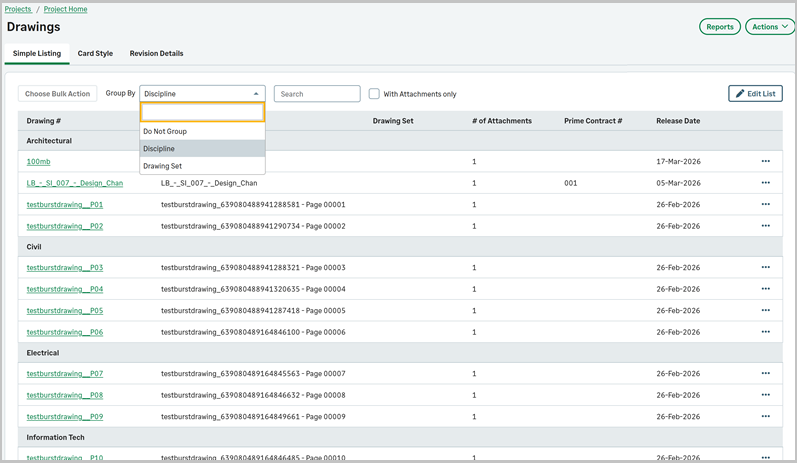
You can use the Group By option to organize drawings by Revision History or Discipline, allowing you to view revisions in a structured, hierarchical format within the same list. This provides a more streamlined way to review drawing revisions without switching tabs.
How it works
- Open the Drawings page and select Simple Listing.
- Select Discipline or Revision History from the Group By dropdown to filter the list.
Disciplines are created in Settings ( ) > Feature Settings > Drawings and added during the first step of creating a drawing.
) > Feature Settings > Drawings and added during the first step of creating a drawing.