Enhancements to drawings in TeamLink
Related information
 Related topics
Filter and review drawings more easily in TeamLink with additional options and improved display.
Details
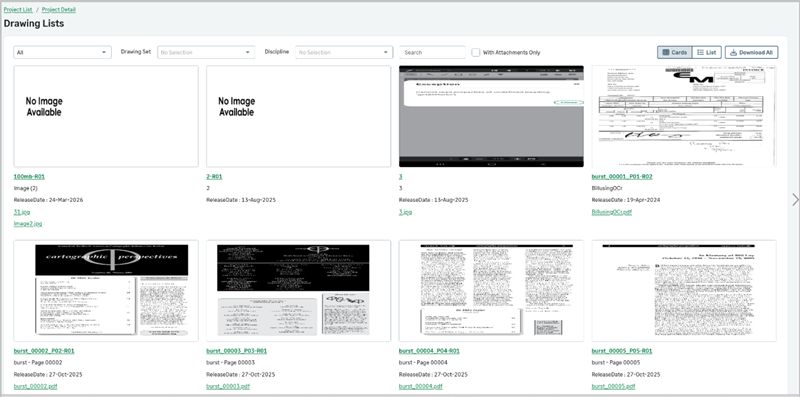
The drawings view in TeamLink has been enhanced to provide a more consistent and efficient experience when reviewing drawings. You can now filter drawings by Drawing Set and Discipline, with options based on the selected project. Updates have also been made to improve how drawings are displayed, including showing the Release Date directly in the view and ensuring drawing thumbnails are displayed when available.
How it works
- Open a project in TeamLink and navigate to Drawing Lists.
- Use the Drawing Set and Discipline drop-downs to filter the drawings.
- Switch between Cards and List views as needed.
- Review drawing details, including Release Date, directly in the view.
- View drawing thumbnails in the card view when available.