Import bills from Sage Intacct into Sage Construction Management
Related information
 Related topics
You can now import bills from Sage Intacct into Sage Construction Management, helping to keep financial records synchronized between both applications.
Details
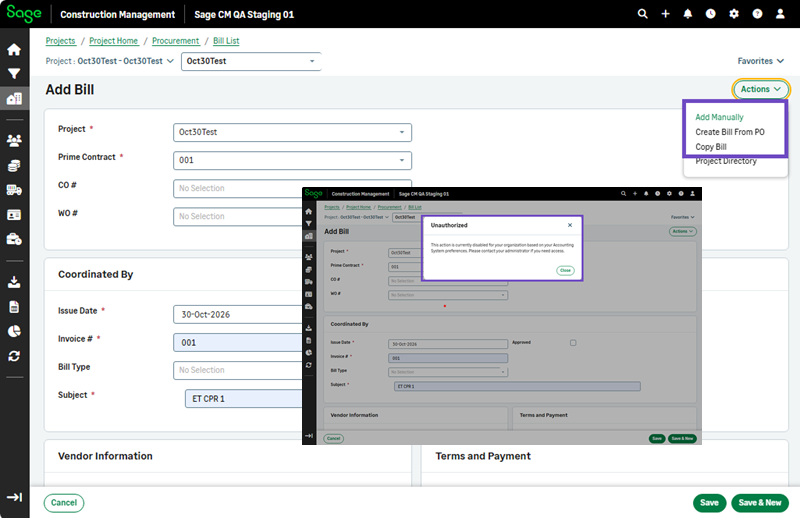
The AccountingLink for Sage Intacct now supports importing bills from Sage Intacct into Sage Construction Management through the new bill import settings in the Auto Sync configuration. When bill synchronization is enabled, Sage Construction Management retrieves bill information from Sage Intacct, imports the corresponding records, and prevents the manual creation of bills in Sage Construction Management.
How it works
-
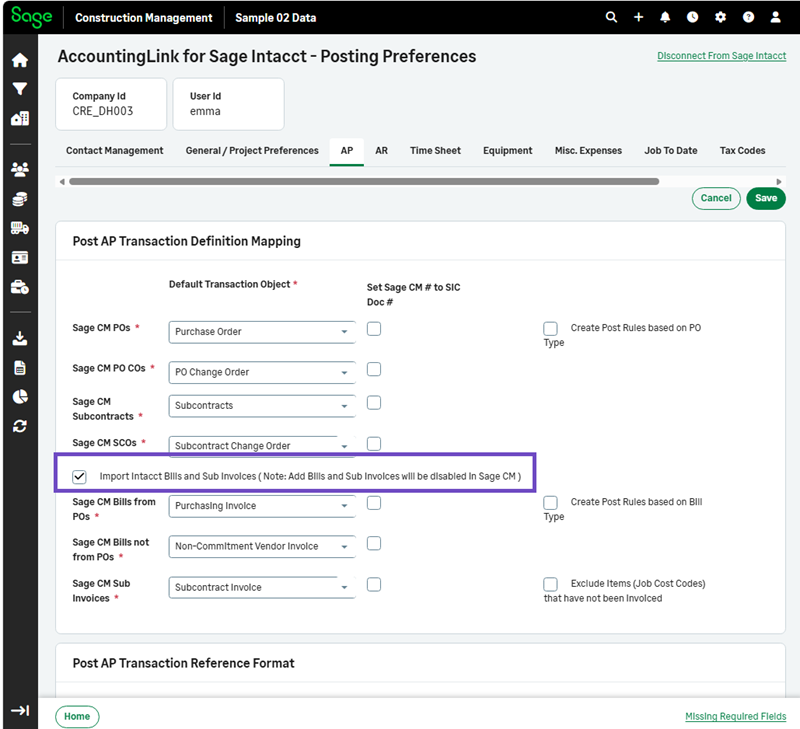
Select Accounting Link > Posting Preferences > AP.
-
Select the Import Intacct Bills and Sub Invoices ( Note: Add Bills and Sub Invoices will be disabled in Sage CM ) checkbox and select Save.
-
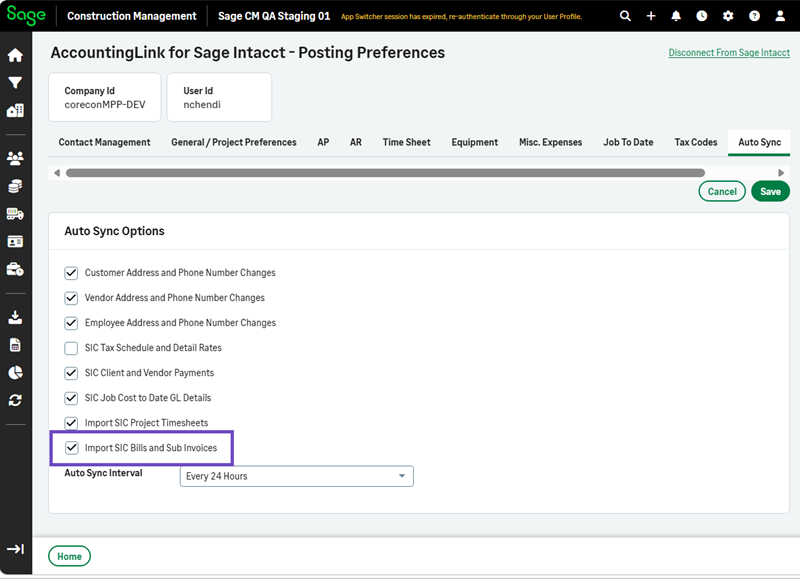
Select Auto Sync > Edit.
-
Select the Import SIC Bills and Sub Invoices checkbox.
-
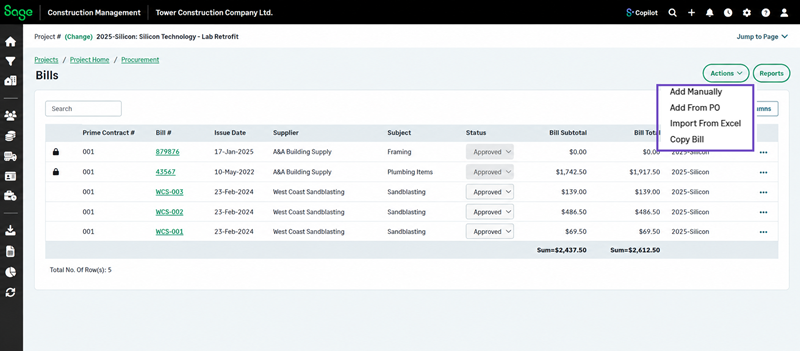
Go to Bills from the Procurement section in a selected project or lead.
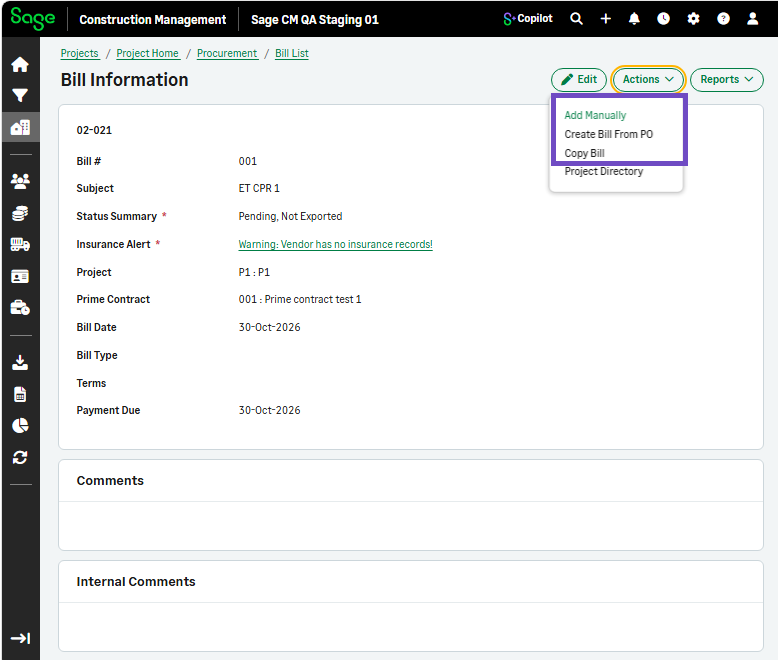
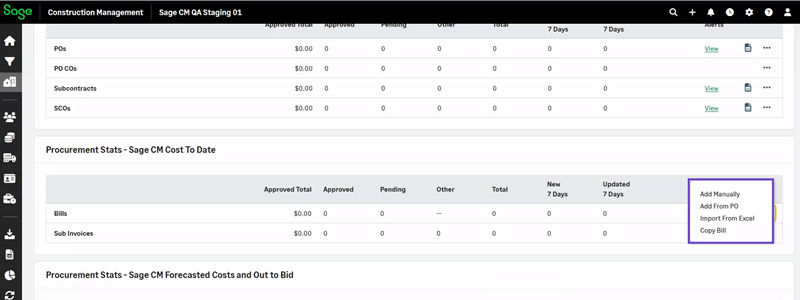
The options to add, import or copy a bill are unauthorized in the following areas:-
Procurement Overview
-
Bills Listing
-
Bill Details Form
-
-
Select Actions > Add Manually / Add from PO / Import from Excel / Copy Bill.
-
Select Save to save a manually added, imported or copied bill.
A unauthorized action message displays and prevents you from saving the bill according to the configuration of your posting preferences.