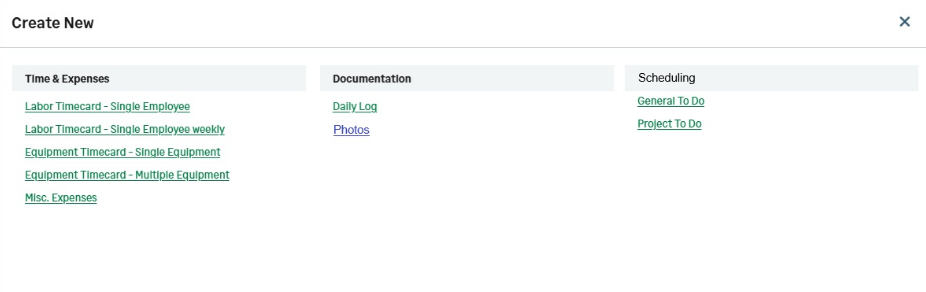
Create New menu for Time & Expense users
Time & Expense users now have access to a dedicated Create New menu that provides quick access to the records they can create in Sage Construction Management.
Details
T&E licence users can now use the Create New menu to create records directly from a single location. The menu displays only the record types available to their licence, making it easier to start new work and navigate the application.
How it works
- Select the plus icon pn the top right.
- Select the type of record you want to create.
The available options are based on your T&E licence permissions.
- Create labor timecards for individual employees.
- Create weekly labor timecards for individual employees.
- Create equipment timecards for single or multiple pieces of equipment.
- Create miscellaneous expense records.
- Create daily logs and photos.
- Create general and project to-do items.