View the latest drawing notification number
Related information
 Related topics
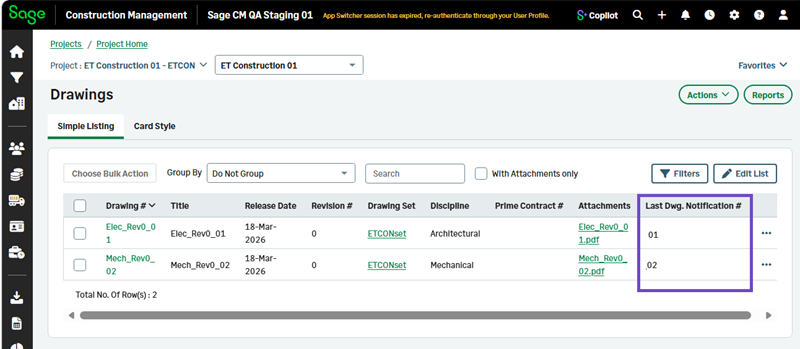
The Drawings list now displays the latest notification number associated with each drawing, so you can review notification activity without opening individual drawing records.
Details
The new Last Dwg. Notification # column displays the most recent notification number associated with each drawing.
How it works
- Go to Leads or Projects and open a lead or project.
-
Select Drawings.
-
Select Simple Listing.
- Select Drawings List.
Review the Last Dwg. Notification # column to identify the latest notification associated with each drawing.